How to Build an AI Worker Service with Lindy or Relevance AI
Compare Lindy vs Relevance AI in 2026. Explore pricing, features, AI worker costs, and practical tips to choose the right platform for your business.

In this article · 20 sections +
- What Is an AI Worker Service?
- Lindy: Basically an Assistant
- What Lindy costs right now
- Relevance AI: Build Your Own Little Department
- What Relevance AI costs right now
- Lindy vs Relevance AI, Side by Side
- What’s it actually like to build with each?
- Does bringing your own API key really save money?
- Quick reality check: more agents isn’t always better
- How to Choose: The WORK Test
- When You Should Skip Both
- How I’d Build the First One (6 Steps)
- What Does an AI Email Worker Really Cost?
- A Lindy example
- A Relevance AI example
- The costs nobody puts on a pricing page
- Is It Ready for Real Customers?
- Loops, Logins and Keeping It Healthy
- So, Which One?
- Frequently Asked Questions
It’s Monday. You’ve got 43 unread emails, two leads who ghosted you last week, and a meeting recap you swore you’d send on Friday.
You don’t want “an AI agent.” You want somebody (or something) to deal with that pile before your coffee goes cold. That’s the whole idea behind an AI worker service. And if you’ve been shopping around, Lindy and Relevance AI have probably both landed on your list.
I spent a good chunk of time going through both pricing pages, their docs, and way too many comparison posts that contradict each other. Here’s where I landed.
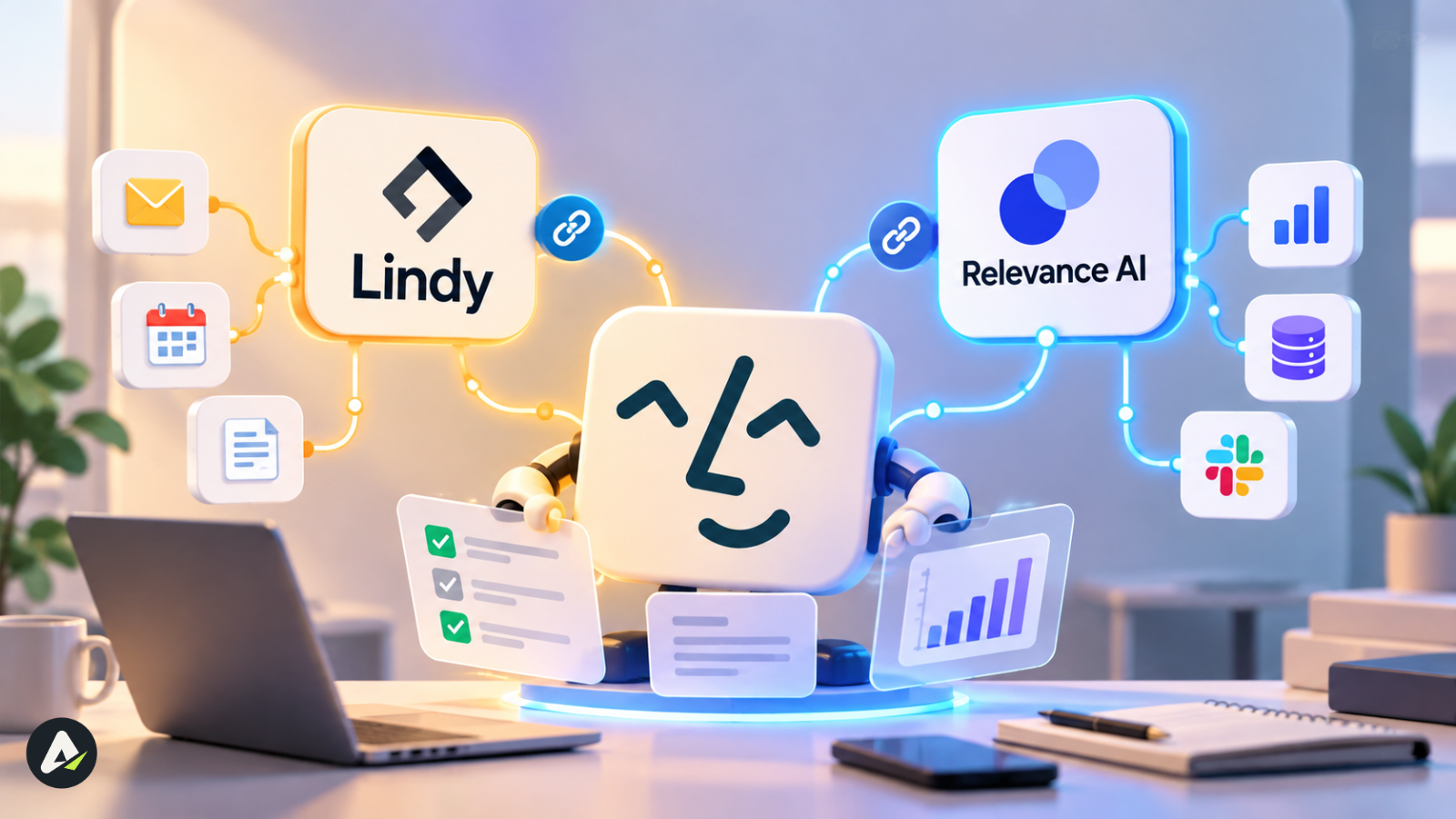
Lindy is the “just brief it and go” option. You talk to it like an assistant. Relevance AI is more of a workshop. You build a small crew of agents, and each one does one piece of the job.
Neither one is better across the board. It really comes down to what you’re trying to hand off, and how much you’re willing to pay attention to credits. (Spoiler: more than you’d think.)
Go with Lindy if you want help with inbox, calendar, and follow-up work on one simple bill. Go with Relevance AI if you’ve got a multi-step process that needs its own agents, real testing, or your own API keys.
What Is an AI Worker Service?
Think of it as an AI agent with a job title.
You give it one thing to own. Sorting support tickets, say, or qualifying new leads. It waits for something to happen, figures out what to do, and then does it inside your CRM, inbox, or helpdesk.
“Isn’t that just Zapier?” Not quite. Zapier follows rules, and rules break the second a customer writes something like “can we push Tuesday?” There’s no rule for that. An agent actually reads it, checks your calendar, and writes back. If the “how” behind that is still a little fuzzy, it’s worth reading up on how AI agents think and act. The gap between AI tools and AI agents is also why that chatbot widget on your helpdesk doesn’t count.
So what makes something a real AI worker and not a fancy macro? It decides its own next step. It can read and write in your apps (through built-in integrations or MCP). And it knows when to stop and ask you first.
Lindy: Basically an Assistant
Lindy works a lot like a really fast executive assistant. You hand over the inbox, the calendar, meeting notes, research, CRM updates. Then you chat with it in Slack, email, or a text thread.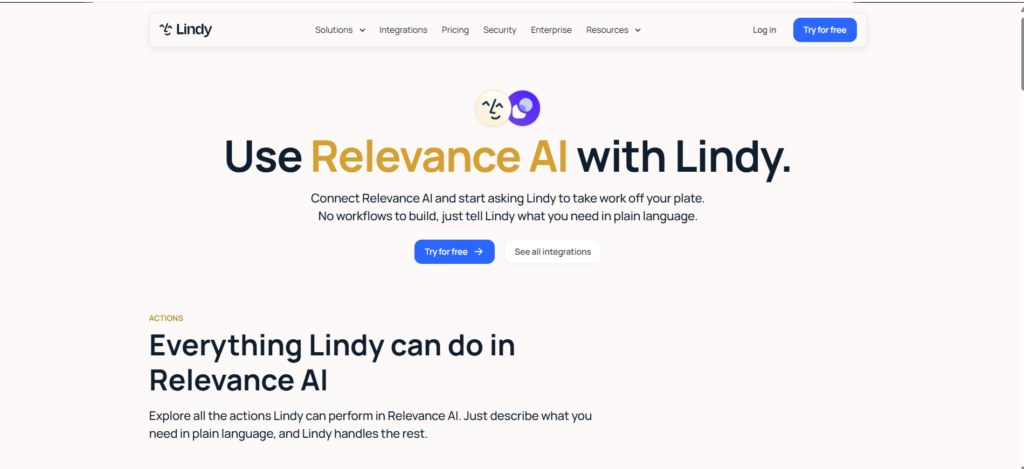
Its pricing page lists 40+ built-in skills and 1,500+ integrations. It supports MCP, and you can pick which AI model runs each task. There’s also something called computer use, which means Lindy can click around web dashboards that don’t have an API. Honestly, that one feature can save you a lot of hacky workarounds.
You can teach it new skills too. Just know how agent skills actually work before you let one loose on customers, because a badly written skill fails quietly.
Can Lindy run a team of agents or make phone calls? It has done both at different points. It’s supported agent-to-agent handoffs, and back in October 2025 it launched Gaia, a phone agent. But right now the product is very much built around one teammate, and the current pricing page doesn’t mention either. If you need them, ask Lindy what your plan actually includes.
On privacy, Lindy says it doesn’t train models on your data. It lists SOC 2 and GDPR, and Enterprise customers can get HIPAA with a signed BAA.
What Lindy costs right now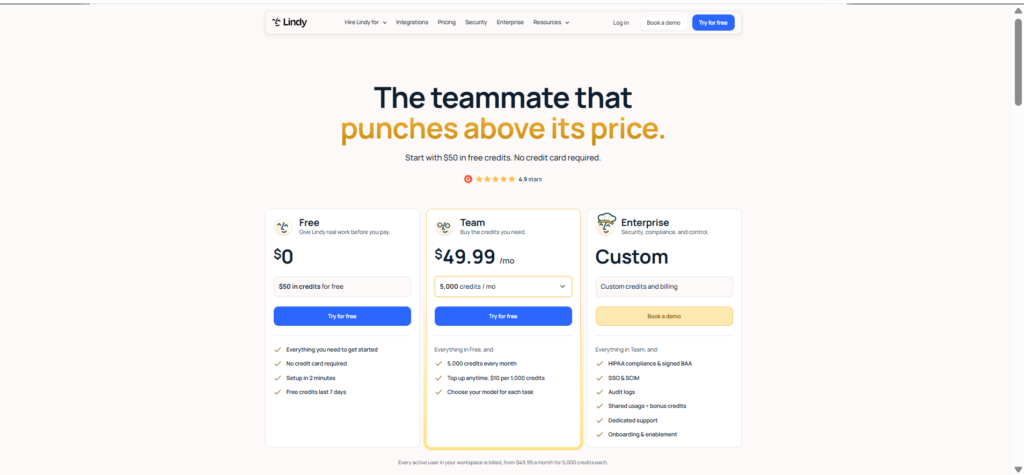
| Plan | Price | Credits |
|---|---|---|
| Free | $0 | Trial credits for 7 days, no card |
| Team | From $29.99 per user/month | From 3,000 per user, shared across the workspace |
| Enterprise | Custom | Custom, with SSO, SCIM, audit logs, and HIPAA |
Run out? Extra credits are $10 per 1,000. Leftover credits don’t carry over to next month, which stings a bit. The upside is that when you hit zero, Lindy just pauses. No surprise bill.
Fair warning, though. Lindy’s pricing page has changed a bunch of times this year. It even changed on the day I checked it. So if a review talks about “Plus, Pro and Max” plans, it’s describing an older version. Double-check under Settings → Billing before you budget anything.
Relevance AI: Build Your Own Little Department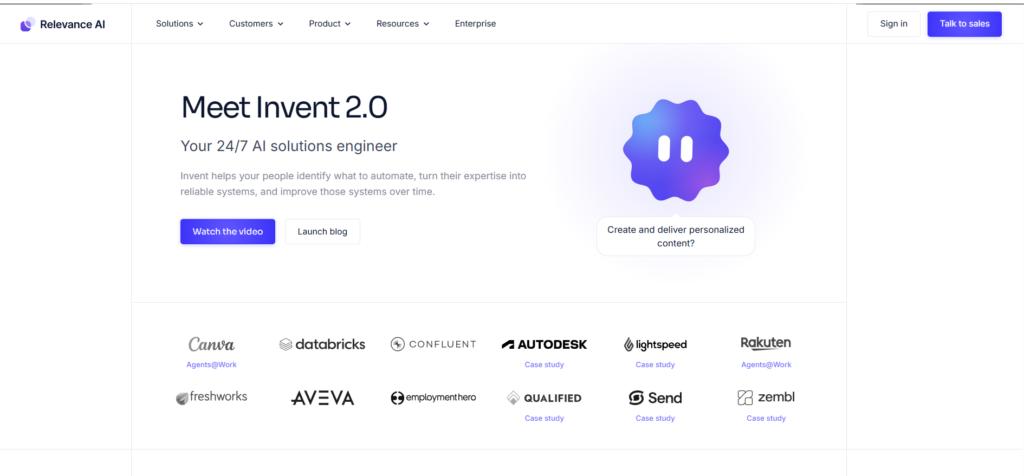
Relevance AI thinks in teams. You set up an “AI Workforce,” where each agent handles one step and passes the result along.
Picture a sales setup. One agent digs into the company. The next one finds the right contact. A third writes the email. The last one logs everything in your CRM. Four agents, one pipeline.
You can build this a few ways. There’s a drag-and-drop canvas. There’s a tool called Invent, where you describe the agent in plain English and it writes the prompt, tools, and tests for you. And if you’re a developer, you can wire it all up over MCP from Claude Code or Cursor.
Where does this setup really shine? Regulated work, where every step needs a paper trail. That’s exactly why you see the same pattern in lending automation with AI agents.
The company started in Sydney back in 2020. In May 2025, it raised a $24 million Series B, led by Bessemer Venture Partners.
What Relevance AI costs right now
This part tripped me up. The main pricing page only shows one plan, Enterprise, with a “talk to sales” button. No prices at all. But dig into the Relevance AI pricing docs, and you’ll find two self-serve plans still sitting there:
| Plan | Billed yearly | Billed monthly | Included each month |
|---|---|---|---|
| Pro | $19/month | $29/month | 2,500 Actions + $20 Vendor Credits |
| Team | $234/month | $349/month | 7,000 Actions + $70 Vendor Credits |
| Enterprise | Custom | Custom | Custom Actions and Vendor Credits |
What about a free plan? Gone. The same docs say Relevance AI retired it for new and existing accounts.
Billing works on two meters. Actions are your tool runs. Vendor Credits pay for the AI model. And if you want agent evaluations or A/B testing, those sit on Enterprise.
Lindy vs Relevance AI, Side by Side
| Lindy | Relevance AI | |
|---|---|---|
| Built for | Everyday assistant work for people and small teams | Multi-step processes split across agents |
| Starting price | $29.99/user/month (3,000 credits) | $19/month yearly or $29 monthly |
| Free option | 7-day trial credits | Retired, per its docs |
| How you pay | One shared credit pool | Actions + Vendor Credits |
| Model choice | Pick per task | Pick per agent, or bring your own key |
| Your own API key | Not in its public docs | Yes, from Pro |
| Apps with no API | Computer use | Tool calls, APIs and code steps |
| Testing | Approval before outside actions | Evals and A/B tests on Enterprise |
| Spend control | Auto-pause and per-seat caps | Plan allowances |
What’s it actually like to build with each?
With Lindy, you mostly just talk. Tell it what you want, and it sets things up.
Relevance AI does have that plain-English starting point (Invent). But most of the real work happens on the canvas, where you connect agents, tools, and approval steps by hand. You get more control. You also get a steeper first week, especially if nobody on your team has built automations before.
In healthcare? Lindy offers HIPAA with a signed BAA on Enterprise. Relevance AI’s pricing page doesn’t mention HIPAA at all, so bring it up with their sales team early if your agents will touch patient data.
Does bringing your own API key really save money?
Yes, but less than people assume.
BYOK lets you plug your own OpenAI or Anthropic account into Relevance AI. Its docs say that can replace Vendor Credits completely. Sounds great. But you’re still paying OpenAI or Anthropic directly, and every tool run still eats an Action. I think of it like this: BYOK cuts the brain bill, not the hands bill.
As for Lindy, I couldn’t find a bring-your-own-key option anywhere in its public docs. Everything runs through credits.
Quick reality check: more agents isn’t always better
This one gets overlooked a lot. Every time one agent hands off to another, you add a bit of delay, one more thing that can break, and one more log to dig through at 11 p.m.
If one well-briefed assistant can do the job, a five-agent chain just costs you more. Only build the crew when the steps genuinely need different tools, data, or people behind them.
How to Choose: The WORK Test
I use four questions. Nothing fancy.
Who’s going to use it? If it’s you, or a small team, Lindy usually fits. A whole department running the same playbook? That’s Relevance AI territory.
What do you need it to produce? Drafts, summaries, admin stuff- that’s Lindy. A pipeline where leads get researched, enriched, sorted, and logged is a Relevance AI job.
What happens if it gets something wrong? If you need to re-run a set of test cases every time you tweak a prompt, Relevance AI gives you better tools for that.
Kind of bill you want? One flat price per seat points to Lindy. Want to squeeze costs down with your own keys? Relevance AI.
One thing I’d push back on: don’t decide based on team size alone. A tiny agency can need a full agent chain, while a huge company might be fine with one assistant per rep.
When You Should Skip Both
Not every job needs an AI worker.
If the task never needs judgment (copy every new form entry into a spreadsheet, for example), Zapier, Make or n8n will do it cheaper and faster. Lots of teams actually mix the two. The rules tool handles the boring plumbing, and it only calls an agent through a webhook when a step needs some thinking.
And if you’ve got engineers who want total control or self-hosted models? Look at a framework like LangGraph or CrewAI. No no-code tool will give you that level of ownership.
How I’d Build the First One (6 Steps)
- Pick one small, specific job. “Reply to new demo requests within 15 minutes” is good. “Handle sales” is way too vague.
- Figure out what kicks it off and what “done” looks like. Maybe a Gmail label starts it, and a saved draft plus a CRM note finishes it.
- Give it as little access as possible. Read-only at first. Add sending or editing later, one app at a time.
- Brief it like it’s someone’s first day. Explain the tone. Show it a great reply and a terrible one. Add hard rules, like “never quote pricing.”
- Test it on 20 to 30 real emails from last month. Mark each one right, fixable, or wrong. Keep that list, because you’ll reuse it.
- Ease off the approvals slowly. Boring stuff can go out on its own. Anything risky still waits for you.
Step six is where a lot of people mess up. If your worker asks you to approve 50 drafts a day, guess what? You’re now the bottleneck. And by draft number 30, you’re clicking “approve” without reading.
What works better is splitting things up. Routine confirmations go out automatically. Anything about money or promises gets drafted for you to check. Anything the agent isn’t sure about gets flagged.
What Does an AI Email Worker Really Cost?
Forget the monthly price for a second. The number I’d actually watch is cost per successful task. That’s what you spend, divided by the emails it got right without you fixing them. A cheap plan can look terrible on that metric if it keeps retrying or you keep rewriting its drafts.
Here’s the rough math for a credit-based plan:
Monthly cost = plan price + (credits used − credits included) ÷ 1,000 × top-up price
And count the emails it actually handles, not everything that hits your inbox. Filtering out newsletters and receipts alone can cut the load in half.
One more warning before you scale up outbound emails. Neither tool is a deliverability service. They send through whatever inbox you connect, and they don’t warm up domains or rotate addresses. Blast a few hundred cold emails a day from your main company domain, and you could end up in spam for your whole team. Use a separate, warmed-up domain for anything an agent sends cold.
A Lindy example
Lindy says everyday tasks, like drafting a reply, use anywhere from 2 to 250 credits. So I picked three numbers in that range and ran them for 1,000 emails a month on one $29.99 seat (3,000 credits). These are just scenarios, not real measurements, and they don’t count retries.
| Credits per email (my guess) | Emails 3,000 credits cover | Extra credits for 1,000 emails | Rough monthly total |
|---|---|---|---|
| 10 | 300 | 7,000 ($70) | ~$100 |
| 25 | 120 | 22,000 ($220) | ~$250 |
| 50 | 60 | 47,000 ($470) | ~$500 |
Watch out for task creep. If a “simple reply” also does web research, checks your calendar, and looks up the CRM, it can drift into Lindy’s 250 to 1,000 credit “deep work” range. Switching to a heavier model pushes the number up too. Check your usage after any change.
A Relevance AI example
Let’s say each email triggers three tool runs. One reads the email, one searches your help docs, and one writes the draft. If each run counts as one Action, Pro’s 2,500 Actions get you about 830 emails a month.
Combine those three steps into one tool, though, and that same allowance goes about three times further. Loops and retries burn extra Actions, so keep an eye on those. The model side gets paid out of your $20 in Vendor Credits, or out of your own API bill if you use BYOK.
The costs nobody puts on a pricing page
Setup time. Paid data or enrichment tools the agent calls. The hours somebody spends reading drafts. All of that is part of the real cost.
My advice? Run a one-week pilot and track all of it next to your credit or Action usage. That week will tell you more than any pricing table. Including mine.
Is It Ready for Real Customers?
You won’t find this in any feature list. Before you turn approvals off, try these six things.
| Check | What to try |
|---|---|
| Reliability | Break a CRM write on purpose. Does it retry once, or send the email twice? |
| Visibility | Can you see each step’s input, output, error, and cost on a failed run? |
| Retesting | Can you replay your saved test emails after changing the prompt or model? |
| Access | Does it only reach the accounts its job needs? |
| Human effort | How many drafts still need edits after the first week? |
| Exit plan | Could you export your prompts and logic if you switched tools? |
Loops, Logins and Keeping It Healthy
Want to know what actually blows up a bill? It’s usually not one bad reply. It’s a loop.
Picture an agent that keeps retrying a broken tool all night. Or one that rereads the same email thread every few minutes while you’re asleep. You wake up, and your credits are gone.
A few habits help a lot here. Run triage a couple of times a day instead of on every single email. Set a cap per seat and get an alert if usage spikes. Limit retries, and send failures to a real person. And save the expensive models for research, because routine replies rarely need them.
Also, give each worker its own login. Don’t let it borrow yours. Setting up separate identities for AI agents makes it easy to see what each one did, and easy to shut one off.
Then there’s drift, which nobody warns you about. Your CRM renames a field. An API changes. You make a dozen tiny edits to the prompt over a few months, and suddenly the agent isn’t doing what you first asked. Re-run your saved test emails once a month, and again after any change.
While you’re at it, try to break the approval flow yourself. Have it send a message, edit a record, hit a failed tool call, and read an email that tries to give it orders. See what it really does, not what the docs say it does.
So, Which One?
If your week drowns in email, meetings, and follow-ups, I’d start with Lindy. It’s quicker to set up and the bill is simple.
If your team runs a repeatable pipeline that deserves its own agents and proper testing, Relevance AI gives you more room to build. BYOK helps a lot if model costs are a worry.
Either way, don’t judge it by the sticker price. Pick one email or lead-research job, run it for a week with approvals on, and track usage, mistakes, and how long reviews take. Those numbers will make the call for you. And they’ll be your numbers, not some vendor’s.
Frequently Asked Questions
Q. What is Lindy AI used for?
People use Lindy to clear inboxes, draft replies, take meeting notes, send follow-ups, book meetings, run research, and update CRMs. Lindy says it waits for your approval before anything leaves your workspace, like an outgoing email.
Q. Is Lindy AI free?
Only for a week. Lindy gives new users free trial credits for seven days with no card required. As of October 13, 2026, paid Team seats start at $29.99 per user per month for 3,000 credits, and extra credits cost $10 per 1,000.
Q. How much does Relevance AI cost in 2026?
Relevance AI’s docs list Pro at $19 a month billed yearly or $29 monthly, with 2,500 Actions and $20 in Vendor Credits. Team costs $234 a month billed yearly or $349 monthly. Enterprise pricing is custom, and the Free plan is retired.
Q. Does Relevance AI let you bring your own API key?
Yes, from the Pro plan up. Your own keys can replace Vendor Credits for model usage, but you still pay your model provider, and tool runs still count as Actions.
Q. Is Relevance AI a good company?
It’s an established, venture-backed platform founded in 2020. Relevance AI raised a $24 million Series B led by Bessemer Venture Partners in 2025 and works with enterprise customers. Whether it suits you depends on your workflow, budget, and appetite for multi-agent setups.
Q. Who owns Lindy AI?
Flo Crivello founded Lindy and leads the company. It’s a private, venture-backed startup, so its full ownership isn’t public.
Q. Who are the big 4 AI agents?
There’s no official “big four.” Most people mean the agent products from the largest AI model makers, usually OpenAI, Google, Anthropic, and Microsoft. Lindy and Relevance AI sit a layer above those, as platforms for building workers around your business.
Q. Can I build an AI email worker with Lindy or Relevance AI?
Yes. Lindy handles inbox triage and reply drafts with very little setup. Relevance AI fits email that’s one step in a longer chain, like an outbound flow that researches a lead, writes the pitch, and logs the result.
Related: How Lindy AI Agents Think, Work & Automate Tasks
| Disclaimer: This article is for informational purposes only and is not affiliated with or endorsed by Lindy or Relevance AI. Pricing, features, and credit limits may change, so verify details on the official websites before purchasing. Cost examples are estimates, not guaranteed results. |

Maliha
AI is moving steadily from experimental technology into the products and workflows people rely on every day. Maliha Irfan is a technology writer covering artificial intelligence, automation, and emerging software. Her work focuses on the practical side of AI agents, exploring how these systems are being used, what they can realistically accomplish, and the limitations that matter when businesses and individuals adopt them.
More from Maliha →