AI Agent Skills Explained: How SKILL.md Works and What Can Go Wrong
Agents rarely fail for lack of facts. They fail because they don't know your procedure. The order your team runs migrations, say. Or which fields your finance model needs, or that naming convention nobody ever wrote down. A…


In this article · 29 sections +
- What exactly is an AI agent skill?
- The frontmatter
- A complete example
- Why this is different from what models already know
- The spec is smaller than the implementations
- How do agent skills work under the hood?
- Why not just use a big system prompt?
- The description does the routing
- When a skill silently doesn’t load
- Skills, MCP, instructions, and plugins
- Skills vs custom instructions
- Plugins aren’t an alternative
- One structural difference from MCP
- Do agent skills actually improve performance?
- Two studies, two very different headlines
- Why those numbers agree
- Three findings that haven’t travelled far enough
- And sometimes they make things worse
- What do real agent skills look like?
- What are the security risks?
- What an audit found
- The part that’s actually new
- The spec offers no defense
- Practical steps
- When should you write one?
- Three constraints from the research
- Then test it honestly
- Where do skills work, and what breaks?
- FAQs
Agents rarely fail for lack of facts. They fail because they don’t know your procedure.
The order your team runs migrations, say. Or which fields your finance model needs, or that naming convention nobody ever wrote down. A model can explain database normalization perfectly well and still get your schema wrong.
That gap is what agent skills try to close.
A skill is a small package of instructions, usually a folder built around a file calledSKILL.md, that an agent picks up when a task calls for it. You write the procedure once, and after that the agent finds it on its own.
The 30-second version: an AI agent skill is a reusable package of instructions that teaches an agent how to carry out a specific procedure. It can bundle scripts, reference docs, and templates. Compatible agents load it only when a request matches, instead of holding every instruction in context all the time.
The format is simple. The claims made for it are bigger. Before installing anything, two facts are worth carrying with you: 2026 benchmarks show skills producing large gains in some domains and none at all in others, and a security audit of nearly 4,000 published skills found problems in more than a third.
So the useful question isn’t just what a skill is. It’s when one actually helps, and whether you should trust the one you’re about to download.
One terminology note. In the formal standard, a skill is a directory centered on SKILL.md. In looser vendor usage, “skill” means any reusable instruction package. The two mostly overlap. Where they don’t, I’ll say so.
What exactly is an AI agent skill?
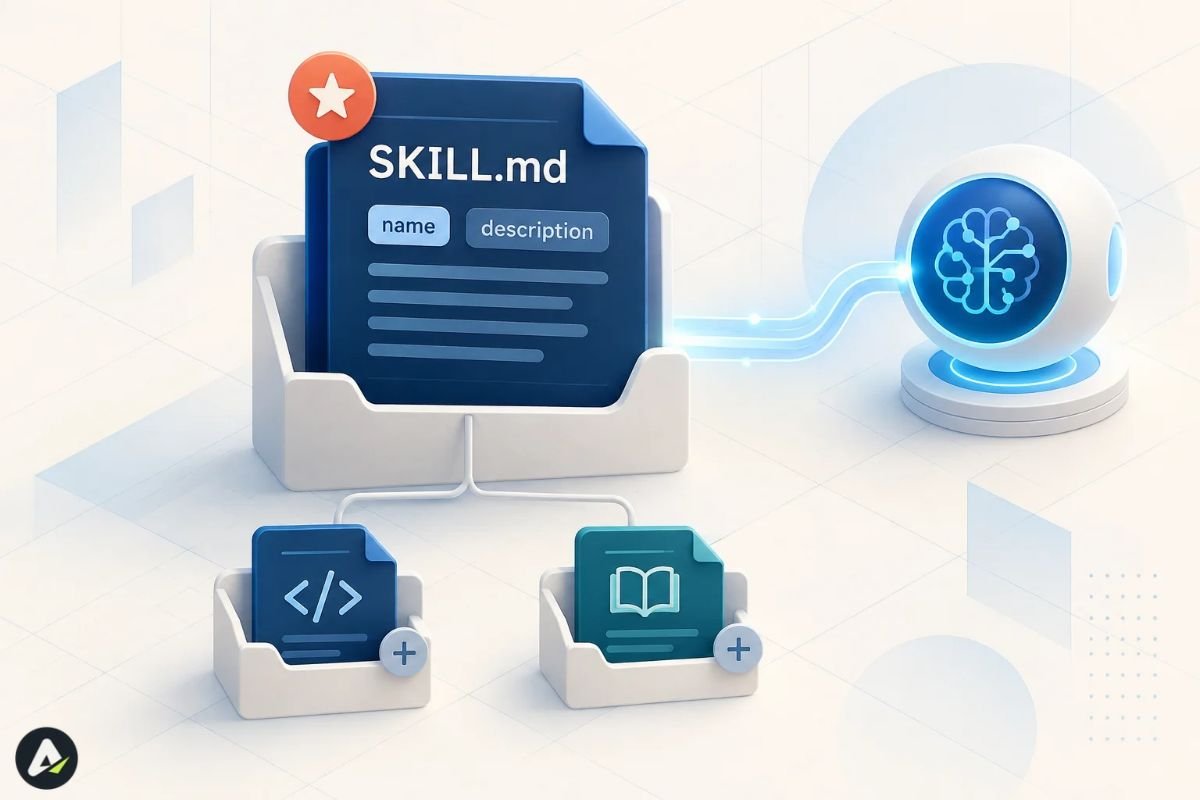
A skill is a directory with one required file.
The Agent Skills specification asks for a directory SKILL.md containing YAML frontmatter and Markdown instructions. Everything else is optional. That minimalism explains a lot about how fast the format spread, because supporting it costs a vendor almost nothing.
The frontmatter
Two fields are mandatory:
| Field | Required | Constraint |
|---|---|---|
name |
Yes | Max 64 characters, lowercase letters, numbers, and hyphens; must match the folder name |
description |
Yes | Max 1,024 characters, says what the skill does and when to use it |
license |
No | License name or a bundled file reference |
compatibility |
No | Max 500 characters, for environment requirements |
metadata |
No | Arbitrary string key-value pairs |
allowed-tools |
No | Space-separated pre-approved tools, marked experimental |
A complete example
---
name: invoice-review
description: Extract totals from supplier invoices, check them against our accounting rules, and flag discrepancies. Use when the user mentions invoices, supplier billing, or accounts payable review.
---

# Invoice Review

1. Extract line items and totals from the invoice.
2. Apply the rules in [accounting-rules.md](references/accounting-rules.md).
3. Run `scripts/validate_totals.py` and report any mismatch.
4. Never approve an invoice with an unresolved discrepancy. Flag it instead.
Living in a folder like this:
invoice-review/
├── SKILL.md
├── scripts/
│   └── validate_totals.py
└── references/
    └── accounting-rules.md
That’s the whole concept. The agent readsSKILL.md, then follows step 2 into the rules file only if it needs the rules, and finally runs the script through the shell.
Why this is different from what models already know
Models already hold enormous declarative knowledge: facts, definitions, syntax. What they lack is procedural knowledge tied to your situation, and no amount of pretraining supplies it.
Skills carry that second kind.
The spec is smaller than the implementations
Worth knowing early, because it shapes everything downstream. Anthropic’s version forbids the words “anthropic” and “claude” in a skill name, which the open spec permits. VS Code accepts four extra frontmatter fields that don’t exist in the core at all.
Write to the spec and your skill travels. Lean on one vendor’s extras, and it stops at their door.
How do agent skills work under the hood?
Skills load in stages. Anthropic calls this progressive disclosure, and it’s the mechanism that makes a large skill library affordable.
| Level | Loads when | Cost | Contains |
|---|---|---|---|
| Metadata | Always, at startup | ~100 tokens per skill | name and description |
| Instructions | When the skill triggers | Under 5k tokens | The SKILL.md body |
| Resources | Only when referenced | Nothing until read | Reference files, scripts, assets |
The mechanics are ordinary file operations, as Anthropic’s documentation describes them. The agent runs bash to read SKILL.md. If those instructions point at an accounting rules file, it reads that too. If they name a script, it runs the script and gets back only the output. The source code never enters context.
That detail does more work than it looks like. In practice, a skill can bundle a 3,000-line API reference and a dozen utilities and still cost around 100 tokens until something actually needs them.
Why not just use a big system prompt?
Because you pay for a system prompt on every turn, whether the turn needs it or not.
Skill metadata sits in the prompt at roughly 100 tokens each. The expensive part loads on a match. And since matching happens against metadata already in context, there’s no retrieval pipeline or vector index involved.
The description does the routing
Here’s what catches people out.
For automatic discovery, the description is the critical signal. The agent compares a request against that one string to decide whether the skill is relevant.
So “Helps with PDFs” will lose to a request about “extracting tables from this invoice,” because it never mentions tables, or invoices, or extraction. Nothing there to catch on.
The spec’s own guidance is to name the triggers outright. Phrasing like “Use when the user mentions PDFs, forms, or document extraction” exists for exactly this reason.
Some tools add other routes in. VS Code, for instance, exposes every skill as a slash command so you can invoke one by hand regardless of what its description says. Those are vendor extensions layered on top, though. In the portable core, the description routes.
When a skill silently doesn’t load
VS Code’s docs note that a malformed name makes a skill fail to load with no error at all. Wrong characters, for instance, or a namespace prefix likemyorg/skillname, or a mismatch with the folder name. The skill simply never appears.
If yours isn’t firing, check the name before you rewrite the instructions.
Skills, MCP, instructions, and plugins
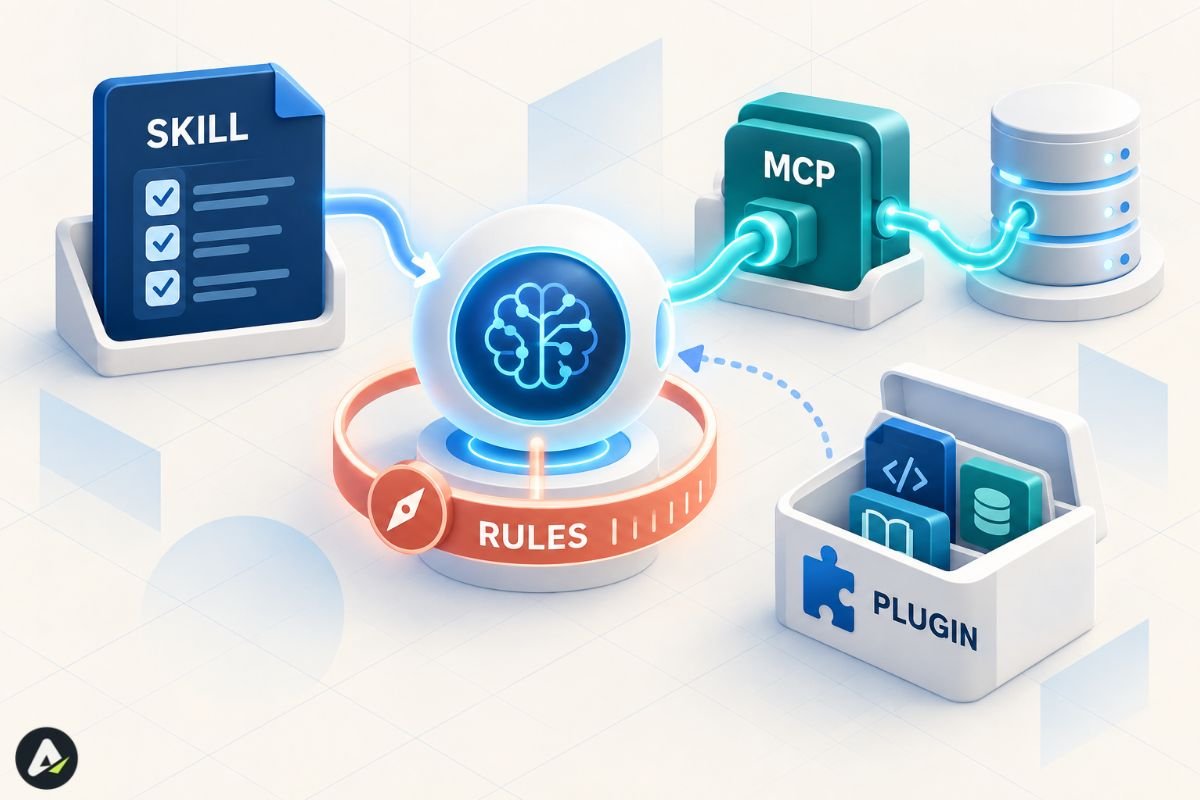
Four different things, and they get confused constantly.
Skills carry procedural knowledge. MCP carries connectivity. Custom instructions carry standing rules. Plugins carry distribution.
Anthropic’s own framing is the cleanest: MCP connects the agent to your data; skills teach it what to do with that data. Need the agent to reach your database? MCP. Need it to always filter by date range first? Skill.
| Skills | Prompts | Projects | Subagents | MCP | |
|---|---|---|---|---|---|
| Provides | Procedural knowledge | In-the-moment instruction | Background knowledge | Task delegation | Tool connectivity |
| Persists | Across conversations | One conversation | Within the project | Across sessions | Continuous connection |
| Loads | Dynamically | Every turn | Always | When invoked | Always available |
| Includes code | Yes | No | No | Yes | Yes |
Skills vs custom instructions
This is the comparison most explainers skip, and it’s the one people actually get wrong. Custom instructions mean the CLAUDE.md, AGENTS.md, cursor-rules family.
| Agent Skills | Custom instructions | |
|---|---|---|
| Purpose | Specialized capabilities and workflows | Coding standards and guidelines |
| Scope | Task-specific, loaded on demand | Always applied, or matched by glob |
| Contains | Instructions, scripts, examples, resources | Instructions only |
| Portability | Open standard, cross-agent | Usually tool-specific |
One sentence decides it. Teaching the agent how to perform a repeatable task is a skill. Telling it how to behave across all tasks is instructions.
Plugins aren’t an alternative
A plugin is a distribution wrapper that can bundle skills alongside commands and other components. Still, you can use skills with no plugin at all, simply by copying a folder.
One structural difference from MCP
An MCP server is a live process holding an open connection. A basic skill is static content on disk, with no server of its own.
That’s largely why support spread so fast: implementing skills means reading files from a directory rather than implementing a protocol. It isn’t magic, though. The scripts a skill invokes still have their own runtime, network, and credential requirements.
Do agent skills actually improve performance?
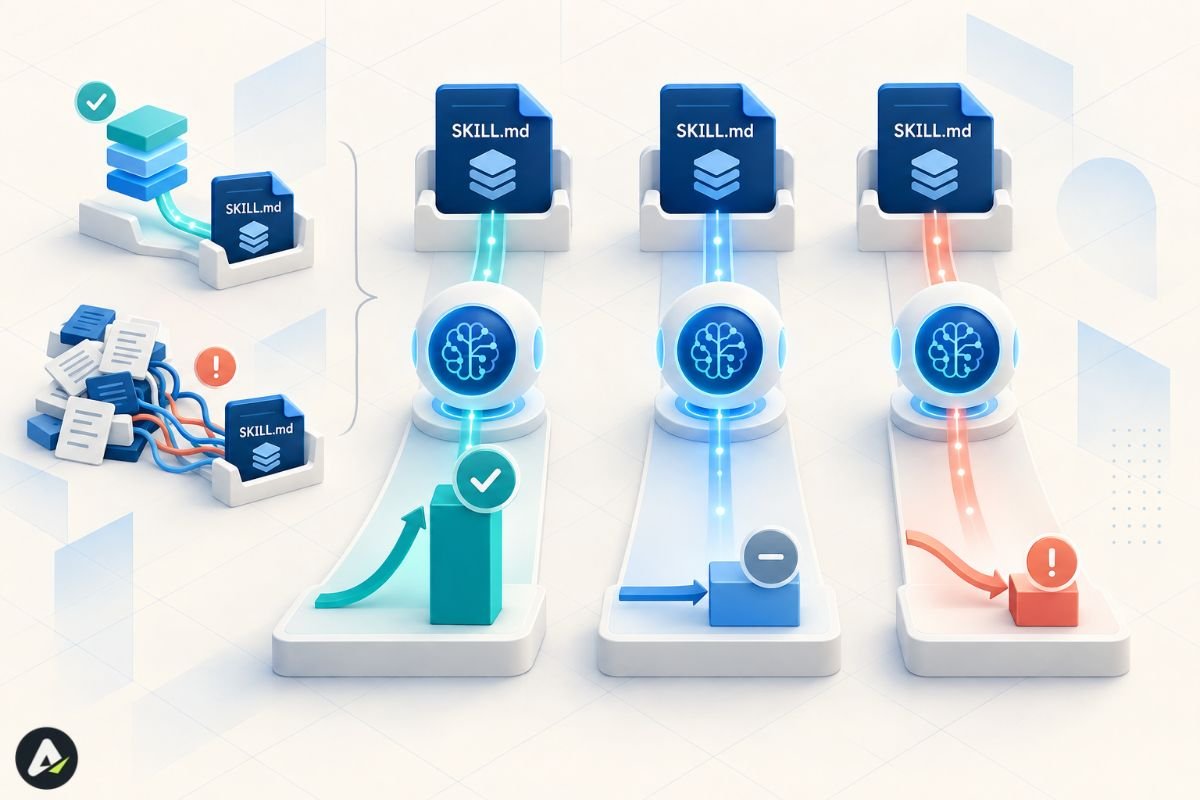
Sometimes. The variance is the story.
Read what follows as the best available evidence, not settled fact. Both studies are preprints. SkillsBench has been revised four times since February 2026, with its task inventory changing between versions. SWE-Skills-Bench calls its own results preliminary and ran a single agent configuration.
Two studies, two very different headlines
SkillsBench evaluated agents on matched tasks with and without a curated skill. Its current version reports 87 tasks across 8 domains under 18 model-harness configurations, with curated skills lifting average pass rate from 33.9% to 50.5%. A gain of 16.6 percentage points.
The February version reported findings that the current abstract no longer foregrounds, and they matter: domain variance from +4.5pp for software engineering up to +51.9pp for healthcare, with 16 of the 84 tasks then evaluated showing negative deltas.
SWE-Skills-Bench narrowed to software engineering. Forty-nine real skills, fixed-commit GitHub repositories, roughly 565 task instances, verified by execution tests. Average gain: +1.2 percentage points. Thirty-nine of the 49 skills changed nothing whatsoever. Seven helped, up to +30 points. Three hurt, down to −10.
Why those numbers agree
At first glance they look contradictory. But notice that SkillsBench already flagged software engineering as its weakest domain.
Coding agents run on models that absorbed a great deal of software procedure during training. There’s less to add. Domains where public procedural knowledge is thin, like clinical workflows or internal company processes, leave far more room.
Three findings that haven’t travelled far enough
Self-authored skills don’t help. SkillsBench tested a condition where the model wrote its own skill first. Average effect: −1.3 percentage points. In other words, models struggle to produce the procedural knowledge they benefit from consuming. Useful for scaffolding, then, but not for substance.
Focused beats comprehensive. Skills with at most three modules outperformed larger bundles. Counterintuitive if you think of a skill as a knowledge dump.
Skills can substitute for scale. Smaller models with skills matched larger models without them on procedural tasks. A real cost lever for repetitive work.
And sometimes they make things worse
The SWE-Skills-Bench authors traced one regression in detail, and it’s instructive.
A Linkerd skill bundled seven templates. One of them nearly matched the task, although it used an older API version. With the skill loaded, the agent copied the wrong version verbatim, then invented a configuration field that exists in no release, then appended a resource nobody asked for.
Without the skill, it reasoned from first principles and got it right.
The authors call this context interference. The design lesson is direct: prefer described patterns over concrete templates with hard-coded values.
Also Check: What Is Crew AI? How It Works, Pricing, Features & Best Alternatives (2026)
What do real agent skills look like?
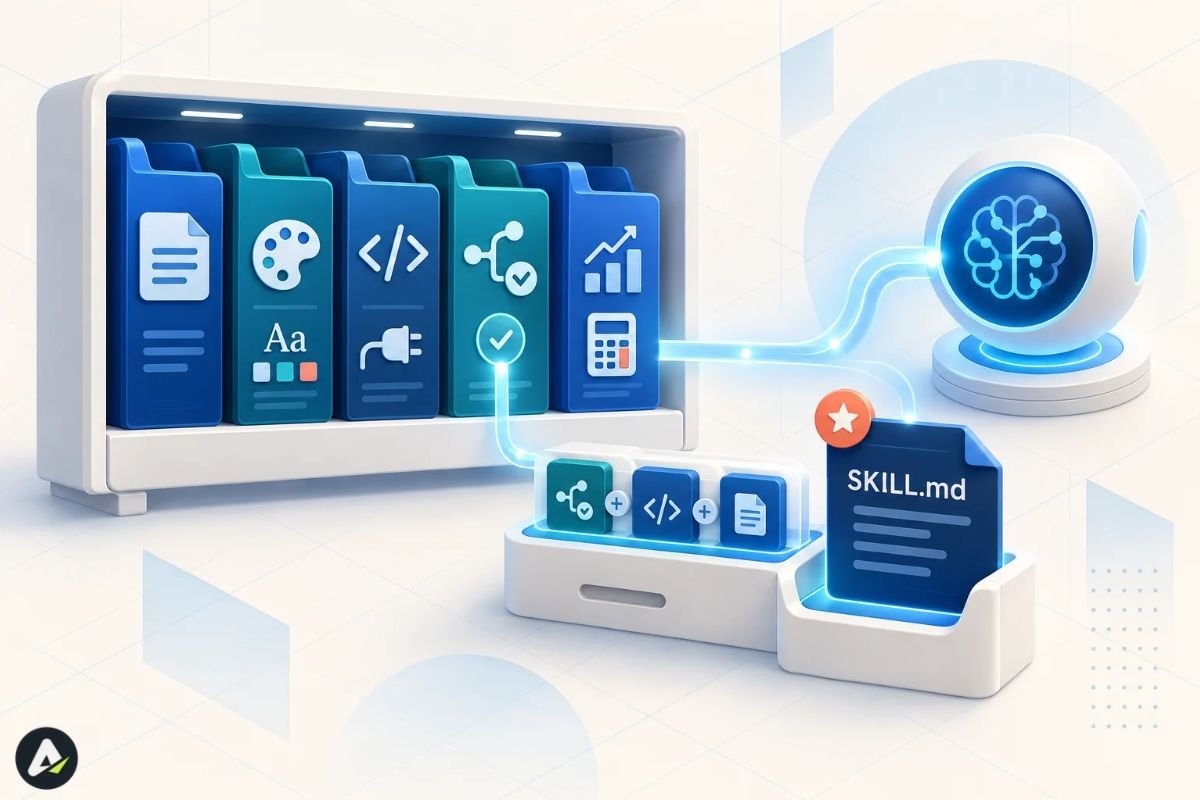
The clearest examples are Anthropic’s pre-built set for document work. PowerPoint, Excel, Word, PDF. These ship active on claude.ai and are available through the API by referencing a skill_id.
Beyond those, published skills tend to cluster into a few recognizable shapes.
House conventions come first, and they’re the most common starting point. Brand guidelines with your palette and typography, so generated decks match without explanation. Commit message formats. Code review checklists.
Framework and SDK guidance is close behind. Skills that document current API surfaces stop an agent from generating code against a version that shipped two years ago.
Then domain procedures. Financial risk formulas, CI pipeline patterns, schema conventions. In SWE-Skills-Bench, a risk-metrics skill produced the largest gain measured, +30 points, while also cutting token cost.
VS Code ships examples for Playwright browser testing and GitHub Actions triage. And most vendors now ship a meta-skill, a skill creator that scaffolds a new SKILL.md from a description.
Two repositories reward reading before you write anything: anthropics/skills and github/awesome-copilot. Three good skills teach more than any tutorial.
What are the security risks?
This is where the ecosystem is genuinely immature, and where most introductions go quiet.
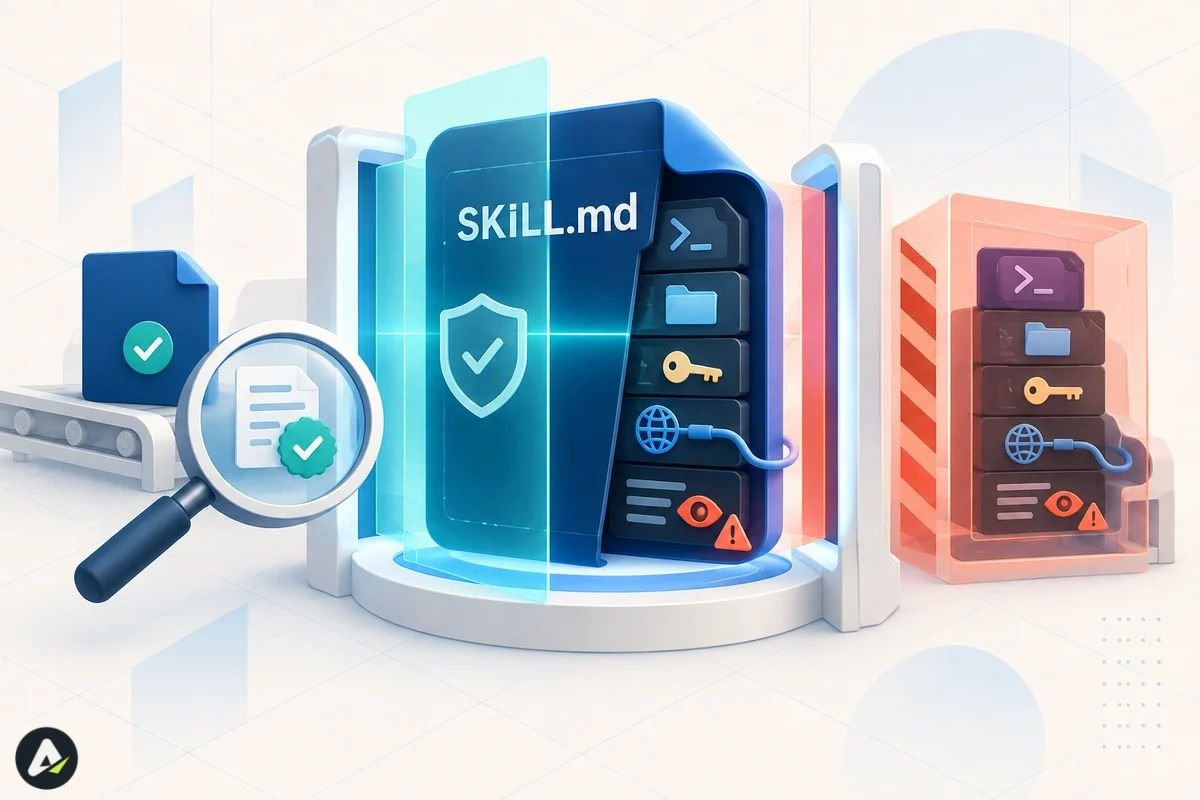
A skill operates within the permissions available to the agent running it. Depending on the environment, that can mean shell access, filesystem read and write, credentials sitting in environment variables, and whatever channels the agent can send messages through.
As a result, installing one is closer to running an installer than to editing a config file.
What an audit found
Snyk’s ToxicSkills research, published in February 2026, scanned 3,984 skills from ClawHub and skills.sh.
- 36.82% (1,467 skills) had at least one security issue
- 13.4% (534 skills) had at least one critical-severity issue
- 76 contained confirmed malicious payloads; 8 of them were still live at publication
- 10.9% contained hardcoded secrets
- 17.7% fetched third-party content, opening an indirect injection path
Read those as one vendor’s assessment under its own detection methodology, not a universal failure rate for every skill ever published. Snyk’s critical detectors flagged nothing in the curated top 100 from skills.sh, which suggests the worst material sits in the long tail rather than spread evenly.
The part that’s actually new
The attack patterns themselves are familiar enough from npm and PyPI. Password-protected archives that defeat scanners. Base64 commands that decode to credential exfiltration. Setup steps that install binaries from unknown repositories.
What’s new is the pairing. Snyk reports 91% of confirmed malicious skills combined malicious code with prompt injection, text that primes the agent to disregard its own warnings before the payload runs.
Code scanners catch the first layer. They don’t, however, catch English.
The spec offers no defense
There is no signing, no attestation, and nothing resembling mandatory review. Meanwhile, the single permission field remains explicitly experimental, with support varying between implementations, so don’t build a security model on it.
Governance was an open question at launch, and reporting since has pointed toward the Agentic AI Foundation. I’d treat that as still settling.
Practical steps
Anthropic’s guidance is blunt: use skills you created yourself or got from Anthropic, and audit anything else thoroughly first. In practice:
- Read every file, not just
SKILL.md. Checkscripts/especially. - Treat skills that fetch external URLs as higher risk. Fetched content can carry instructions, and a trustworthy skill breaks bad when its dependency changes.
- Scan before installing. Snyk’s
mcp-scancovers skills and is free. It helps without closing the gap, since a payload that activates only under specific runtime conditions can survive static review. - Rotate credentials if you’ve installed skills touching API keys or cloud access.
- In a team, review skills through the same pull request process as any other dependency.
Anthropic offers content scanning for custom skills on Enterprise plans, though it doesn’t reach skills uploaded through the Skills API or Console. VS Code’s terminal tool provides allow-lists over which commands run automatically, which shrinks blast radius without eliminating it.
When should you write one?
When the same instruction keeps reappearing across conversations, and the agent gets it wrong without you. That’s the signal, and it’s a reliable one. Everything else elaborates on it.
Good candidates
- Knowledge that exists nowhere publicly: your internal process, your schema, your compliance steps
- Domains where model priors are weak, like regulated, clinical, or proprietary work
- Tasks where consistency beats creativity
- Anything you’d otherwise handle by pasting the same 400-word prompt
Poor candidates
- Work a capable model already handles. Twenty-four of the 49 skills in SWE-Skills-Bench sat on tasks the agent passed 100% of the time either way.
- Broad “best practices for X” documents. These caused the regressions.
- One-off tasks. That’s a prompt.
- Standing behavioral rules. That’s custom instructions.
- Problems that are really access problems. That’s MCP.
Three constraints from the research
Keep it focused, because two or three modules beat a comprehensive reference. Describe patterns rather than pasting in templates with hard-coded versions. And spend real time on the description, since that’s what decides whether any of the rest ever gets read.
Then test it honestly
It takes about an hour.
- Pick three to five real tasks the skill covers. Real repositories, real documents.
- Run each with the skill installed and again with it removed. Same prompt both times.
- Score pass or fail against criteria you wrote before running anything.
- Record token usage for both conditions.
- Keep the skill only if it wins on pass rate, or ties while cutting tokens.
Roughly 80% of the skills in one benchmark changed nothing, and a few made things worse. Paired testing isn’t perfectionism here. It’s the only way to know which group yours joins.
Where do skills work, and what breaks?
Skills run across most major agent tooling now. Anthropic published the spec on 18 December 2025. Microsoft added support across VS Code, Copilot CLI, and Copilot cloud agent; OpenAI added it to Codex; the compatible list runs on through Cursor, Gemini CLI, Goose, OpenCode, JetBrains Junie, and dozens more.
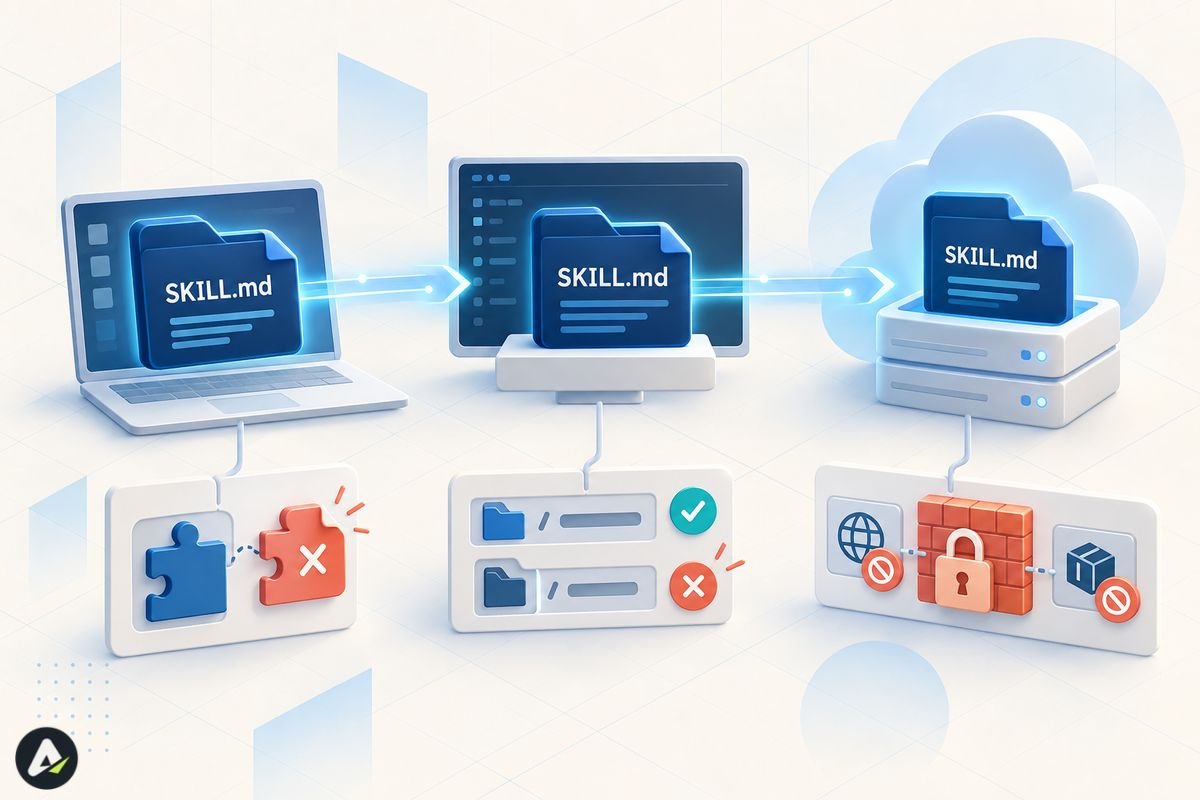
The folder format is portable. The behavior around that folder is not.
That’s the sentence to remember, and three things break in transit.
Frontmatter beyond the core. Those four VS Code extras mentioned earlier are argument-hint, user-invocable, disable-model-invocation and the experimental context: fork. None mean anything in the base spec, so a skill that leans on them degrades quietly once it leaves that toolchain.
Where skills live. VS Code reads project skills from .github/skills/, .claude/skills/ and .agents/skills/, and personal skills from ~/.copilot/skills/, ~/.claude/skills/ and ~/.agents/skills/. Claude Code uses ~/.claude/skills/ and .claude/skills/. Overlapping, not identical.
Runtime environment. This is the one that produces silent failure. On the Claude API, skills run in a sandboxed container with no network access and no runtime package installation. In Claude Code they have full network access, the same as any program on your machine. On claude.ai, access varies by user and admin settings.
So a skill that curls an API works fine in Claude Code and then fails on the API. The optional compatibility field exists to declare exactly this, although almost nobody fills it in.
Even within a single vendor, setups don’t sync. Custom skills uploaded to claude.ai aren’t available through the API. Claude Code skills live on the filesystem, separate from both. Sharing scope differs too: claude.ai skills are per-user with no org-wide admin distribution, while API skills are workspace-wide.
FAQs
Q. Are agent skills the same as MCP?
No. MCP connects an agent to external systems through a running server, whereas a skill is static content that teaches a procedure. One provides access, the other provides know-how, and most real setups use both.
Q. What’s the difference between a skill and custom instructions?
Instructions apply all the time and set standing rules, like coding standards. A skill loads only on a match and can bundle scripts and reference files alongside the text.
Q. Do skills only work with Claude?
No. Anthropic created the format but published it as an open standard in December 2025, and dozens of products support it now. The folder travels; the behavior around it varies by tool.
Q. Do I need to code to write one?
Not at all. A working skill can be a single Markdown file with two frontmatter fields and plain instructions. Scripts are optional, and that low floor is the format’s main design win.
Q. Are marketplace skills safe to install?
Not by default, as the Snyk audit above shows. Skills run with whatever permissions your agent has, so review the source the way you would any open-source dependency.
Q. Why isn’t my skill loading?
Check the name field first. Uppercase letters, underscores, a namespace prefix, or any mismatch with the folder name will make most implementations skip it without reporting an error at all.
Related: 700 OpenAI Agents Hacked Hugging Face to Cure an Imaginary Disease
| Disclaimer: This article is for informational and educational purposes only. AI agent tools, features, benchmarks, and security risks can change over time. Always verify current documentation and review third-party skills or scripts before installing or using them. |

Sebastian Vale
As AI becomes part of the software people use every day, understanding how these systems perform outside controlled demonstrations is becoming increasingly important. Sebastian Vale is a technology writer covering artificial intelligence, automation, and emerging software. His work focuses on AI agents and the systems that support them, examining their capabilities, practical applications, and limitations as they move into real-world workflows.
More from Sebastian Vale →