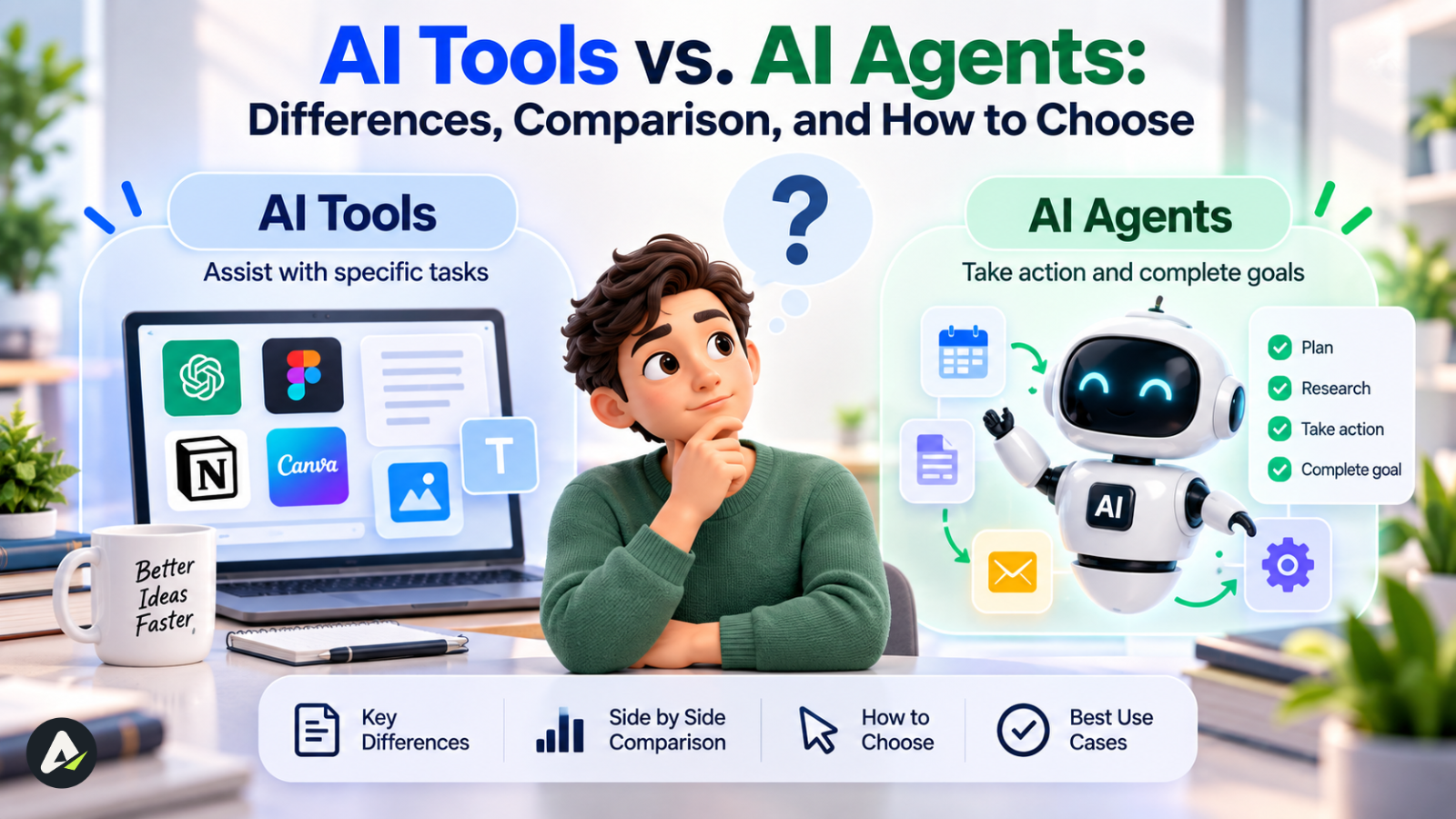
AI Tools vs. AI Agents: What’s the Difference and Which Wins?
The real split in 2026's AI software isn't marketing language — it's whether a system waits for your instruction or works toward a goal on its own. That distinction decides how much control you keep, how much setup…

In this article · 22 sections +
- At a Glance
- What Is an AI Tool?
- What Is an AI Agent?
- The Same Product Can Be Either One
- Tool, Assistant, Automation, Agent, Agentic System
- AI Tools vs AI Agents: Comparison Table
- Real Examples: The Same Task, Tool vs. Agent
- Predictability vs. Adaptability
- Reversibility: The Missing Decision Variable
- The Autonomy Spectrum
- How AI Agents Actually Work
- Visualizing the Architectural Difference
- What’s Actually Building These Agents
- Error Recovery and Escalation
- Cost Governance: The Real Insight
- Should You Use an AI Agent or a Simple Tool?
- Agent, Agentic AI, and Assistant: Where the Terms Blur
- The Risks of AI Agents
- Security & Compliance Guardrails
- Before You Deploy an Agent: Checklist
- Common Mistakes When Choosing Between Tools and Agents
- FAQs
The real split in 2026’s AI software isn’t marketing language — it’s whether a system waits for your instruction or works toward a goal on its own. That distinction decides how much control you keep, how much setup the system needs, and whether you’re solving the right problem in the first place.
Don’t choose an agent because it can do more. Choose one because the workflow benefits from delegated decision-making.
At a Glance
- Tool — responds to a prompt, does one job, stops.
- Assistant — helps across several steps, still waits for your go-ahead.
- Automation — follows a fixed rule set, no judgment involved.
- Agent — decides its own next step toward a goal, within guardrails you set.
- Agentic system — coordinates several agents and tools across a broader process.
What Is an AI Tool?
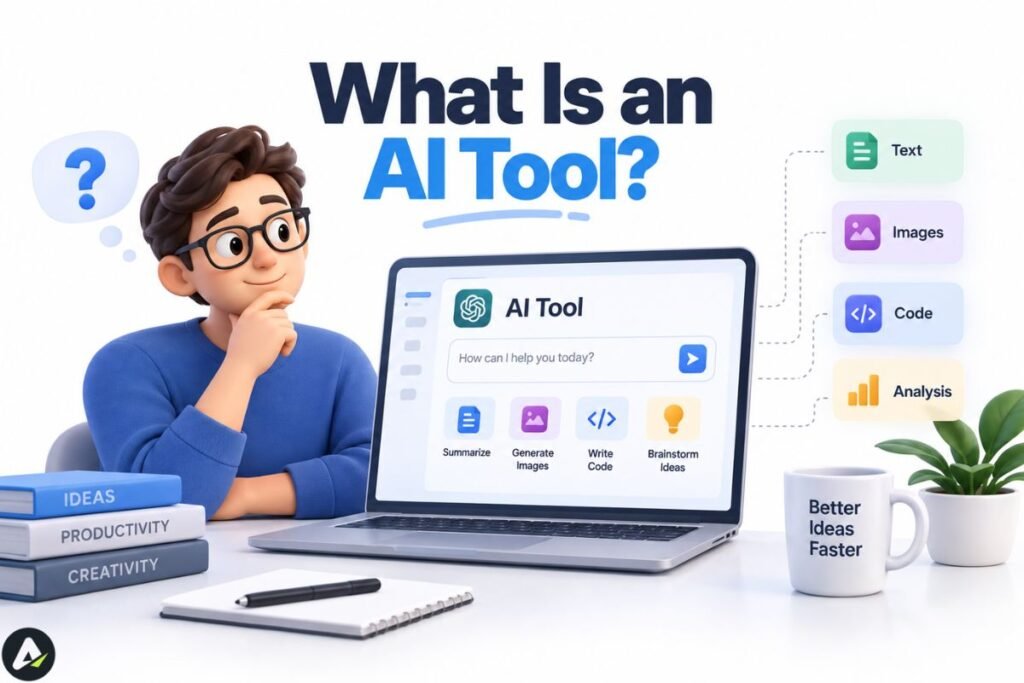
An AI tool uses artificial intelligence to complete a specific, user-directed task, then stops until you give it another instruction. You trigger it, it does one job, and control returns to you.
A grammar checker that flags a typo, an image generator that turns a prompt into a picture, a chatbot that answers a single question — these all count as AI tools. Each takes an input, runs it through a trained model, and returns an output. You review the result and decide what happens next.
Typical traits:
- Reacts to a prompt, click, or upload rather than acting on its own.
- Covers a narrow scope: one job, such as writing, image generation, or code suggestions.
- Often carries limited or session-based memory, though some tools now save profiles or context — memory alone no longer separates a tool from an agent.
- Produces predictable, auditable output, since the result maps directly to the input.
- Costs little to set up; most work the moment you sign in.
Where tools fall by job: content and writing (drafting, editing), visual and creative (image, video, design), data and analytics (dashboards, analysis), coding (autocomplete, review), and productivity/automation (scheduling, transcription) — though most people end up combining two or three of these categories rather than relying on one tool for everything.
Daily examples: ChatGPT drafting a reply, Grammarly editing a paragraph, Midjourney generating an image, Otter.ai transcribing a meeting. Each finishes its job, then waits for your next move.
What Is an AI Agent?
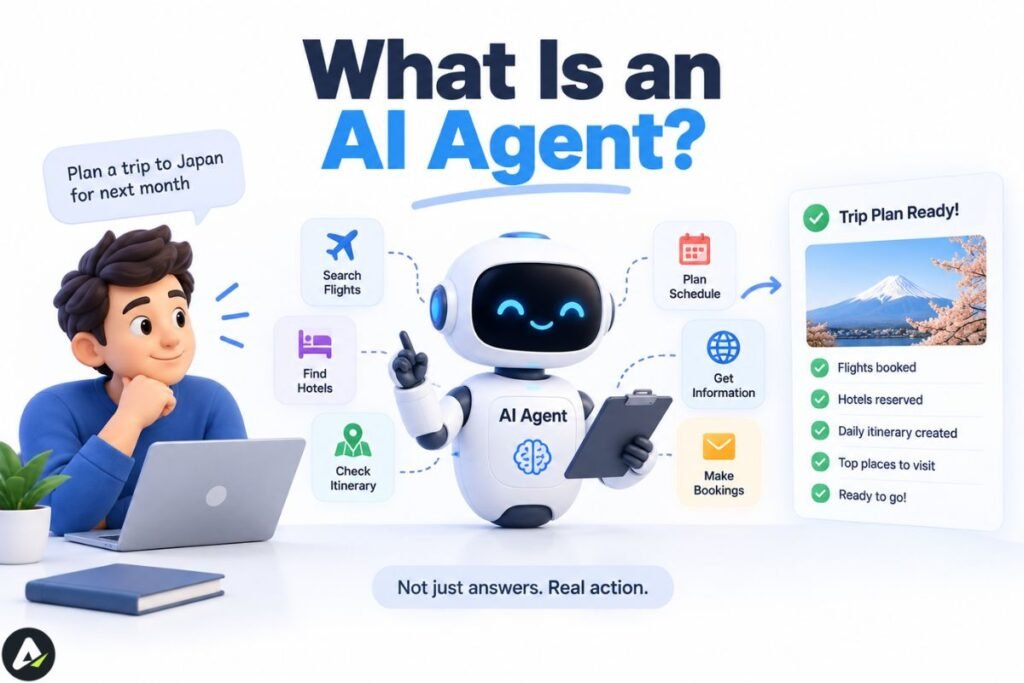
Ask a tool to write a product description and it writes one. Ask an agent to launch that same listing, and it checks the spec sheet, compares competitor pricing, writes the copy, publishes it, and flags anything unusual for your review — without you opening four separate apps to do it manually.
That’s the practical difference. An AI agent plans a sequence of steps and carries them out toward a goal, checking its own progress and adjusting along the way, with little or no step-by-step input from you. What defines it isn’t how many tasks it juggles — it’s that the system makes its own next-step decisions instead of waiting for yours.
Typical traits:
- Pursues a goal rather than waiting for an instruction.
- Plans and executes multiple steps without a prompt at each one.
- Draws on memory or context to inform later decisions.
- Calls external tools, APIs, or even other agents to finish the job, often relying on defined agent skills to know what actions it’s allowed to take.
- Needs more setup, since permissions and guardrails have to be defined up front.
Live deployments today include scheduling agents that negotiate meeting times across calendars, coding agents that read an entire repository and open a pull request, and support agents that pull account data, issue a refund, and close a ticket without a human touching it. On the enterprise side, platforms like Salesforce Agentforce package this same pattern as a managed product — deterministic workflow definitions, data governance, and observability built in — rather than something a team assembles from scratch.
The Same Product Can Be Either One
Here’s the sentence that resolves most of the confusion in this space: the same underlying product can behave like a tool in one mode and an agent in another, depending on what capabilities, tool access, and autonomy are switched on.
That means “is X an AI tool or an AI agent” is often the wrong question. The better question is: which mode is switched on right now? ChatGPT is the clearest current example of this — in standard chat mode it behaves like a tool, but its agentic modes plan and execute multi-step work on their own. The FAQ below covers exactly where that line sits, without betting the whole article on this month’s feature names.
Tool, Assistant, Automation, Agent, Agentic System
Five terms get used loosely, and most of the category confusion comes from treating this as a two-way split (tool vs. agent) when it’s really a spectrum with five distinct stops. Automation, in particular, isn’t a footnote to the tool-vs-agent question — it’s usually the right answer, and skipping past it is how teams end up overpaying for autonomy they don’t need.
| System | Who chooses the next step? | Typical behavior | Best fit |
|---|---|---|---|
| Tool | You | Executes one instructed operation, then stops | A specific, well-defined task |
| Assistant | You, with AI suggestions | Helps across several steps in a conversation | Human-led work that benefits from a co-pilot |
| Automation | Predefined rules | Executes a fixed workflow the same way every time | Stable, repeatable processes |
| Agent | The AI, inside guardrails you set | Decides its own next action toward a goal | Workflows that vary case to case |
| Agentic system | An AI orchestration layer | Coordinates multiple agents and tools across a process | Cross-functional, multi-stage work |
A tool executes one instructed task and stops. An assistant holds a conversation and offers suggestions but still waits for you to approve or trigger the next step — think of a chat-based helper walking you through a spreadsheet formula, rather than one that builds and sends that report itself. Automation follows a fixed script: fast and reliable for high-volume, unchanging processes, but it breaks the moment a step falls outside its rules — a missing field, an unexpected email format, an edge case nobody planned for. An agent doesn’t run a fixed script; it reads the situation and decides how to respond, which is what lets it handle variations the original setup never anticipated. An agentic system is the layer above a single agent — it’s what you reach for when a workflow needs several agents and tools coordinated together, not one agent stretched past its design.
Automation wins on cost and reliability for high-volume, unchanging processes. Agents earn their cost when a task involves judgment calls, unpredictable inputs, or steps that genuinely change case by case.
AI Tools vs AI Agents: Comparison Table
| Factor | AI Tool | AI Agent |
|---|---|---|
| Trigger | Needs a prompt or click for each action | Given a goal; runs multiple steps on its own |
| Autonomy | Low — a human approves each step | Moderate to high, within set guardrails |
| Memory | Often session-based, sometimes persistent | Typically carries context across steps |
| Task scope | Usually one well-defined task | Multi-step workflow toward a broader goal |
| Predictability | High — same input, same output | Lower — the path can vary by situation |
| Setup effort | Minimal, often plug-and-play | Higher — needs goals, permissions, guardrails |
| Typical pricing | Flat monthly seat or subscription fee | Often usage-based (per run, per call, or per token) — check the vendor’s actual model, since this varies |
| Security exposure | Lower — usually read-only or single-purpose | Higher — often needs write access across systems |
| Reversibility if wrong | High — you review output before anything happens | Depends on the task — build in approval gates for anything hard to undo |
| Best for | Repetitive, well-defined work | Dynamic, multi-step, judgment-heavy work |
Real Examples: The Same Task, Tool vs. Agent
To see this distinction in practice, consider how both handle the same routine business tasks — the differences trace back to the comparison table above:
| Task | With an AI Tool | With an AI Agent |
|---|---|---|
| Drafts a reply when you ask for one | Reads the thread, drafts a reply, and sends or schedules it within your approval settings | |
| SEO content | Suggests keywords or a paragraph on request | Researches competitors, builds a content plan, and drafts several pieces in sequence |
| Customer support | Suggests a reply for a human to send | Pulls the customer’s account history, resolves the issue, and updates the ticket on its own |
| Coding | Suggests the next line or function | Reads the repository, edits several files, runs tests, and opens a pull request |
| Scheduling | Suggests open time slots | Negotiates a time across calendars and books the meeting |
Predictability vs. Adaptability
Tools optimize for predictability. Agents optimize for adaptability. That trade-off, more than any feature list, is the real thing you’re buying.
- Tool: same input → known operation → inspectable output. You can trace exactly why you got the result you got, every time.
- Agent: goal → changing conditions → variable path → action → feedback → revised action. The path can differ between two runs that start from the same goal, because the agent is reacting to what it observes along the way.
Neither is better in the abstract. A predictable path is worth more when a mistake is expensive or when auditability matters more than speed. An adaptable path is worth more when conditions change run to run and a rigid script would break constantly. Knowing which one your task actually needs is most of the decision.
Reversibility: The Missing Decision Variable
Risk, permissions, and sensitivity all show up later in this article, but they collapse into one question that’s worth asking before any of the others: can the agent undo its mistakes?
The real formula isn’t just “how risky is this.” It’s risk × reversibility × autonomy. A task can be moderately risky but still fine to automate heavily if a wrong output is cheap and fast to fix. A task can look low-risk on paper and still deserve a human in the loop if a mistake can’t be walked back.
| Task | Agent suitability | Why |
|---|---|---|
| Draft an article | High | Wrong output is just discarded or edited |
| Sort internal documents | High | Easy to spot and re-sort a misfile |
| Book a meeting | Medium | Reversible, but touches other people’s calendars |
| Send a customer email | Medium | Can be corrected after the fact, but reputational cost isn’t zero |
| Issue a refund | Low / approval-gated | Real money moves; claw-back is possible but costly |
| Delete production data | Very low | Often irreversible — keep this human-triggered, full stop |
When you’re deciding how much autonomy to grant a specific workflow, run it through reversibility first. It’s a better filter than “how important is this task,” because importance alone doesn’t tell you what happens if the agent gets it wrong.
The Autonomy Spectrum
“Agent” doesn’t automatically mean zero human oversight. Autonomy actually runs on a scale:
- Human-triggered — nothing happens until you start it (most tools live here).
- Approval-gated — the agent researches and drafts freely, but pauses before anything irreversible (sending money, deleting data, emailing a customer) and waits for sign-off.
- Semi-autonomous — the agent handles routine steps alone and only flags edge cases or exceptions for review.
- Fully autonomous — the agent acts without pausing, reserved for low-stakes, well-tested workflows where a wrong move is cheap to undo.
Most teams should start a new agent at approval-gated and only loosen the leash once it has a track record on that specific task. Match the level you choose against the reversibility table above rather than against how capable the agent seems in a demo.
How AI Agents Actually Work
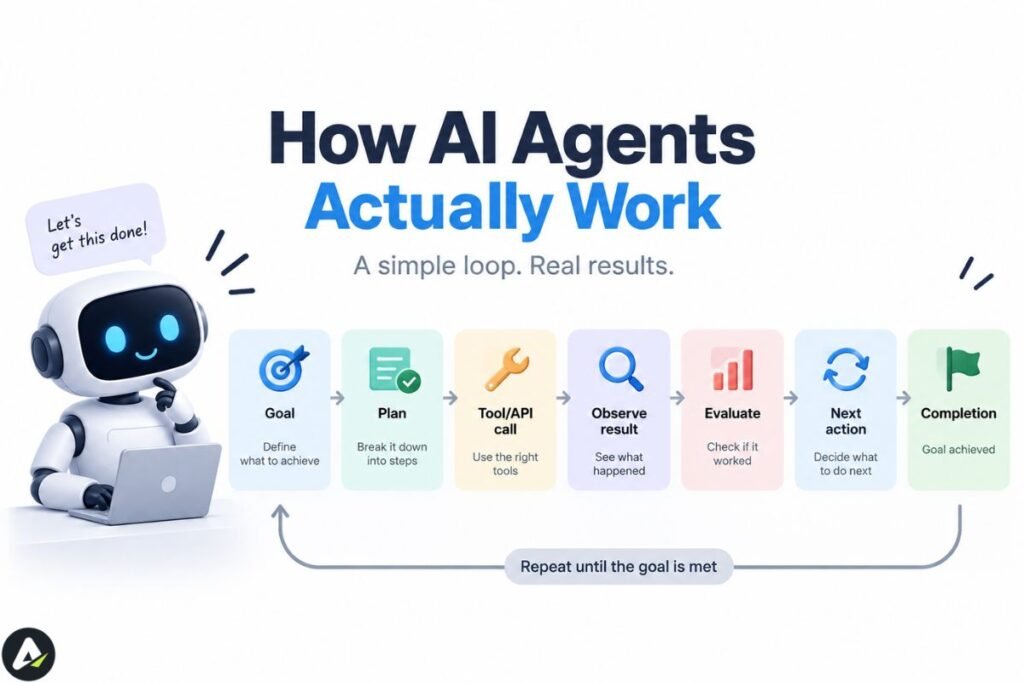
For the fuller mechanics behind this how AI agents think, act, and get things done this section covers the short version. A useful mental model for many agents — though not a universal architecture claim, since implementations vary is this loop:
Goal → Plan → Tool/API call → Observe result → Evaluate → Next action → CompletionThe agent receives a goal, breaks it into sub-steps, calls whatever tools or data sources it needs (a calendar API, a database, a search engine), checks whether the result moved it closer to the goal, and repeats until it’s done — or until it hits a limit it can’t resolve on its own.
Visualizing the Architectural Difference
Side by side, the control-flow difference is easy to see:
[ AI Tool Loop ]Human Prompt ──► [ LLM Processing ] ──► Static Output ──► Human Decision / Stop
[ AI Agent Loop ]
Human Goal ──► [ Planner / Reasoning Engine ] ◄──► [ Memory Store ]
│
▼
[ Action Selection / API Call ]
│
▼
[ Observe Environment Result ]
│
┌────────────────┴────────────────┐
[ Goal Met? ] [ Goal Pending ]
│ │
▼ ▼
Final Output Loop Back to PlannerA tool’s loop ends the moment it hands back an output. An agent’s loop only ends when the goal check passes — everything above the “Goal Pending” branch can run any number of times without you touching it, which is exactly where the setup, permissions, and cost exposure come from.
What’s Actually Building These Agents
The examples above describe behavior, not implementation — and the implementation layer is where the tool-vs-agent distinction gets built. Three names still matter when comparing agent frameworks, but the 2026 landscape has already shifted underneath them:
- LangGraph models an agent as a graph of nodes and edges, giving developers explicit control over loops, branches, retries, and human handoffs. It’s the heavier lift to learn, but that structure pays off in production systems where a failure is expensive and the flow needs to be inspectable after the fact.
- CrewAI defines agents as role-playing characters — a researcher, a writer, an editor — that collaborate toward a shared goal. It’s the fastest of the three to prototype with, and its abstractions map naturally onto tasks that already look like a small team’s workflow, such as content pipelines or research summarization.
- AutoGen pioneered a conversation-driven pattern where agents talk through a problem to reach a solution. Worth knowing before adopting it: Microsoft has since moved AutoGen into maintenance mode and redirected new development toward its Agent Framework, so AutoGen remains useful for learning multi-agent patterns but is a riskier bet for a new production build.
On the enterprise side, the equivalent decision usually isn’t “which framework” but “which platform” — a managed product like Salesforce Agentforce, which bundles orchestration, permissioning, and observability instead of leaving a team to assemble them from an open-source framework. Framework choice, in either case, should follow the architecture decision (single agent vs. multi-agent, how much autonomy a step needs) rather than precede it.
Error Recovery and Escalation
The autonomy spectrum above assumes an agent that’s actually working. The harder design question is what happens when a step fails mid-sequence — a call times out, an API returns malformed data, a downstream system rejects the action. Three patterns cover most production designs:
- Retry with backoff — the agent re-attempts a failed step a bounded number of times before giving up, so a transient network blip doesn’t kill the whole run.
- Escalate to a human — the agent halts the workflow, packages what it has so far, and routes it to a person instead of guessing forward on incomplete information.
- Circuit breaker — after a set number of failures in a run (or across runs), the agent stops attempting the action entirely until someone resets it, which keeps a broken integration from quietly failing the same way hundreds of times.
A workflow with no defined escalation path doesn’t fail safely — it either stalls silently or barrels ahead on a wrong assumption. This belongs in the same conversation as approval gating, not as an afterthought once something breaks.
Cost Governance: The Real Insight
Agent cost isn’t the subscription price — it’s the cost of the execution loop. Many agent platforms bill by execution, API call, or token rather than a flat seat fee, and an agent stuck in a bad loop, retrying a failed step or chasing a goal it can’t reach, can run up real cost before anyone notices.
Layered, enforced controls hold up where a single spending-cap dashboard doesn’t:
- Hierarchical budget limits, checked before each step runs — a per-cycle limit, a per-task limit, and a per-day limit, so one runaway loop, one bloated request, and sustained overuse are each caught separately. These need to be pre-invocation checks, not after-the-fact alerts, or the damage is already done by the time anyone sees it. AWS’s Well-Architected Agentic AI Lens documents this pattern in more depth.
- Hard iteration caps in code — a fixed maximum number of reasoning loops or tool calls per session, enforced in the agent’s control flow itself, not left to the model’s judgment about when to stop.
- Approval thresholds tied to dollar amount or action type — route anything above a set spending threshold, or any first-time vendor payment, to a human before it executes rather than after; Ramp’s guide to agent spending controls covers this in a procurement-specific context.
- Anomaly monitoring that flags unexpected spend jumps or cutoff activations as they happen, not in a monthly report.
Set these caps before turning an agent loose unsupervised, not after the first surprising bill.
Should You Use an AI Agent or a Simple Tool?
Choose an agent when most of the following are true:
- The workflow varies by case. If the same rules work every time, automation usually wins — you don’t need an agent’s flexibility.
- The system must choose its next action. If every step is predetermined, you don’t need agentic behavior.
- Multiple systems must be coordinated. Otherwise a tool or automation may be simpler and cheaper.
- The outcome matters more than the exact path. Agents trade path predictability for goal completion.
- Mistakes are detectable and recoverable. Run this against the reversibility table above — if a wrong action is irreversible, keep approval in the loop regardless of how the other four points score.
- The saved labor justifies the execution and oversight cost. Run a rough check: time saved − software/API cost − oversight cost − error risk. It doesn’t need to be precise — the point is to catch “we bought an agent because it’s newer” decisions before they happen.
Skip the agent when the task is simple, sensitive, or tightly regulated — a one-off legal filing, a single customer refund, anything where a mistake is expensive to unwind. Reach for a tool or a human instead, and save agents for repeatable, judgment-heavy work where a misstep is recoverable.
Agent, Agentic AI, and Assistant: Where the Terms Blur
The industry hasn’t settled on clean definitions here, which is where most confusion starts. A useful working distinction — not a canonical, universally agreed one — is that an agent typically owns one workflow, while agentic AI coordinates multiple agents and tools across a broader process. Current sources differ on this boundary: some treat agents as bounded actors and agentic AI strictly as the orchestration layer above them, while others use “agentic AI” more loosely as a general description of autonomous behavior. Treat the distinction as directionally useful rather than settled.
AI researchers have also discussed agentic behavior as a spectrum rather than a hard category, which matches what shows up in practice: most real systems sit somewhere between “pure tool” and “fully autonomous agent,” and a single-task agent isn’t built or priced the same way as a full agentic platform.
That framing has budget consequences. Gartner’s own press release projects that 40% of enterprise applications will feature task-specific AI agents by 2026, up from under 5% the year before — that’s the primary source, worth citing directly rather than through a secondary aggregator. Separately, broader adoption estimates circulating in 2026 — citing Gartner and McKinsey research via secondary sources such as Moveworks — put current use at roughly six in ten organizations already using AI agents in some form. That second figure comes through a secondary source rather than original research, so treat it as directional rather than exact, and confirm the current numbers before citing them as fact.
Confirm everyone on your team is using the same definition of “agent” before comparing vendor pricing.
The Risks of AI Agents
Autonomy cuts both ways. The table below turns most of these into a yes/no gate you can run before launch:
| Risk | What it looks like |
|---|---|
| Incorrect or unintended actions | An agent that misreads context can execute the wrong step with full confidence |
| Excessive permissions | Broad write access to email, calendars, or payment systems raises the stakes of any single mistake |
| Prompt injection | Malicious content in a webpage, email, or document can hijack an agent’s instructions mid-task |
| Data exposure | Agents that read across connected systems can surface sensitive information a single-purpose tool never would |
| Compliance exposure | Agents touching regulated data (health, financial, personal records) may need SOC 2, HIPAA, or GDPR-aligned controls in place before deployment, not after |
| Runaway cost | Repeated tool calls and retries can burn through budget fast without a spending cap |
| Cascading errors | One wrong decision early in a chain compounds through every later step |
These risks don’t rule agents out — they mean an agent needs the same access controls you’d give a new employee, not the blanket trust you’d give a static tool.
Security & Compliance Guardrails
The risks above turn into concrete technical controls once you’re configuring an agent. Five worth confirming before go-live:
- Scoped OAuth permissions — grant token-level access to only the specific systems and actions the agent needs, not blanket account access.
- API rate limiting and step caps — cap calls per run and per hour so a stuck loop can’t cascade into other systems or blow through your budget.
- Sandbox testing environments — run new workflows against staging data or a non-production environment before granting write access to anything live.
- Identity-linked audit logs — every action should trace back to the agent, the run, and the permission that authorized it.
- A tested kill switch — a fast, verified way to pause or revoke an agent’s access mid-run, not just in theory.
Before You Deploy an Agent: Checklist
- Permissions — exactly which systems and data can it touch?
- Approval controls — which actions need a human sign-off, and which don’t?
- Audit logs — can you trace every action back to a reason?
- Error handling — what happens when a step fails or returns something unexpected?
- Spending limits — is there a hard cap on API/token usage, enforced in code rather than just monitored?
- Data access — does it touch anything regulated (health, financial, personal data)?
- Integration requirements — does it need to talk to other systems, and are those connections tested?
- Reliability testing — has it run successfully on real (not just sample) cases before going live?
Common Mistakes When Choosing Between Tools and Agents
| Mistake | Why it backfires |
|---|---|
| Assuming more autonomy is always better | Unchecked autonomy on a high-stakes task — payments, contracts, customer communication — is a liability, not a feature |
| Buying an agent platform to solve a one-step problem | If the task never changes, you’re paying for flexibility you don’t need |
| Treating every chatbot as a tool by default | The same chatbot picks up agentic capabilities the moment it can plan, call other tools, hold state, and act on its own |
| Skipping the permissions conversation | Agents that can take real-world actions need explicit limits before deployment, not after something goes wrong |
| Expecting one agent to run a cross-functional workflow | That’s usually a job for agentic AI orchestrating several agents, not a single agent stretched past its design |
In practice, this is where most implementation stories converge: teams that buy tools for a workflow that actually needed autonomous execution end up doing the same manual work with slightly better suggestions attached to it, while teams that buy an agent platform for a task that was already simple add a layer of complexity that never pays for itself. The fix for both isn’t more tooling — it’s running the task through the decision checklist above before signing anything.
FAQs
Q. What’s the difference between an AI tool and an AI agent?
A tool completes one task when prompted, then stops. An agent plans and carries out a sequence of steps toward a goal with limited ongoing human input, adjusting its next move based on what it observes along the way.
Q. Is ChatGPT an AI agent?
It depends on the mode. Standard chat mode functions as an AI tool — you prompt it, it responds, and it waits for your next instruction. Modes that let it plan multi-step work, call tools, and act with less turn-by-turn input push it into agent territory. Because product naming for these modes changes quickly, judge the specific mode you’re using by what it actually does — plans and acts on its own, versus responds and waits — rather than by whatever the feature is branded that month.
Q. What are the main types of AI agents?
There isn’t one universally agreed seven-type taxonomy for modern AI agents, despite how often that framing gets searched. Russell and Norvig’s classical AI taxonomy describes five agent architectures — simple reflex, model-based, goal-based, utility-based, and learning agents. Hierarchical agents and multi-agent systems are better understood as architectural patterns used in modern deployments, layered on top of those classical types rather than sitting alongside them as a sixth and seventh peer category.
Q. What’s the difference between an AI agent and agentic AI?
A useful working distinction, though not a settled industry-wide one, is that an agent typically owns a single workflow, while agentic AI describes a layer that coordinates multiple agents and tools across a broader process.
Q. How is an AI agent different from automation?
Automation follows a fixed script — fast and reliable, but it breaks outside its predefined rules. An agent reads the situation and decides how to respond, which lets it handle variation the original setup never anticipated. Automation wins on cost and reliability for unchanging processes; agents earn their cost when a task involves judgment calls or inputs that change case by case.
Q. Do AI agents need human oversight?
Not always, but most should have it at least at launch. Autonomy runs on a spectrum from human-triggered to fully autonomous, and the right starting point for a new agent is usually approval-gated — it drafts and researches freely but pauses before anything irreversible.
Related: What Is Crew AI? How It Works, Pricing, Features & Best Alternatives (2026)
| Disclaimer: AI tools and agents are evolving quickly, and capabilities, pricing, and terminology can change. Always verify current features, costs, permissions, and security controls before deploying an AI system. |

Maliha
AI is moving steadily from experimental technology into the products and workflows people rely on every day. Maliha Irfan is a technology writer covering artificial intelligence, automation, and emerging software. Her work focuses on the practical side of AI agents, exploring how these systems are being used, what they can realistically accomplish, and the limitations that matter when businesses and individuals adopt them.
More from Maliha →