How to Use AGENTS.md in Codex: Setup, Rules, and Examples
Learn how AGENTS.md helps Codex follow project-specific instructions, with practical setup steps, reusable templates, configuration tips, and troubleshooting advice.

In this article · 25 sections +
- What Is AGENTS.md in Codex?
- How does AGENTS.md differ from README.md?
- Will Codex Read AGENTS.md Automatically?
- Does AGENTS.md Work in the Codex CLI, IDE Extension, App, and Cloud?
- Where Does AGENTS.md Live, and Which Instructions Win?
- What does AGENTS.override.md do?
- Should AGENTS.override.md go in .gitignore?
- What happens when instructions conflict?
- Why do nested files go missing in monorepos?
- How Big Can an AGENTS.md File Be Before It Hurts Results?
- Does a file under the cap still hurt results?
- How do you enforce size and secret checks in CI?
- How Do You Write an AGENTS.md File for Codex?
- What should go in the file, and what should stay out?
- When should a rule say what to do, and when what to avoid?
- Which rules belong somewhere other than AGENTS.md?
- What Does a Good AGENTS.md Example Look Like?
- What does a before-and-after rewrite look like?
- Is there a best AGENTS.md template, or a generator?
- Which AGENTS.md Best Practices Hold Up Under Testing?
- Can a Malicious AGENTS.md Hijack Codex?
- Does AGENTS.md Work With Claude Code, Cursor, Gemini CLI, and Copilot?
- How Do AGENTS.md, Codex, and GitHub Fit Together?
- Why Is Codex Ignoring My AGENTS.md?
- FAQs
AGENTS.md is a repository-level instruction file that tells OpenAI Codex how to build, test, and navigate your codebase. Instead of retyping build commands, conventions, and off-limits folders in every prompt, you store them once in a Markdown file that Codex reads before it starts work. The hard parts are knowing where Codex looks, what deserves a line, and which lines harm quietly.
Below, you will learn how Codex discovers and combines files, how the size limit and the override file behave, and how to confirm your rules loaded. You also get a lean template, a before-and-after rewrite, a comparison with other coding tools, and a security section most tutorials skip.
Two ideas run through everything. A 2026 study found that context files often failed to raise task success while adding over 20% to inference cost, so every line must earn its place. And because Codex trusts AGENTS.md, anyone who can edit the file can steer the agent. Autonomous AI coding agents now plan, edit, and run code with little supervision, which raises the stakes on both points.
What Is AGENTS.md in Codex?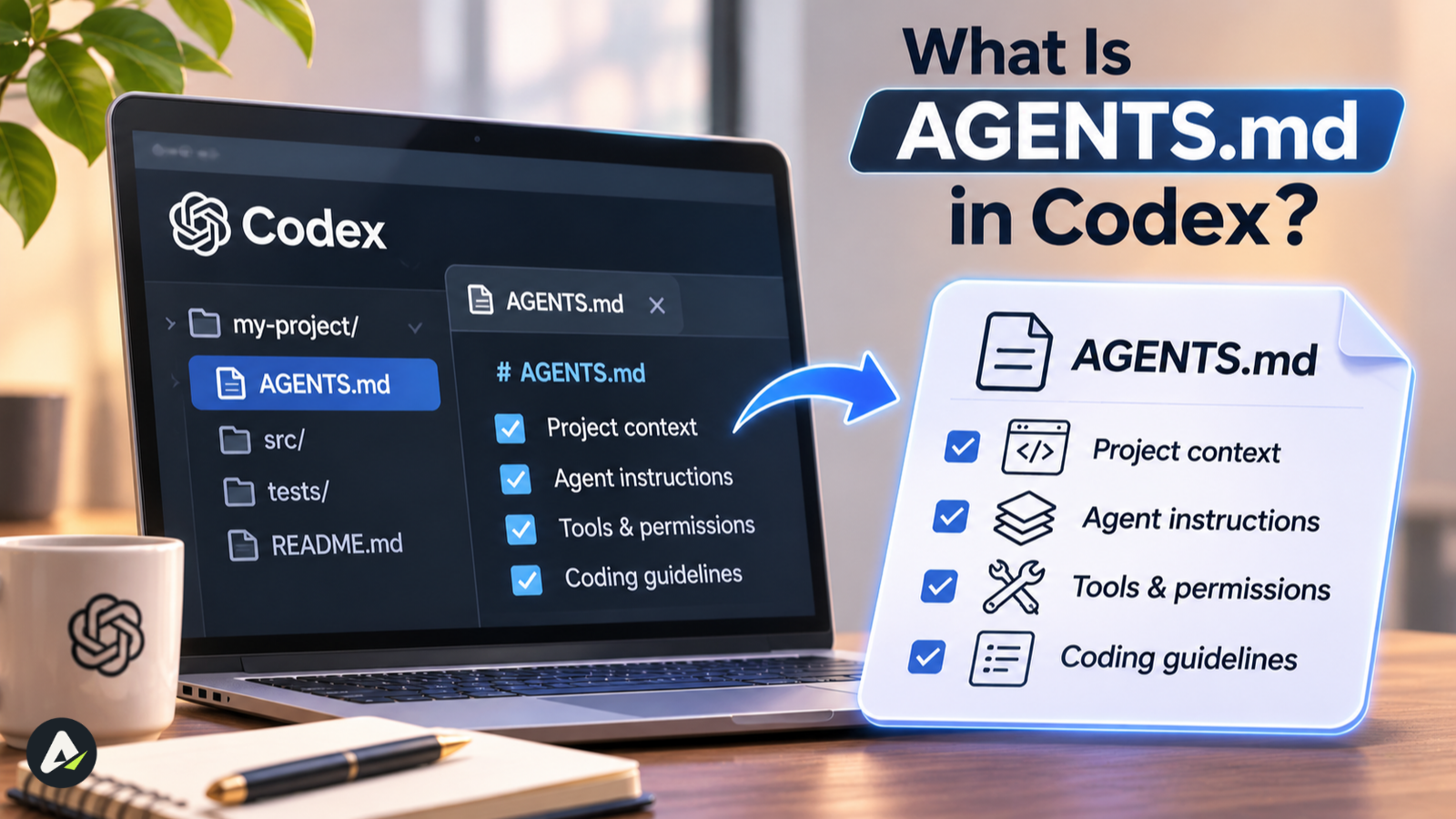
AGENTS.md is a plain Markdown file that gives Codex project instructions: commands, conventions, and limits. OpenAI describes it as an open-format README for agents that loads into context automatically. The format has no required fields, so any headings work, and the agent reads whatever text you write.
The format outgrew Codex. On December 9, 2025, OpenAI, Anthropic, and Block launched the Agentic AI Foundation under the Linux Foundation, and AGENTS.md joined it as a donated project. The project’s own site reports use in more than 60,000 open-source projects (self-reported).
How does AGENTS.md differ from README.md?
README.md serves people who arrive at your project, while AGENTS.md serves the coding agent. The AGENTS.md site says the file holds extra detail that would clutter a README or bore human contributors, such as build steps, tests, and conventions.
| README.md | AGENTS.md | |
|---|---|---|
| Reader | New contributors and users | The coding agent |
| Belongs here | Pitch, user install steps, contribution etiquette | Build, test, and lint commands; non-default conventions; hard boundaries; definition of done |
| Keep out | Agent-only command flags | Text copied from the README |
Copying README text into AGENTS.md wastes context, so write each fact once and point the agent to the README instead of pasting it.
Will Codex Read AGENTS.md Automatically?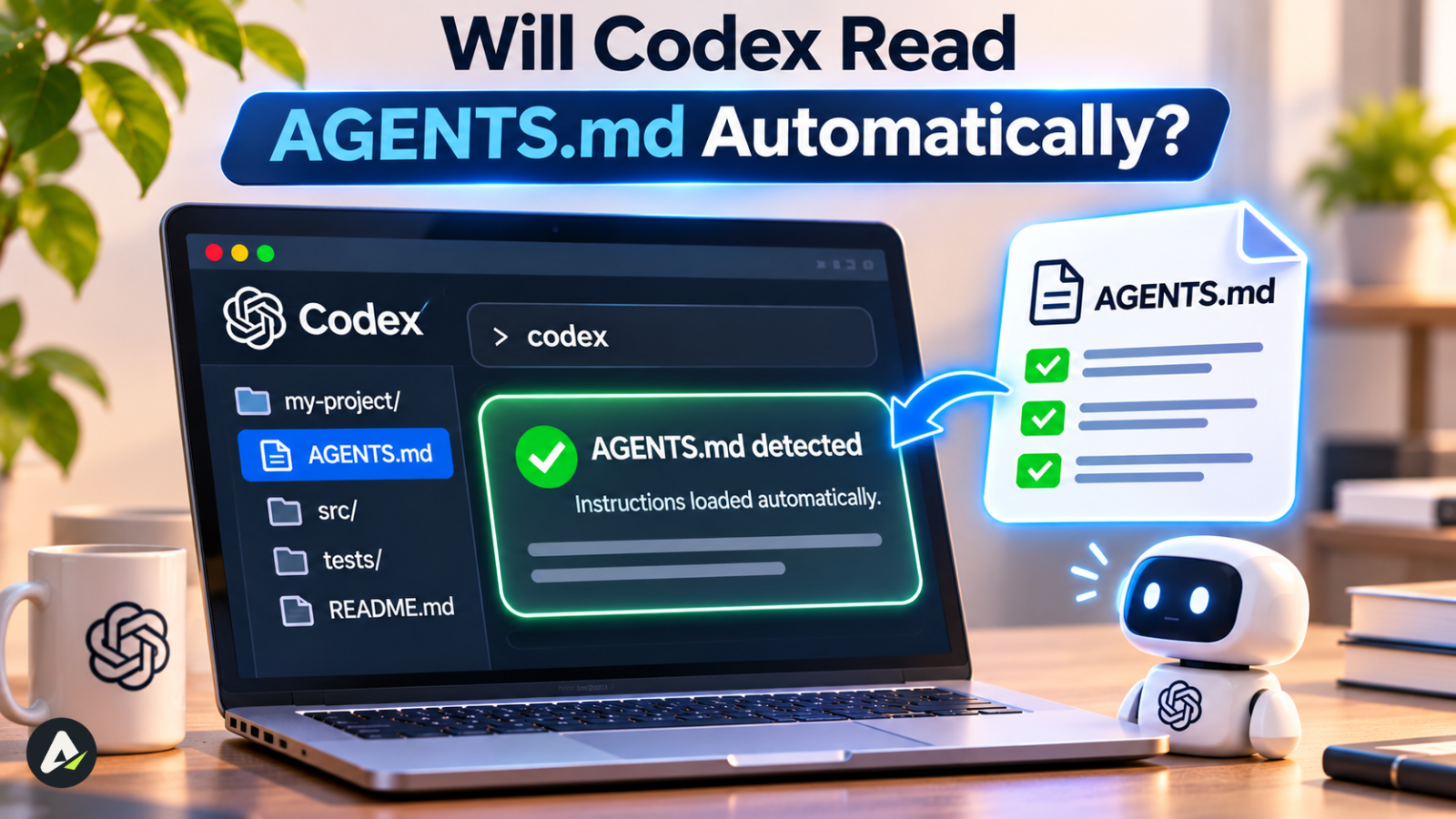
Yes. OpenAI’s AGENTS.md documentation says Codex reads these files before doing any work. It builds the instruction chain once per run, which in the terminal interface usually means once per launched session, so edits made mid-session may not apply until you start a new run.
To confirm the file loaded, run this from your repository root:
codex --ask-for-approval never "Summarize the current instructions."Codex should echo guidance from your global and project files in precedence order. To test a nested folder without changing directories, add --cd:
codex --cd services/payments --ask-for-approval never "Summarize the current instructions."If your rules are missing from the summary, the troubleshooting table near the end maps each symptom to a fix.
Does AGENTS.md Work in the Codex CLI, IDE Extension, App, and Cloud?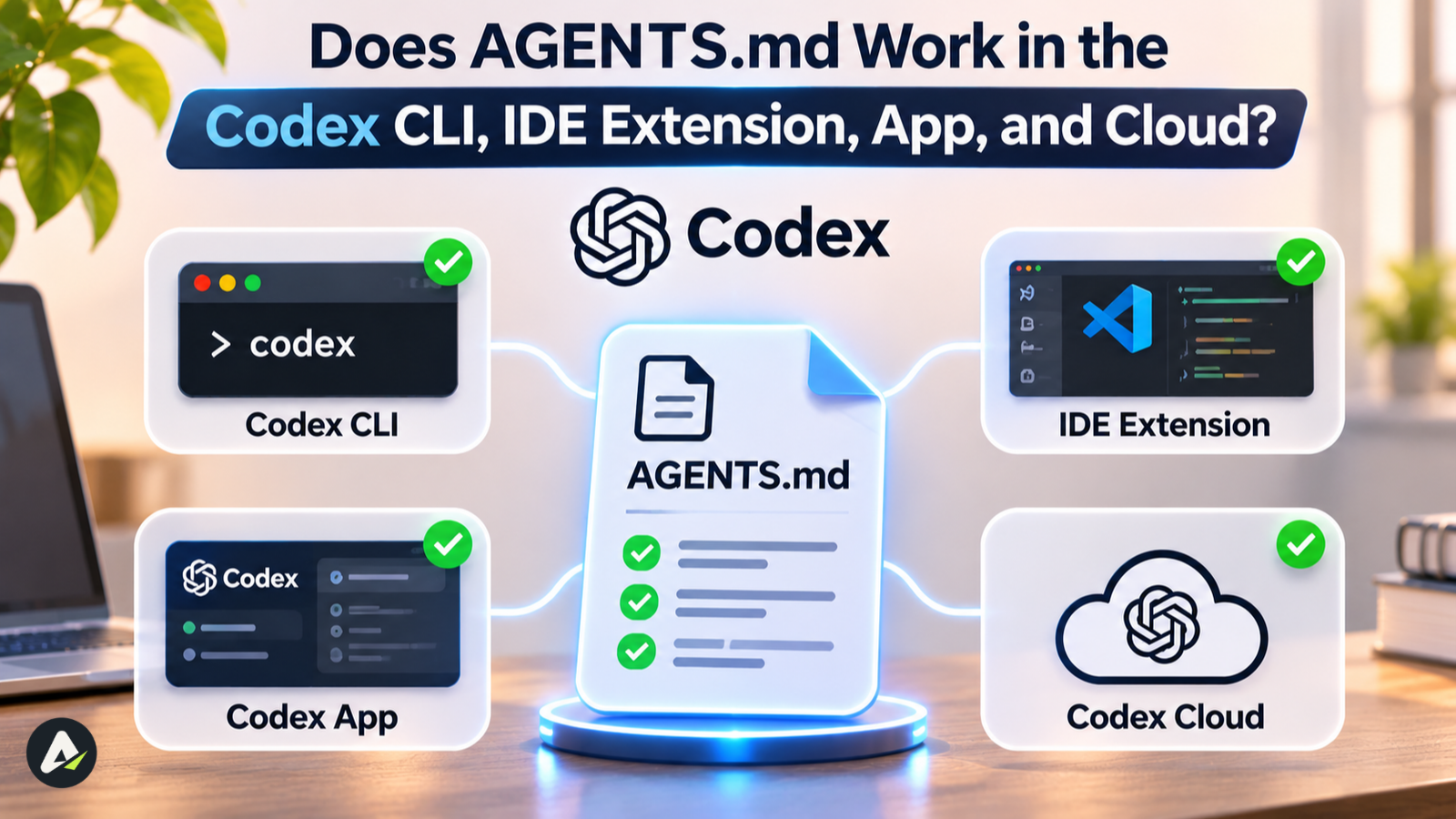
Yes, on all four. OpenAI’s glossary lists AGENTS.md for the app, CLI, IDE extension, and Cloud, and app agents inherit the same configuration as the IDE extension and CLI. Cloud tasks work from your cloned repository, so repository files apply there.
One difference matters. Local files do not automatically transfer to cloud tasks, so your personal ~/.codex/AGENTS.md settings stay on your machine. Keep team rules in the repository file and personal preferences in the global one, which only local runs see.
The /init command is a CLI feature. It creates a starter file in the current directory, and every other surface reads the result like any other AGENTS.md.
Where Does AGENTS.md Live, and Which Instructions Win?
Codex scans your home directory first, then walks from the repository root down to your working directory, concatenating instructions in order. Nothing gets overwritten, except when an AGENTS.override.md replaces the regular file in its own folder.
| Scope | Files checked, in order | Behavior |
|---|---|---|
| 1. Global | AGENTS.override.md, then AGENTS.md in your Codex home (~/.codex unless CODEX_HOME is set) |
Codex uses the first non-empty file at this level |
| 2. Project, root to working directory | In every folder: AGENTS.override.md, then AGENTS.md, then each name in project_doc_fallback_filenames |
One file per folder at most. The walk starts at the project root, typically the Git root. With no project root, Codex reads only the current directory |
| 3. Combined prompt | Everything found above, root first | Joined with blank lines, so files nearest your working directory come last |
Those three layers map to personal defaults, shared repository standards, and folder-level rules.
What does AGENTS.override.md do?
It swaps out the regular file at the same folder level. The documentation’s example shows a payments folder where AGENTS.md goes unread because an override sits beside it. For a temporary global change, create ~/.codex/AGENTS.override.md, then delete it to restore your shared guidance.
Should AGENTS.override.md go in .gitignore?
Decide by purpose. The documentation’s payments example puts an override in a shared folder, so a committed override is a valid team pattern. A personal or temporary override is different: list it in .git/info/exclude or .gitignore so it stays local. Even uncommitted, it still hides the committed AGENTS.md beside it on your machine, so your runs will differ from a teammate’s until you delete it.
What happens when instructions conflict?
Directory walking appends text, so a conflict never resolves itself. Later instructions carry more weight only because they sit later in the prompt, which nudges the model without enforcing anything. Fix contradictions in the files themselves. Anthropic’s documentation warns about the same trap in Claude Code: when two instructions disagree, the model may follow either one.
Why do nested files go missing in monorepos?
The chain runs from the project root down to your launch directory, not to the files Codex touches later. Launch from the repository root, and it services/payments/AGENTS.md never joins the prompt even while Codex edits files inside that folder. Claude Code loads nested instruction files when it reads files there, and Cursor can scope rules by glob. The documented Codex chain does neither.
Two fixes work:
- Launch from the package folder with
codex --cd services/payments. - Add a short routing section to the root file that names which nested file to read before editing each package.
How Big Can an AGENTS.md File Be Before It Hurts Results?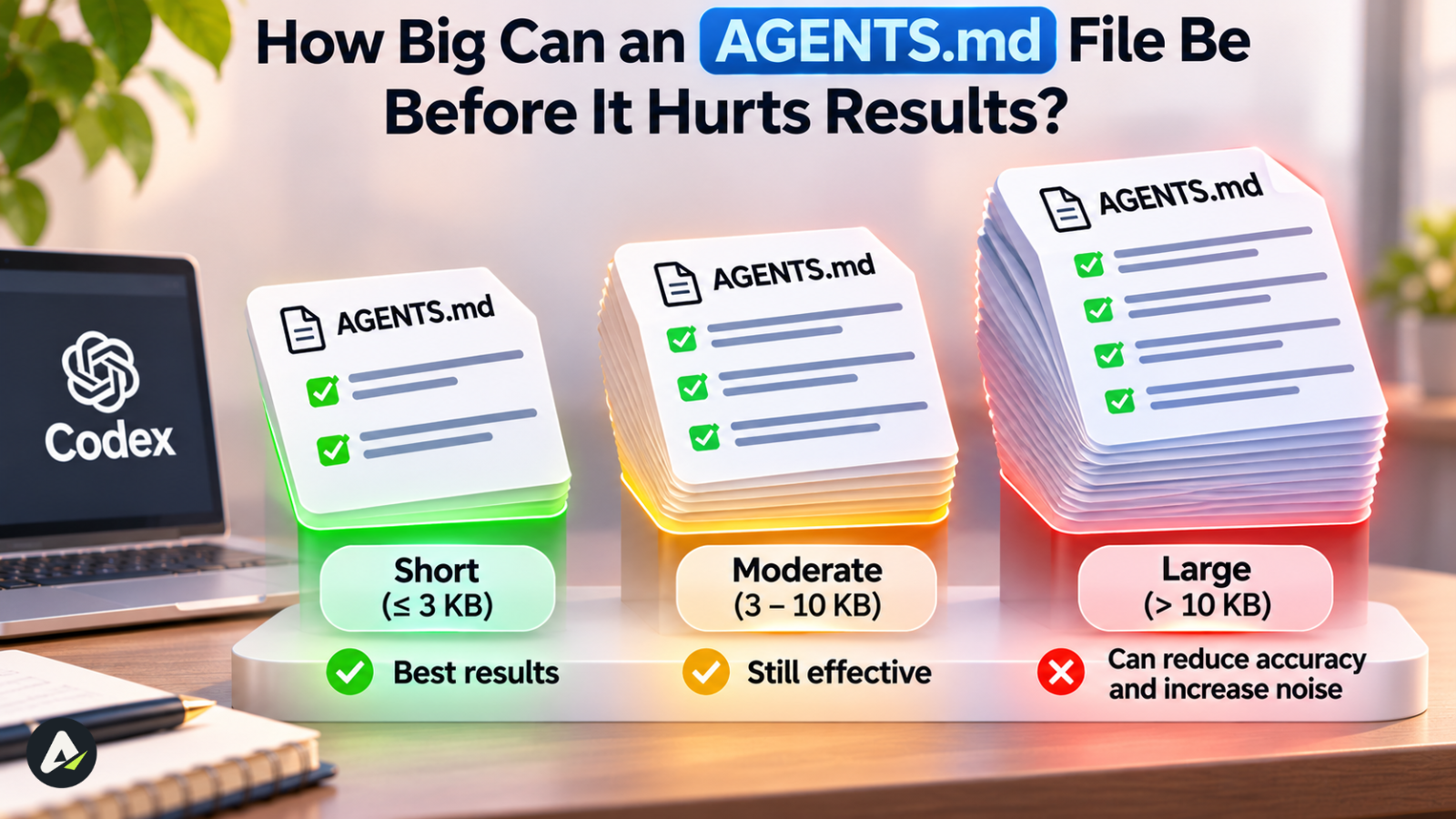
The combined project instructions cap at 32 KiB by default. Codex stops adding files once the total reaches the limit set by project_doc_max_bytes.
| Setting | Default | What it controls |
|---|---|---|
project_doc_max_bytes |
32 KiB | Cap on combined project instructions |
project_doc_fallback_filenames |
Not set | Extra filenames Codex treats as instruction files, such as TEAM_GUIDE.md |
CODEX_HOME |
~/.codex |
Location of the global file and your config |
Set the first two in ~/.codex/config.toml, then restart Codex or start a new run so they load:
project_doc_fallback_filenames = ["TEAM_GUIDE.md", ".agents.md"]
project_doc_max_bytes = 65536
Because files stack root-first, a long root file can use up the budget before the most specific files arrive. Community tooling that mirrors the open-source loader reports that the file crossing the cap is cut at a byte offset and every later file goes unread, and a GitHub issue reports no warning in the terminal interface. OpenAI’s documentation says only that Codex stops adding files at the limit, so treat the mid-file cut as reported behavior and confirm it with the summary prompt. When a leaf-level rule never applies, check the combined size first, then split files before you raise the cap.
Does a file under the cap still hurt results?
Yes, because a long file dilutes the instructions that matter. The “Lost in the Middle” study by Liu and colleagues found that performance can degrade significantly when relevant information moves within a long input, and that it drops as inputs grow, even for long-context models. Anthropic’s memory documentation advises under 200 lines per CLAUDE.md for the same reason: longer files reduce adherence.
Your file also shares the window with tool definitions, conversation history, and everything the agent opens while it works. OpenAI’s caching guide counts tool definitions and conversation history as part of the model’s rendered context, so each MCP server you connect competes with your instructions. Three habits follow:
- Put hard boundaries near the top
- Keep the file static. The same guide favors stable prompt prefixes, but it does not document how Codex orders AGENTS.md among other session context, so treat any cache benefit as a bonus, not a promise.
- Keep review rules narrow. The
## Code Review Rulessection loads with every task, so limit it to invariants a reviewer cannot infer from the diff, and put service-specific checks in that service’s nested file.
How do you enforce size and secret checks in CI?
A short pull request check turns the advice into a gate. The Codex cap applies to the chain loaded for one working directory, so give each file a budget well below it. This example fails the build when any instruction file exceeds 16 KiB or matches common token patterns:
name: agents-md-check
on: pull_request
jobs:
  check:
    runs-on: ubuntu-latest
    steps:
      - uses: actions/checkout@v4
      - name: Check instruction files
        run: |
          limit=16384
          status=0
          for f in $(git ls-files '*AGENTS.md' '*AGENTS.override.md'); do
            size=$(wc -c < "$f")
            if [ "$size" -gt "$limit" ]; then echo "$f is $size bytes"; status=1; fi
            if grep -nE '(sk-[A-Za-z0-9]{20,}|ghp_[A-Za-z0-9]{30,}|AKIA[0-9A-Z]{16}|npm_[A-Za-z0-9]{30,})' "$f"; then echo "$f may contain a secret"; status=1; fi
          done
          exit $status
The patterns catch only common token formats, so pair them with a dedicated secret scanner.
How Do You Write an AGENTS.md File for Codex?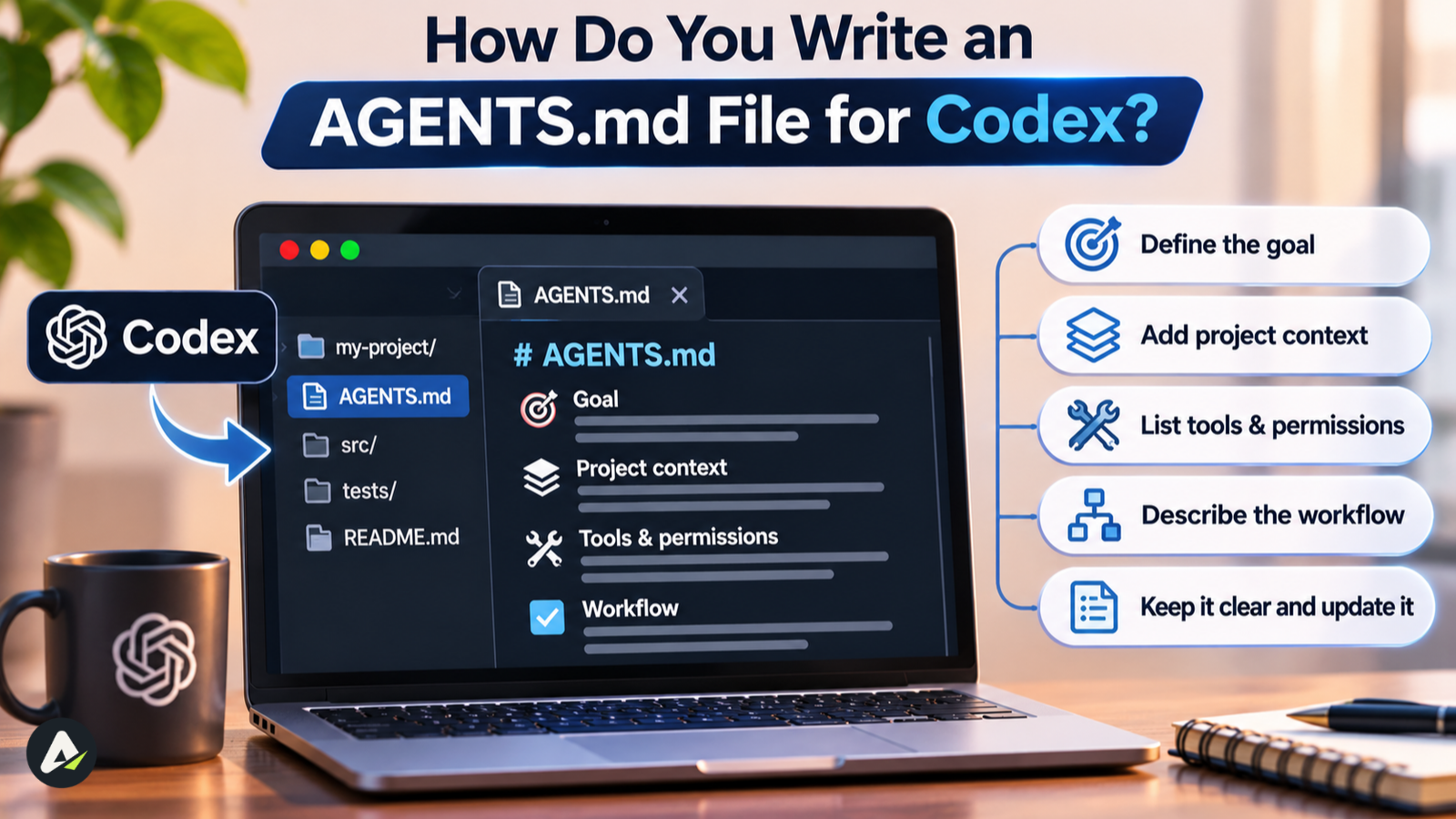
Start small. Put a file in your repository root with the commands Codex cannot guess, the conventions that differ from defaults, a few hard boundaries, and a definition of done. Then add a line only when you watch Codex repeat a mistake.
OpenAI’s best-practices page lists what a good file covers: the non-obvious parts of the repo layout, how to run the project, build, test, and lint commands, engineering conventions, pull request expectations, constraints, and what “done” means.
Add a fast verification loop, not only an end-of-task check. A scoped command that runs after each edit catches a mistake before ten more files depend on it.
The update loop matters more than the first draft. When Codex makes the same mistake twice, ask it for a retrospective and fold the lesson into the file through a pull request. The customization page also suggests recurring automations that hunt for guidance gaps.
What should go in the file, and what should stay out?
| Include | Skip |
|---|---|
| Commands the agent cannot infer, such as how to test one package | A directory-by-directory tour the agent can read from the file tree |
| Conventions that differ from defaults, such as a specific test framework | Language defaults like “write clean code” |
| Hard boundaries, such as generated folders or workflow files | Personal preferences that belong in your global file |
| A definition of done with an exact command | Facts the repo already records, such as a Node version in package.json |
Pointers to task-specific files, such as code_review.md |
API keys, tokens, passwords, or other secrets |
AGENTS.md is plain text that usually lives in version control, so everyone with repository access, and every tool that reads the file, can see what you put there. Keep secrets out.
When should a rule say what to do, and when what to avoid?
Use positive defaults for tool choices and explicit prohibitions for destructive boundaries. OpenAI’s prompt guidance advises saying what to do instead of only what not to do. “Never use Jest” leaves the agent guessing between runners, while “Use Vitest for all unit tests” removes the guess. Destructive paths are different: keep the explicit prohibition and add an escalation route, such as keeping /generated off limits and listing required changes in your final summary instead.
Which rules belong somewhere other than AGENTS.md?
Any rule a tool can enforce, and any procedure you need only sometimes. AGENTS.md loads on every run, so each line costs tokens whether or not the task touches it. A linter, a skill, or a sandbox setting does the same job more cheaply or more reliably.
| Rule type | Better home | Why |
|---|---|---|
| Style a tool can check, such as indentation or banned imports | Linter, formatter, or pre-commit hook | Deterministic, and the agent hears about it only when it breaks the rule |
| Multi-step procedure used now and then, such as a release or migration | Codex skill | Codex starts with each skill’s name, description, and path, and loads the full instructions only when it uses the skill |
| Access to an issue tracker, docs server, or design tool | MCP server | Connects live systems instead of pasting their contents |
| Hard safety limit, such as network or file access | Approval and sandbox settings | Enforced by Codex, not requested in prose |
| Always-true commands and non-default conventions | AGENTS.md | Needed on nearly every task |
Reusable procedures fit Codex skills, an open SKILL.md format that Anthropic donated to the Agentic AI Foundation in October 2026, and outside systems fit MCP servers. Both sit beside AGENTS.md among the agentic workflow terms teams juggle. Read the three as memory tiers: AGENTS.md is always-on context, skills are on-demand procedures, and MCP servers carry live state. Static files earn their place only for the short list in the last row.
What Does a Good AGENTS.md Example Look Like?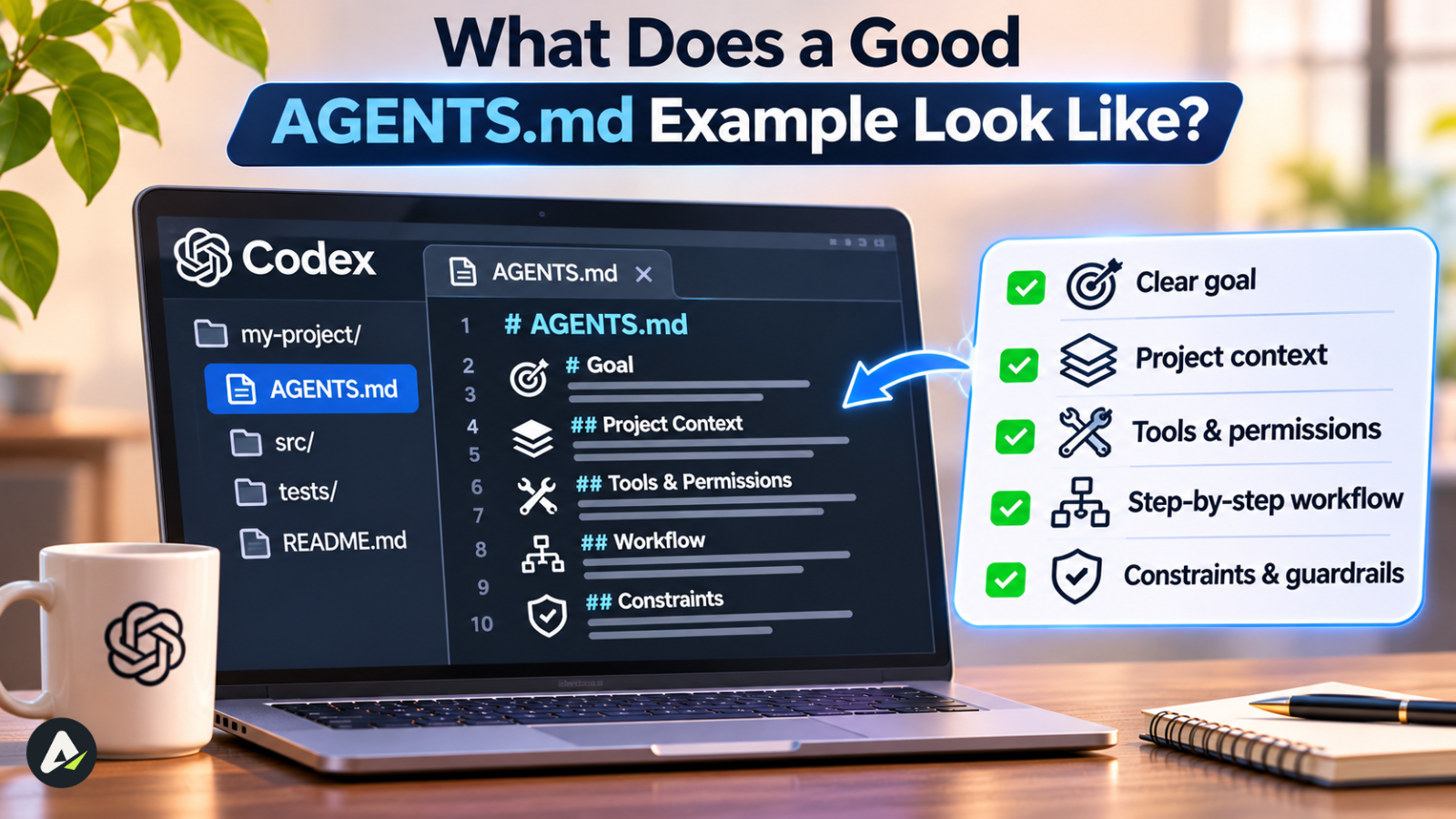
A good example is short, specific, and checkable. It names real commands, states a few firm boundaries, and defines done. Swap in your own commands and folders, and delete anything that does not apply.
Repository file at the repo root:
# AGENTS.md

## Commands
- Install: `pnpm install`
- Test one package: `pnpm --filter api test`
- Typecheck and lint: `pnpm run check`
- After editing a package, run its tests before touching the next one.

## Non-default conventions
- Use Vitest for all unit tests.
- Keep database migrations in `/db/migrations` with timestamp prefixes.

## Hard boundaries
- Never modify files in `/generated` or `.github/workflows`; list required changes in the final message instead.
- Ask before adding a dependency.

## Definition of done
- `pnpm run check` and the relevant package tests exit 0.
- The final message lists every modified file and any open edge cases.
Global file at ~/.codex/AGENTS.md:
# ~/.codex/AGENTS.md

## Working agreements
- Prefer `pnpm` when installing dependencies.
- Explain risky changes before making them.
Nested file at services/payments/AGENTS.md:
# Payments service

- Run `pnpm --filter payments test` before finishing.

- Mask card and account details in every log line.
The nested file joins the prompt only when you work inside that folder. For Codex code review in GitHub, add a ## Code Review Rules section to the AGENTS.md closest to the code those rules govern, with repository-wide checks at the root.
What does a before-and-after rewrite look like?
The fastest improvement is deletion. Here is a typical first draft, followed by what changed in the version above.
# AGENTS.md (before)

## Overview
This is a monorepo. The API lives in /api and the web app lives in /web.

## Guidelines
- Write clean, maintainable code.
- Follow best practices.
- Use meaningful variable names.
- Be careful with security.
- Test your work.| What changed | Why |
|---|---|
| Overview section removed | The agent can read the project structure from the file tree itself |
| Four generic guidelines removed | Models already apply them, so they only add tokens |
| “Test your work” became an exact command | An agent can run a command and read its exit code; it cannot verify “test” |
| Two non-default conventions and two boundaries added | The agent cannot discover these alone |
Is there a best AGENTS.md template, or a generator?
No single file fits every repository. Codex’s own generator is /init in the CLI, and its output is only a draft, so revise it to match how your team builds, tests, reviews, and ships code. For real-world samples, search GitHub code for path:AGENTS.md. Borrow headings and structure, and skip the length, because every template reflects someone else’s stack and mistakes.
Which AGENTS.md Best Practices Hold Up Under Testing?
The best-supported practices are plain ones: keep the file short, write concrete commands, and add rules after real mistakes. OpenAI’s guidance and independent research agree on minimal files.
The independent evidence comes from “Evaluating AGENTS.md” by Gloaguen and colleagues at ETH Zurich. The authors tested agents on SWE-bench tasks with LLM-generated context files, and on a new set of issues from repositories that commit developer-written files. Across models, agents, and both file types, the files generally did not raise task success and added more than 20% to inference cost. Agents followed the instructions well. Repository overviews, though popular and recommended by model providers, did not help. The authors conclude that context files suit non-standard coding practices, and that unnecessary requirements make tasks harder.
Three notes keep that result in proportion:
- Status: The paper appears on the ICLR 2026 virtual program, while its arXiv page lists it as a preprint, revised on September 29, 2026. Treat it as research under review.
- Scope: It measured benchmark tasks, not your repository. It argues against padding, not against a short file that holds a command the agent could never guess.
- Practical filter: Keep what the agent cannot discover alone. Cut what it already knows.
Can a Malicious AGENTS.md Hijack Codex?
Yes, in principle, and researchers have shown it. Codex treats AGENTS.md as trusted instructions, so anyone who can write the file can steer the agent. Treat instruction files from untrusted sources as executable input, not documentation.
- Poisoned dependency: The NVIDIA AI Red Team found that a malicious dependency could write an AGENTS.md at build time and redirect Codex.
- Credential theft: Backslash Security reported that hidden instructions in a repository’s AGENTS.md could trick Codex into silently reading AWS credentials, npm tokens, and Git configuration.
- Downloads folder: Forever Security reported on October 22, 2026 that it found a malicious AGENTS.md in a customer’s Downloads folder, written to make an agent install a malicious npm package. Forever Security adds that Codex follows a project AGENTS.md only in a folder it trusts, and Downloads qualifies once you have worked there.
Your defenses:
- Never launch Codex from Downloads or from a cloned repository you have not reviewed.
- Review every diff that touches AGENTS.md, including changes that arrive through dependencies.
- Pin exact dependency versions, and monitor instruction files for unexpected changes, as NVIDIA recommends.
- Never rely on Markdown as a guardrail. “Ask before adding a dependency” is a request, and guardrails inside the model are unreliable, so enforce limits outside the agent through Codex’s approval and sandbox settings.
- Add runtime guardian agents in higher-risk setups. They inspect actions and can block them before side effects occur, although they limit prompt injection damage without eliminating it.
Does AGENTS.md Work With Claude Code, Cursor, Gemini CLI, and Copilot?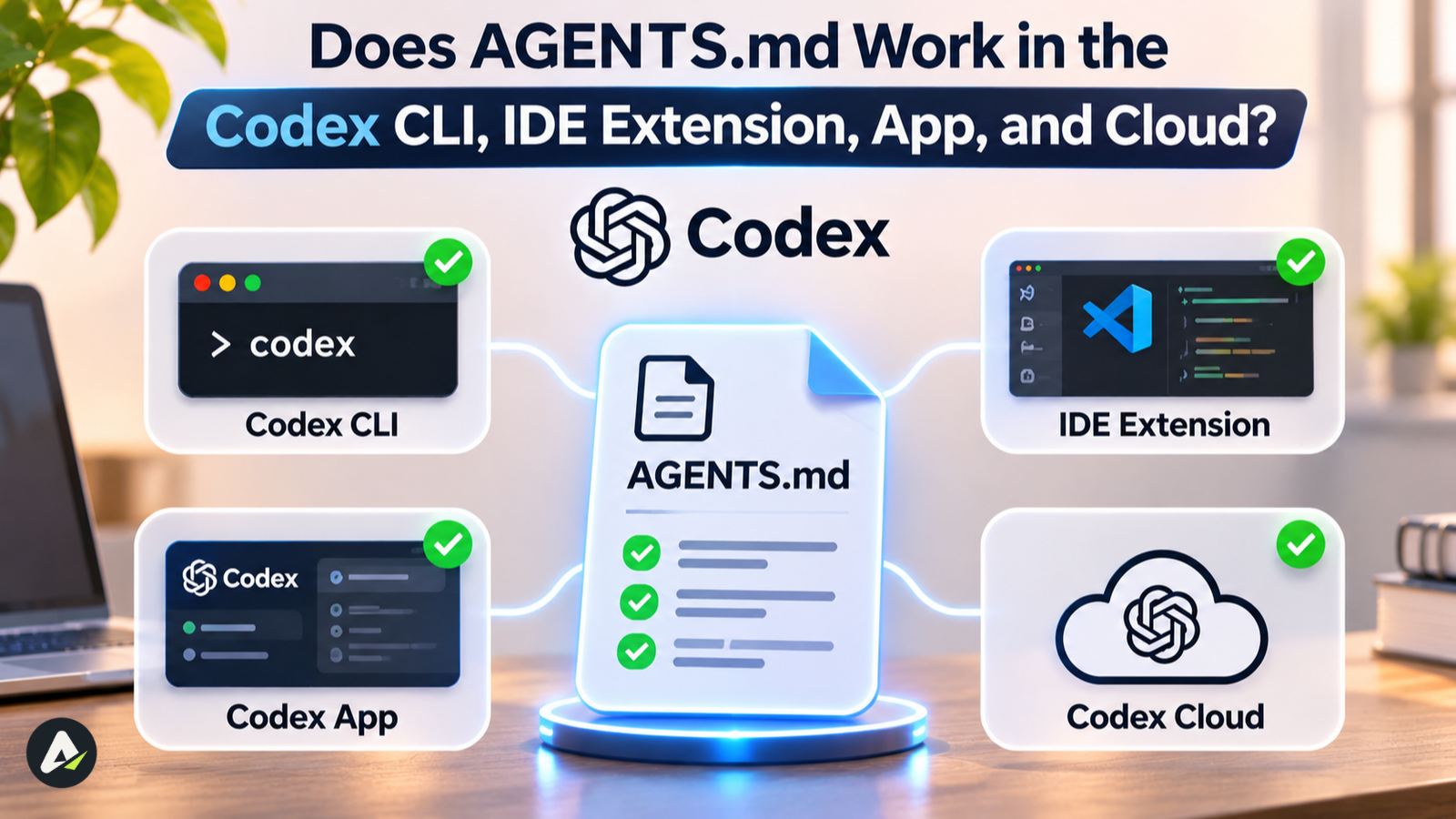
Cross-tool support is real but uneven. Codex and Cursor read AGENTS.md directly. Claude Code reads it under specific conditions, and Gemini CLI needs a one-line setting. The table reflects each vendor’s documentation, and version rules change, so confirm against your installed version.
| Tool | Reads AGENTS.md? | How it works |
|---|---|---|
| Codex | Yes, natively | Global file plus a root-to-working-directory chain, with AGENTS.override.md support |
| Claude Code | Yes, since v2.1.277, by default only when no CLAUDE.md or CLAUDE.local.md exists in your working directory or above it |
Otherwise it reads CLAUDE.md alone. The /config setting Project instructions can load both files, but Claude Code ignores that setting in project and local settings files, so teammates must set it themselves. It never reads AGENTS.override.md. Earlier versions read CLAUDE.md only |
| Cursor | Yes | Cursor’s help center says to place the file in the project root, and that Cursor picks it up automatically. It reads CLAUDE.md the same way |
| Gemini CLI | Not by default | The default context file is GEMINI.md. Add AGENTS.md to context.fileName in settings.json |
| GitHub Copilot | Yes | The coding agent and code review read repository AGENTS.md files, and Copilot keeps supporting its own copilot-instructions.md plus CLAUDE.md and GEMINI.md |
For a mixed team, the committed import is the safer route, because it travels with the repository. Keep the shared rules in AGENTS.md and add a tiny CLAUDE.md for Claude-only extras, following Anthropic’s memory documentation:
@AGENTS.md
## Claude Code
Use plan mode for changes under `src/billing/`.
Other open-source agents follow the same convention. OpenCode’s AGENTS.md support covers its first version with a CLAUDE.md fallback, and its second version reads AGENTS.md only.
Separate rulebooks for Codex, Claude Code, Cursor, and Copilot invite instruction drift, so make the root AGENTS.md the single source of truth for build commands, boundaries, and the definition of done, and point other tools to it, as the CLAUDE.md import above does. Move repeatable procedures into skills, since Codex, Claude Code, and Gemini CLI all support the SKILL.md format.
How Do AGENTS.md, Codex, and GitHub Fit Together?
GitHub is where most teams store, share, and enforce the file. Commit AGENTS.md so every contributor and every agent starts from the same instructions, and GitHub-connected tools such as Codex code review and Copilot pick it up from there.
Four habits keep the committed copy trustworthy:
- Study real repositories. Per the format’s own site, OpenAI’s main repository holds 88 AGENTS.md files at the time of writing, which shows how far nesting scales. Read them for structure, not length.
- Give the file an owner. Add AGENTS.md to
CODEOWNERSso every change gets a reviewer. Ownership is a small piece of governance for AI agents, and it blunts the poisoned-file risk described above. - Update it in the same pull request as the tooling change. Moving from pnpm to bun or renaming a test flag leaves a stale file that sends the agent to broken commands and burns retries, a drift problem much like the one in knowledge-base drift detection.
- Treat cloud runs as real access. Codex Cloud tasks reach real systems, which raises the same access questions as AI agents with cloud access.
Why Is Codex Ignoring My AGENTS.md?
Most failures trace back to location, size, or timing. Codex loads only files along its discovery path, stops at a size cap, and builds the chain once per run. Match your symptom in the table, then rerun the summary prompt.
| Symptom | Likely cause | Fix |
|---|---|---|
| Nested rules never apply | Codex started in a parent folder, and the chain ends at your working directory | Launch with codex --cd path/to/folder |
| Edits to your global file do not appear | CODEX_HOME points to a different home folder than the one you edited |
Run echo $CODEX_HOME before launching |
| A folder’s AGENTS.md goes unread | An AGENTS.override.md sits in the same folder |
Remove or rename the override |
| Guidance cut off | Combined size reached the cap | Trim, split into nested files, or raise project_doc_max_bytes |
| New config has no effect | Settings load at startup | Restart Codex or start a new run |
| Mid-session edits ignored | The chain builds once per run | Start a new session |
| Custom filename not found | Codex matches AGENTS.md plus the names in your fallback list | Add the name to project_doc_fallback_filenames |
FAQs
Q. What if my repository already uses a different instruction file?
Add its name to project_doc_fallback_filenames, for example CLAUDE.md or TEAM_GUIDE.md. Codex tries fallback names only after it finds neither AGENTS.override.md nor AGENTS.md in that folder, and it includes at most one file per folder.
Q. Does an empty AGENTS.md cause problems?
No. Codex skips empty files, and at the global level it uses the first non-empty file, so an empty override cannot silence your regular file.
Q. How do I stop several agents from conflicting over AGENTS.md?
Treat the file as human-owned. Agents in parallel worktrees propose edits inside their own pull requests, a reviewer merges them one at a time, and git resolves overlaps like any other file. Never let an agent push instruction changes straight to the default branch.
Related: 12 Best No-Code AI Agent Builders in 2026 (Compared by Features & Pricing)
| Disclaimer: This article is based on publicly available documentation and independent research. Features and configuration details may change over time. We are not affiliated with or endorsed by OpenAI or the Codex team |

Kavin Reed
As AI agents move from experimental demos into everyday workflows, the questions around how they work, where they fit, and what happens when they fail are becoming harder to ignore. Kavin Reed writes about AI agents, automation, and the systems behind them, with a focus on practical adoption and real-world impact. His work examines the ideas, trends, and technical developments shaping how businesses and people use increasingly capable AI systems.
More from Kavin Reed →