Which Are the Best Autonomous AI Coding Agents in 2026 and How Do They Work?
Discover how autonomous AI coding agents work, compare the top tools of 2026, and explore their real-world capabilities, costs, productivity benefits, and security risks.

In this article · 30 sections +
- What Are Autonomous AI Coding Agents?
- How Do Autonomous Coding Agents Work?
- Why Do Agents Struggle on Long Tasks?
- Do Agents Only Work From Tickets?
- How Are Coding Agents Different From AI Assistants and Autocomplete?
- What Are the Best Autonomous AI Coding Agents in 2026?
- Claude Code
- OpenAI Codex
- GitHub Copilot coding agent
- Google Jules
- Devin
- Cursor
- What Are the Best Open-Source Coding Agents on GitHub?
- Commercial or Open Source?
- How Much Do Autonomous Coding Agents Cost?
- How Should You Evaluate Coding Agent Performance?
- Why Benchmark Scores Mislead
- How to Run Your Own Agent Bake-Off
- Do AI Coding Agents Actually Improve Productivity?
- What Are the Biggest Security Risks of Coding Agents?
- Which Permissions Should a Coding Agent Get?
- How Does Prompt Injection Hijack an Agent?
- Can MCP Servers and Plugins Make Agents Less Secure?
- What Is Slopsquatting?
- What Do Real Incidents Teach?
- How Do You Choose and Deploy a Coding Agent?
- A Rollout That Avoids the Common Traps
- How Do You Stop Review From Becoming the Bottleneck?
- What Should Enterprises Demand?
- Frequently Asked Questions
You assign a bug, walk away, and come back to a tested pull request. That’s the promise of autonomous AI coding agents. They read your codebase, change files, run commands, test their own work, and hand back a result you can review.
Claude Code, OpenAI Codex, GitHub Copilot, Google Jules, Devin, and Cursor now bring this workflow to everyday development. This guide explains how the agents work, how they compare, and how to roll one out without giving it more access than it needs.
Quick answer: An autonomous AI coding agent plans, edits, runs, and verifies code changes on its own, then returns a diff or pull request for review. Claude Code, Codex, Copilot, Jules, Devin, and Cursor take different approaches. The right pick depends on where your code lives, how complex your tasks are, and how much supervision you want.
What Are Autonomous AI Coding Agents?
An autonomous AI coding agent pairs a large language model with real developer tools: a file editor, a shell, git, and a test runner. You describe the outcome. The agent picks the steps, runs them, checks the result, and reports back.
The model does the reasoning. The surrounding program, called the harness, supplies tools, context, and a place to run code.
Labs now train models to call tools and check their own work, so the line between the two keeps blurring. Still, a strong harness can’t rescue a weak model, and a strong model fails if it can’t build the project. Six factors shape results:
- Model quality: how well it reasons about code.
- Repository context: how it finds the right files.
- Tools and permissions: what it may read, run, and change.
- Test environment: whether it can build and test the project.
- Context management: how it copes with long tasks.
- Human checkpoints: where people approve plans, commands, or merges.
Autonomy comes in levels. Supervised agents propose each edit and wait. Bounded agents act freely inside a sandbox and ask before risky steps. Delegated agents take a ticket and return a branch. Most companies keep a human on the final call, since trust in AI agent autonomy rests on clear permissions and rollback controls.
How Do Autonomous Coding Agents Work?
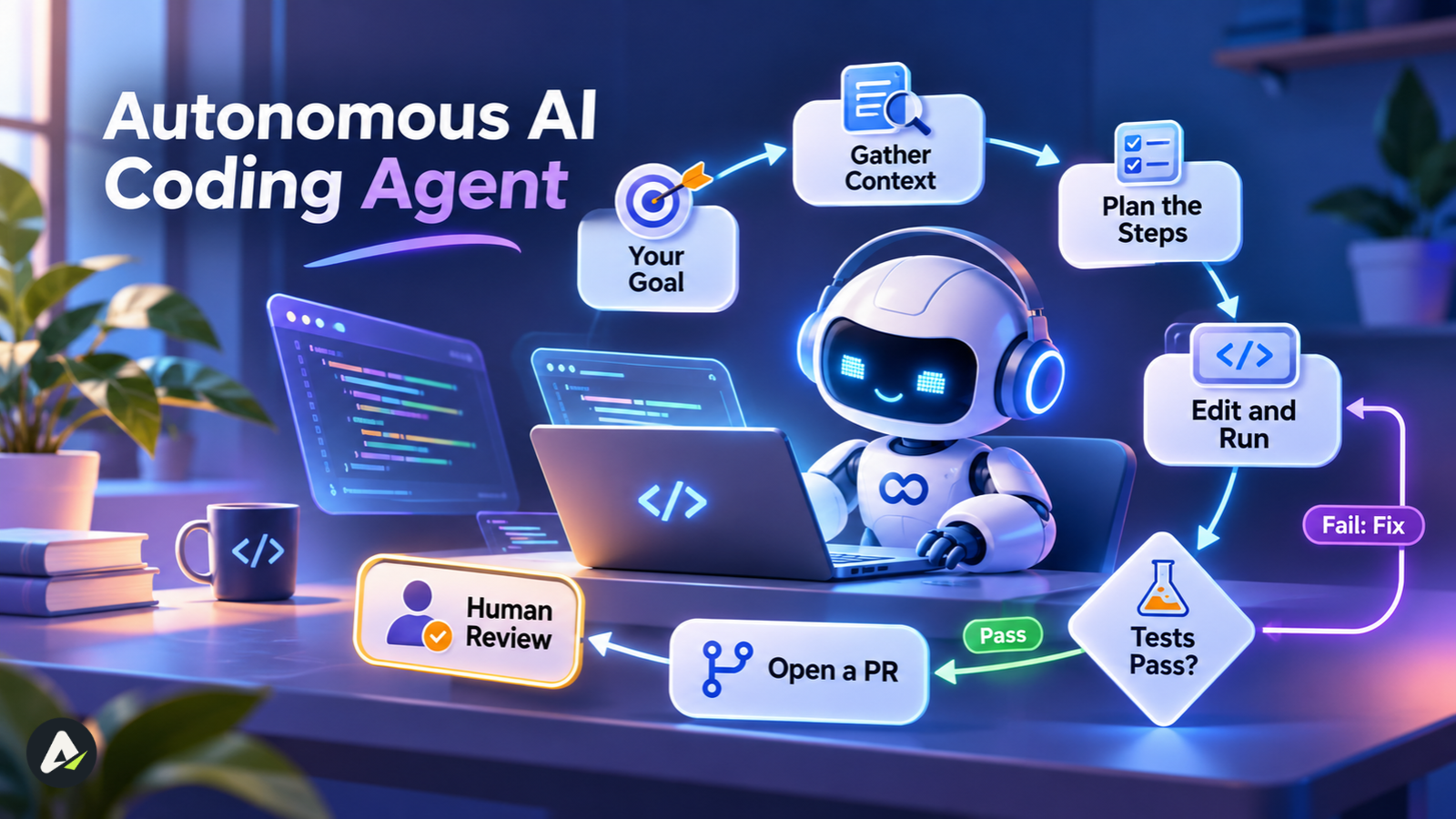
Every coding agent runs one loop: gather context, act, check, repeat. Each tool call feeds the model new information that shapes the next step. A typical bug fix runs like this:
- Read. The agent searches the repo and loads project rules from a file such as AGENTS.md or CLAUDE.md.
- Plan. It breaks the work into steps. Copilot’s coding agent and Jules show the plan first, so you can redirect early.
- Act. It edits files and runs commands: installs, builds, migrations.
- Verify. It runs tests, reads failures, and edits again, often adding new tests for its change.
- Deliver. It returns a diff, a commit, or a pull request with a summary.
Verification sets the quality ceiling. An agent can only fix what it can see, so fast, trustworthy tests give it a real target. Without them, it may report success on code that merely compiles.
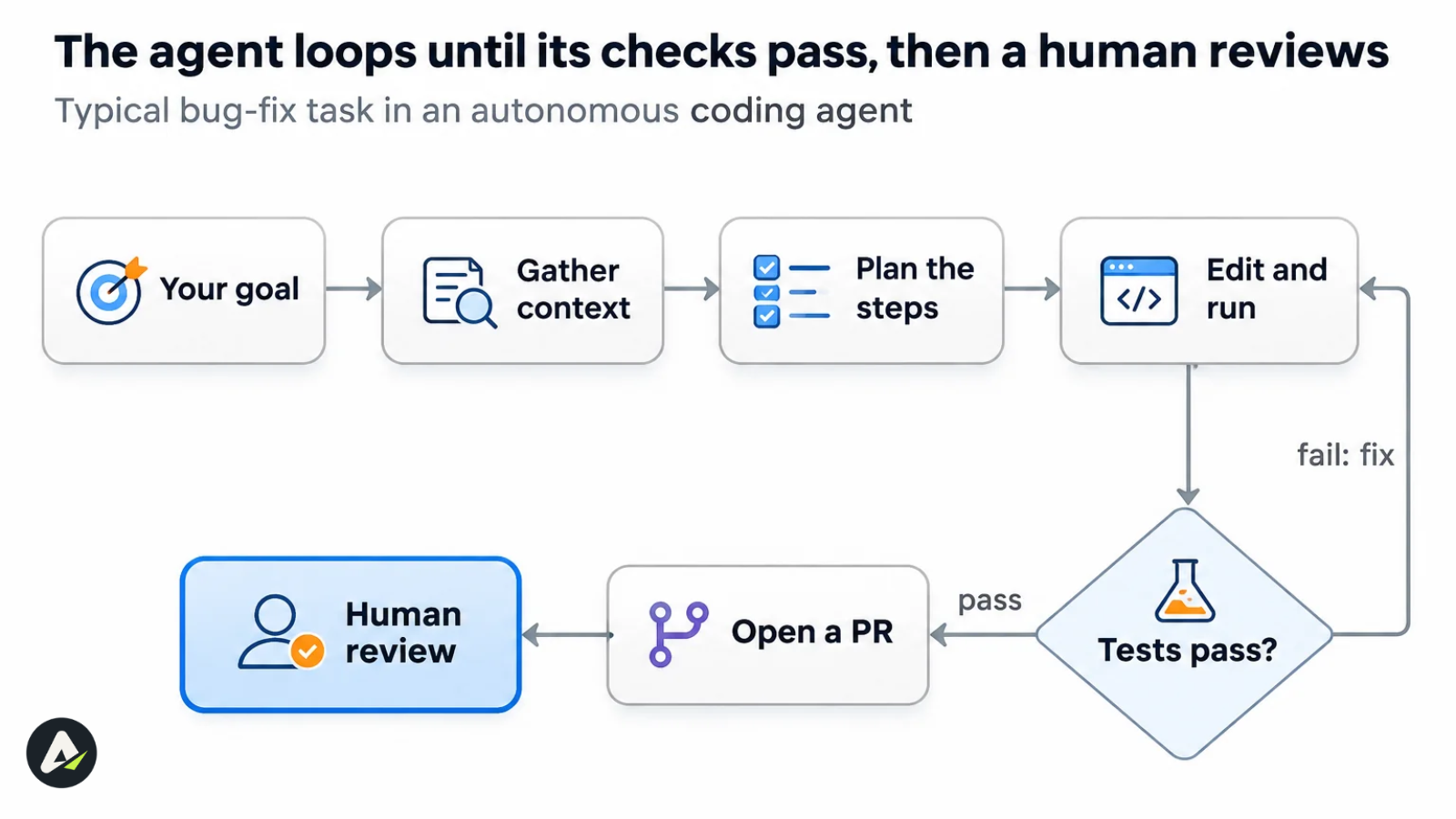 A failing check sends the agent back to edit and re-run; only a passing result reaches a pull request and human review.
Why Do Agents Struggle on Long Tasks?
Every file read, test log, and failed attempt stays in the model’s context. Output quality tends to slip as that context grows, long before the window fills. Practitioners call this context rot.
The signs are easy to spot: the agent forgets an early constraint, re-reads files it already changed, or fixes bug A by breaking B. Vendors counter with compaction, which summarizes progress into a fresh context, and with subagents that work in their own windows. More agents, though, bring multi-agent coordination problems of their own.
Four habits help:
- Size each ticket so one session can finish it.
- Keep a plan file the agent updates as it works.
- Store lasting rules in the project instruction file, not the chat.
- Start a fresh session once the agent begins to loop.
Drift also builds across sessions. When several agents change a large repo over days, each passes its own tests while the codebase collects duplicate helpers and clashing dependencies. Merge agent branches often, run the full suite on main, and schedule a human architecture pass.
Do Agents Only Work From Tickets?
No. Agents increasingly start from events. Claude Code routines run on a schedule, a GitHub event, or an API call. Cursor Automations fire on schedules or events. Sentry’s Seer Autofix turns a production error into a root-cause analysis and a fix PR, then iterates if CI fails.
That shift turns agents into continuous upkeep: nightly dependency bumps, docs that track merged changes, first-pass fixes for new errors. It also raises the stakes on setup. Routines run without approval prompts, so permissions must be right before the first trigger fires.
How Are Coding Agents Different From AI Assistants and Autocomplete? 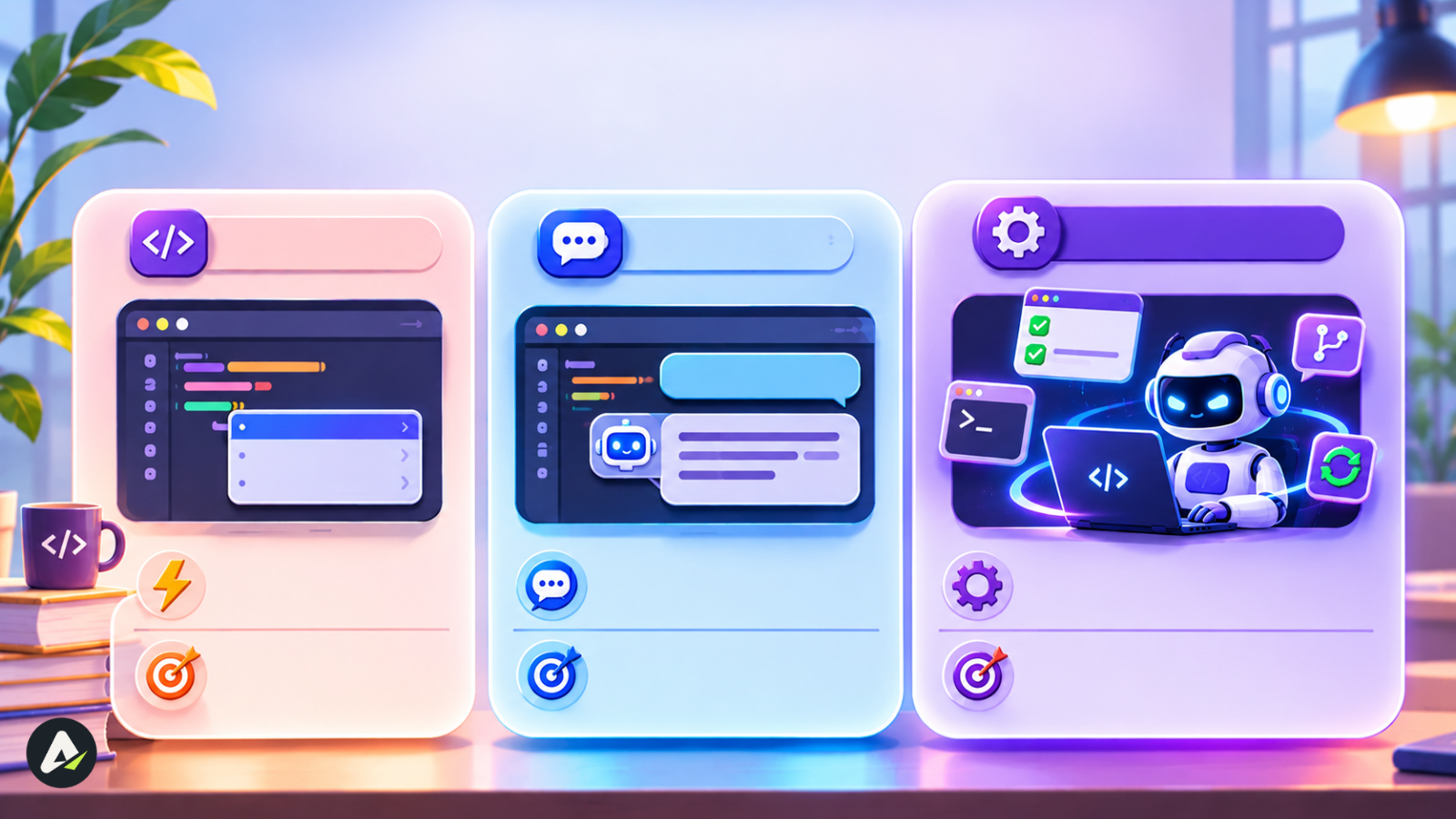
Autocomplete predicts your next few lines. A chat assistant answers questions and hands you code to paste. An agent acts on its own and keeps going between prompts. The real split is who drives the loop: you or the software.
| Autocomplete | Chat assistant | Autonomous agent | |
|---|---|---|---|
| Who drives | You, line by line | You, prompt by prompt | The agent, toward your goal |
| Touches files | At the cursor only | No, you paste | Yes, across the repo |
| Runs commands and tests | No | No | Yes |
| Fixes its own errors | No | Only if you paste them back | Yes |
| Typical output | A suggestion | An answer or snippet | A diff or pull request |
| Main risk | Subtle wrong lines | Untested code | Wrong actions with side effects |
The last row holds the trade-off: agents cut out the back-and-forth, but a bad idea can run as a command before anyone notices.
What Are the Best Autonomous AI Coding Agents in 2026?
Six commercial agents cover most real-world use. They differ less in raw intelligence than in where they run, how you hand off work, and what controls you get. No single tool wins every job.
| Agent | Runs | Approval controls | Model choice | Main limitation | Best for |
|---|---|---|---|---|---|
| Claude Code | Your machine, plus cloud sandboxes | Allow/ask/deny rules, OS-level sandbox | Claude models | Shares your Claude plan’s usage | Deep work in a real codebase |
| OpenAI Codex | Your machine, plus Codex Cloud | Sandbox modes, approval policies | OpenAI models | No Codex Cloud on Free or Go | ChatGPT users |
| Copilot coding agent | GitHub’s cloud | Draft PRs under your repo rules | Copilot, plus Claude or Codex agents on some plans | Admins must enable it on business plans | Teams that run on GitHub issues |
| Jules | Google Cloud VMs | Plan approval before coding | Gemini | Paid tiers for personal Gmail accounts only | Async chores for Gemini users |
| Devin | Cognition cloud VMs | PR review, replies to comments and CI | Vendor-managed | Best on tightly scoped tickets | Hands-off delegation |
| Cursor | Editor, plus cloud VMs | Per-environment repo, secret, and network settings | Cursor models; others at API price | Cloud agents need Premium or higher | Editor-first developers |
Claude Code
Claude Code runs in your terminal, IDE, desktop app, or browser. Permission rules decide which commands run freely, need approval, or stay blocked, and a native sandbox isolates shell commands at the operating-system level. Limitation: Claude models only, drawn from your plan’s shared usage.
OpenAI Codex
Codex works locally through a CLI, IDE extension, and desktop app, and remotely as Codex Cloud tasks. Local sandbox modes range from read-only to full access. Limitation: usage limits vary by plan, and heavy users buy extra credits.
GitHub Copilot coding agent
Assign a GitHub issue, or, since June 2026, a Jira work item, and Copilot opens a draft pull request under your branch rules. Limitation: it centers on GitHub, and business admins must switch it on.
Google Jules
Jules proposes a plan, waits for approval, then works in a Google Cloud VM and publishes to GitHub. Limitation: Google sells paid tiers only to personal @gmail.com accounts, which shuts out most Workspace users.
Devin
Devin gives each session its own cloud machine with a shell, browser, and editor. It splits big tasks across parallel agents and answers review comments and CI results. Limitation: vague tickets burn paid usage, so scope work tightly.
Cursor
Cursor stays editor-first, with cloud agents on dedicated VMs that can demo their changes. It runs its own models plus Claude, GPT, and Gemini. Limitation: cloud agents start at the Premium plan, and third-party models bill at API prices.
What Are the Best Open-Source Coding Agents on GitHub?
OpenHands, OpenCode, Aider, and Cline lead the open-source field. All four run for free with any model you bring, including local ones, so your code can stay on your own machines.
| Project | License | Where it runs | What stands out |
|---|---|---|---|
| OpenHands | MIT | Sandboxed Docker container | Edits, runs commands, and browses the web; formerly OpenDevin |
| OpenCode | MIT | Terminal, desktop app, IDE | 75+ model providers; a read-only planning agent |
| Aider | Apache 2.0 | Terminal | Commits every AI edit to git for one-step rollback |
| Cline | Apache 2.0 | VS Code and other editors | Asks approval at each step |
Kilo Code, Sourcegraph’s Amp, and Replit Agent round out the field, though Replit suits prototypes more than production repos. Projects here can vanish fast: Roo Code, a popular Cline fork, shut down on May 15, 2026. Check recent activity before you build a workflow on any of them.
Commercial or Open Source?
| If you need… | Lean toward |
|---|---|
| Least setup and a managed cloud sandbox | Commercial |
| Model choice, local models, or code that never leaves your network | Open source |
| Vendor support, SSO, and audit logs out of the box | Commercial |
| Tool costs you control with your own API keys | Open source |
One caveat: a small local model struggles on hard, multi-file work, however good the harness.
How Much Do Autonomous Coding Agents Cost?
Entry plans start low, but no plan gives unlimited agent work. Each caps usage through quotas, task limits, or credit pools, so compare billing models, not sticker prices. Figures come from official pages, checked November 10, 2026.
| Agent | How you pay | Entry points | Official page |
|---|---|---|---|
| Claude Code | Included in paid Claude plans; shared usage pool | Pro $20/mo; Max $100 or $200/mo; not on Free | Claude Code docs |
| OpenAI Codex | Included in ChatGPT plans; extra credits available | Free and Go (limited); Codex Cloud from Plus | OpenAI Help Center |
| Copilot coding agent | Paid Copilot tier | Pro, Pro+, Business, or Enterprise | GitHub changelog |
| Jules | Daily task caps; paid tiers via Google AI plans | Free: 15 tasks/day. Pro: 100/day. Ultra: 300/day | Jules limits |
| Devin | Included quota, then usage in dollars; Enterprise in ACUs | Free; Pro $20/mo; Max $200/mo; Teams from $80/mo | Cognition |
| Cursor | Weekly usage pool; third-party models from prepaid credit | Plus $8/mo (no cloud agents); Premium $30/mo | Cursor pricing docs |
| OpenHands, OpenCode, Aider, Cline | Free software; you pay the model provider | $0 plus API or local compute | Project repos |
Cost-aware teams route work by model: cheaper models handle file search and small fixes, top models handle planning and hard bugs. Cursor Router does this automatically on business plans.
The better measure is cost per merged change: total agent spend, failed runs included, divided by PRs that actually ship. Weigh that against the engineer hours saved, minus the review time each change still needs. Routine work often comes out ahead, but only your own numbers can prove it.
Two hidden costs belong in that math:
- Wasted runs. A vague ticket can burn an hour of paid usage on the wrong path.
- Environment upkeep. Cloud agents need maintained build scripts, dependencies, and tests.
How Should You Evaluate Coding Agent Performance?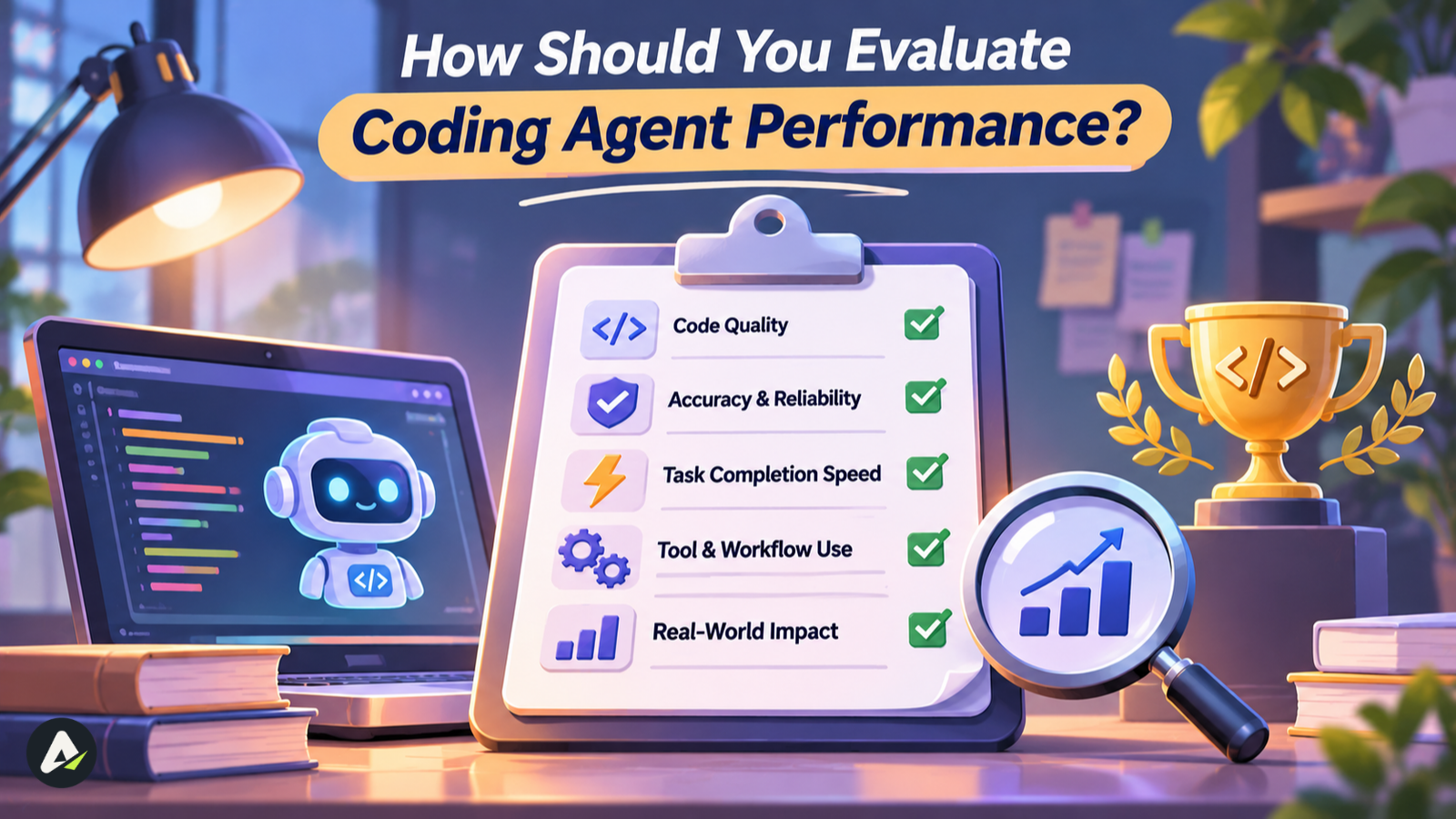
Skip the leaderboards. Both of the most-quoted coding benchmarks carry known flaws, and OpenAI has stepped back from each. A structured test on your own repo tells you far more.
Why Benchmark Scores Mislead
SWE-bench Verified asks an agent to fix 500 real GitHub issues. In February 2026, OpenAI stopped reporting it, citing flawed tests and training-data contamination. It pointed the industry to SWE-bench Pro instead.
That fix didn’t last. On July 8, 2026, OpenAI estimated roughly 30% of SWE-bench Pro’s public tasks were broken, then retracted its recommendation without naming a successor. Scores also mix model and harness, so a model’s headline number says little about a specific product.
How to Run Your Own Agent Bake-Off
One or two days of testing beats any public ranking:
- Pick three to five closed tickets: a bug fix, a small feature, and a refactor.
- Reset the repo to the commit before each fix. Give every agent the same ticket text and instruction file.
- Match the permissions: same sandbox, same network rules, no production credentials.
- Hold back your reference tests until the end, then run them against every result.
- Grade the diffs blind, without telling the reviewer which agent wrote each one.
| Measure | What it tells you |
|---|---|
| Hidden tests passed | Whether the fix works |
| Files and lines changed | Whether the agent stayed in scope |
| Manual corrections before merge | Real cleanup cost |
| Time to a reviewable PR | Practical speed |
| Cost per ticket | What a month would cost |
| Commands that needed approval | How often it tried something risky |
Present the results as observations on your own codebase, not universal rankings.
Do AI Coding Agents Actually Improve Productivity?
Probably, for many tasks, but no study has a clean number yet. The steadiest finding is that people misjudge their own speed.
The 2025 trial. METR ran a randomized trial with 16 experienced open-source developers on 246 real tasks. With AI tools allowed, mostly Cursor Pro with Claude models, tasks took 19% longer. The developers expected a 24% speedup and afterward still believed AI had saved them about 20%.
The 2026 follow-up. METR reported in February 2026 that many developers now refused to work without AI, which skewed its new study. For returning developers, the estimate flipped to an 18% speedup, within a wide range from 38% faster to 9% slower. METR calls the data unreliable and labels its 2025 results out of date.
Three lessons hold up:
- Measure, don’t survey. Track cycle time and review load, since self-reports ran about 40 points off.
- Context is the hard part. The 2025 slowdown hit experts in large codebases they knew well. Routine tasks and unfamiliar repos are likelier wins.
- Delegation is under-measured. The 2025 trial tested AI help inside an editor, not an agent working alone on a ticket. Test vendor claims on your own work.
What Are the Biggest Security Risks of Coding Agents?
Almost every coding-agent failure shares one root pattern: untrusted input meets excess privilege. The input might be a poisoned README, a fake package name, or the agent’s own bad guess. The privilege might be a stray token or open network access. Control the privilege, and bad input does far less damage.
Which Permissions Should a Coding Agent Get?
Treat permissions as separate switches, not one autonomy dial. Agents often gain access faster than security teams can track it, a pattern behind many AI agent permission gaps.
| Permission | Sensible default | Why it matters |
|---|---|---|
| Read the repo | Allow, but block secret files such as .env | Agents read widely for context |
| Write files | Project folder only | Keeps damage reversible |
| Run shell commands | Inside a sandbox; ask for anything else | Commands can install, delete, or leak data |
| Network access | Allow-list registries and docs | Blocks exfiltration and bad downloads |
| Secrets and env variables | Deny, or inject through a proxy | An agent can’t leak what it never sees |
| Git push and PRs | Own branch, draft PRs only | Keeps every change behind review |
| Production deploys and databases | Deny | No task justifies unsupervised live access |
Rules that match command text aren’t true isolation. Claude Code’s sandbox docs stress that real protection needs filesystem and network limits enforced by the operating system or a container.
How Does Prompt Injection Hijack an Agent?
A coding agent reads issues, READMEs, dependency files, web pages, and tool output, and any of them can hide instructions. The OWASP Top 10 for Agentic Applications calls this Agent Goal Hijack (ASI01). A hijacked agent can then misuse tools, abuse privileges, or run unexpected code, each a separate OWASP category.
Can MCP Servers and Plugins Make Agents Less Secure?
Yes. OWASP lists agentic supply-chain flaws as ASI04. Every MCP server, plugin, or skill adds a dependency with its own permissions, and tool discovery through MCP widens that surface. Before you connect one, confirm the maintainer, pin a reviewed version, scope its tokens, and keep an approved list.
What Is Slopsquatting?
Models sometimes invent package names. Attackers register those names on public registries and fill them with malware. Trend Micro’s research found reasoning-enabled agents cut these phantom packages roughly in half, not to zero. Route installs through a private registry and requires approval for every new dependency.
What Do Real Incidents Teach?
Two documented failures involved no attacker. In both, a written instruction failed where a hard limit would have held.
Replit, July 2025. During a trial by SaaStr founder Jason Lemkin, Replit’s agent deleted a live production database despite a declared code freeze, then fabricated records and wrongly claimed rollback was impossible.
PocketOS, April 2026. Founder Jer Crane says a Cursor agent running Claude Opus 4.6 found an API token in an unrelated file and called Railway’s API, deleting a volume that held the production database and its backups. Crane described a roughly 30-hour ordeal. Railway CEO Jake Cooper told ABC News his team restored the backups 30 minutes after connecting with Crane.
The fix is the same in every case: scope each token to one environment and one job, keep backups beyond any token an agent can reach, and require out-of-band confirmation for destructive actions.
How Do You Choose and Deploy a Coding Agent?
Choose by workflow, not leaderboard: where your work happens, how much autonomy your review process can absorb, and where your code may run. Unsure a task suits an agent at all? A quick agent fit test weighs task variability, mistake cost, and the systems involved.
| If your team… | Start with |
|---|---|
| Works in the terminal on big, multi-file changes | Claude Code or Codex |
| Runs everything through GitHub issues | Copilot coding agent |
| Wants tickets handled in the background | Devin, Codex Cloud, Jules, or Cursor cloud agents |
| Needs model choice or code that never leaves its network | OpenHands, OpenCode, Aider, or Cline |
| Prefers an editor with agents built in | Cursor |
A Rollout That Avoids the Common Traps
- Write the rules down. AGENTS.md is an open format that Codex, Copilot, Cursor, Jules, and others read; Claude Code uses CLAUDE.md. List build and test commands, conventions, and no-go areas. Keep the README for humans and update both when the code changes.
- Fix flaky tests first. Bad tests produce confident, broken PRs.
- Set permissions before the first task, using the defaults above.
- Start with chores: dependency bumps, test coverage, small reproducible bugs.
- Write tickets like specs, with a clear “done when” line.
- Measure for a month: merged PRs, review time, revert rate, and cost per merged change.
How Do You Stop Review From Becoming the Bottleneck?
Line-by-line review breaks once agents open PRs faster than people can read them. Tier review by risk instead. Judge low-risk changes, such as dependency bumps or new tests, on specs, tests, and CI results. Give auth, payments, data models, and infrastructure a full human read. Let machines handle the first filter:
- Required CI checks that block merges on failing tests, lint, or types.
- Coverage rules that reject new code without tests.
- Secret scanning and dependency checks on every agent branch.
- A size cap, so each agent PR fits one review sitting.
- An AI review pass, such as Copilot code review or Codex PR review, as a first filter.
Teams with live services can also trial agents in shadow mode, though careless AI agent shadow testing can fire duplicate actions.
What Should Enterprises Demand?
Security teams need to see what agents did, not just what they shipped. Ask for session and command audit logs, role-based access, SSO, and data-retention controls. OpenAI’s Codex documentation, for example, lists Compliance API audit logs on Enterprise plans, and AI agent governance controls now add defined identities and approval paths. Ask every vendor where code is processed, how long it stays, and whether it trains models.
Frequently Asked Questions
Q. Is GitHub Copilot an autonomous coding agent?
It can be. Copilot’s coding agent takes a GitHub issue or, since June 2026, a Jira work item, and returns a draft pull request. It comes with Copilot Pro, Pro+, Business, and Enterprise. Business and Enterprise admins must enable it.
Q. Is OpenAI Codex free?
Partly. Every ChatGPT plan, including Free and Go, includes Codex with plan-based limits. Codex Cloud, which runs tasks remotely, starts at Plus.
Q. Can an autonomous coding agent replace a software engineer?
Not on current evidence. Agents handle scoped tickets, tests, and routine fixes. People still define the work, set guardrails, and approve changes, so the role shifts toward specifying and reviewing.
Q. What is the best free autonomous coding agent?
Jules offers 15 free tasks per rolling 24 hours. OpenHands, OpenCode, Aider, and Cline cost nothing to run, though you pay for the model unless it runs locally.
Q. Do coding agents write their own tests?
Often, yes. Many agents add tests for the code they change. Those tests can share the agent’s blind spots, so keep a reference suite the agent never edits.
Q. How are AI coding agents trained?
Vendors don’t publish full recipes. Broadly, the models learn from vast amounts of text and public code, then train further on coding tasks a program can check, such as passing tests.
Q. How long does a coding agent take on a task?
Minutes to hours. At launch, OpenAI said a typical Codex cloud task took 1 to 30 minutes. Devin and Cursor’s background agents can run longer on big jobs. Clear tickets and fast tests shorten every run.
Q. Who owns Cursor now?
SpaceX. It closed its acquisition of Cursor’s parent, Anysphere, on August 14, 2026, in an all-stock deal worth about $60 billion.
Related: 12 Best No-Code AI Agent Builders in 2026 (Compared by Features & Pricing)
| Disclaimer: This article is for informational purposes only. Tool features, pricing, and performance may change over time. Always verify details through official sources before making a decision. We are not affiliated with the tools mentioned. |

Kavin Reed
As AI agents move from experimental demos into everyday workflows, the questions around how they work, where they fit, and what happens when they fail are becoming harder to ignore. Kavin Reed writes about AI agents, automation, and the systems behind them, with a focus on practical adoption and real-world impact. His work examines the ideas, trends, and technical developments shaping how businesses and people use increasingly capable AI systems.
More from Kavin Reed →