How Lindy AI Agents Think, Work & Automate Tasks
Lindy AI has grown from a simple no-code automation tool into a full AI teammate that runs inboxes, meetings, and multi-step business workflows on its own. This guide breaks down what Lindy AI actually does today, where it…

In this article · 28 sections +
- What Lindy Actually Is in 2026
- Lindy vs. Traditional Automation
- How the Agent Works
- Lindy AI Features
- No-code visual builder
- Deep integrations and a knowledge base
- Agent swarms
- Computer use
- Code actions and webhooks
- Approval controls
- Data security
- Phone and voice
- Where Lindy Can Fail
- Autonomy Isn’t the Same as Reliability
- Managing Risk by Action Type
- The Credit Problem
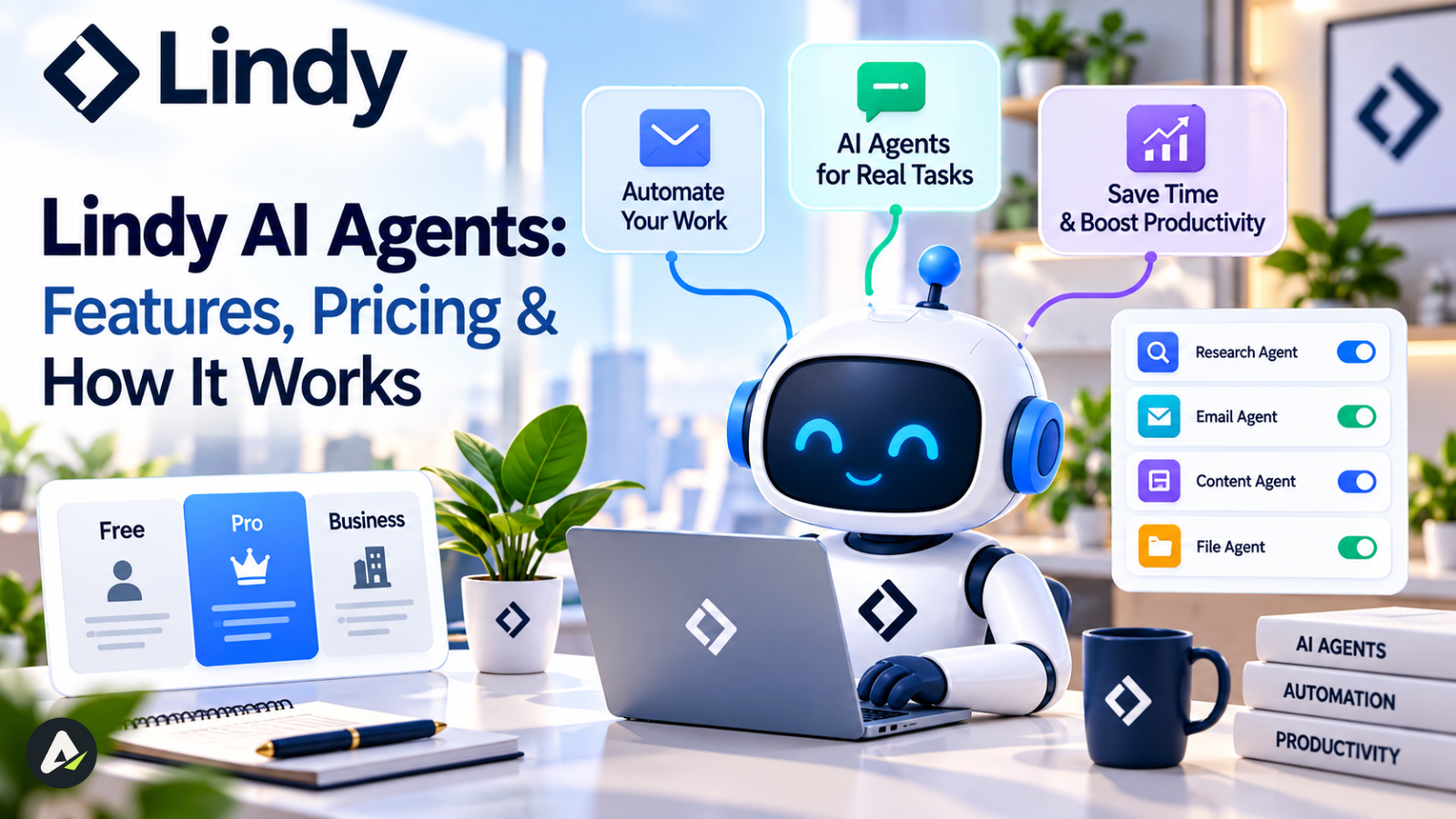
- Plans at a Glance
- Estimating Your Real Cost
- Extra Charges and Top-Ups
- Lindy vs. Zapier, n8n, Make, Relevance AI, and Gumloop
- n8n: Control Over Convenience
- Relevance AI: Separating Actions from Model Cost
- Other Builders Worth Knowing
- When You Shouldn’t Use an Agent at All
- Who Should Buy Lindy
- Setup Checklist
- Is Lindy AI Worth It?
- Frequently Asked Questions
Lindy AI has grown from a simple no-code automation tool into a full AI teammate that runs inboxes, meetings, and multi-step business workflows on its own. This guide breaks down what Lindy AI actually does today, where it beats (and loses to) tools like Zapier, Make, and n8n, and what it really costs once credits, add-ons, and real usage patterns are factored in. By the end, you’ll know which kind of team Lindy AI fits, and which kind it doesn’t
What Lindy Actually Is in 2026
Lindy’s own positioning has shifted. It’s no longer just “a no-code AI agent builder.” The company now describes itself as an AI teammate that handles inboxes, meetings, and follow-ups across Slack, iMessage, SMS, and roughly 1,000+ connected tools. Computer use and MCP support sit layered on top of that. That framing matters. It’s the difference between shopping for a workflow builder and shopping for something closer to a delegated assistant.
A chatbot like ChatGPT answers questions and waits for your next instruction. A Lindy agent, by contrast, reasons about incoming information and decides what matters. It then takes multi-step action across the tools a business already uses, without you opening four separate apps to do it manually. If that line between a tool and an agent still feels blurry, the difference between an AI tool and an AI agent is worth pinning down before you get into pricing and setup.
Lindy vs. Traditional Automation
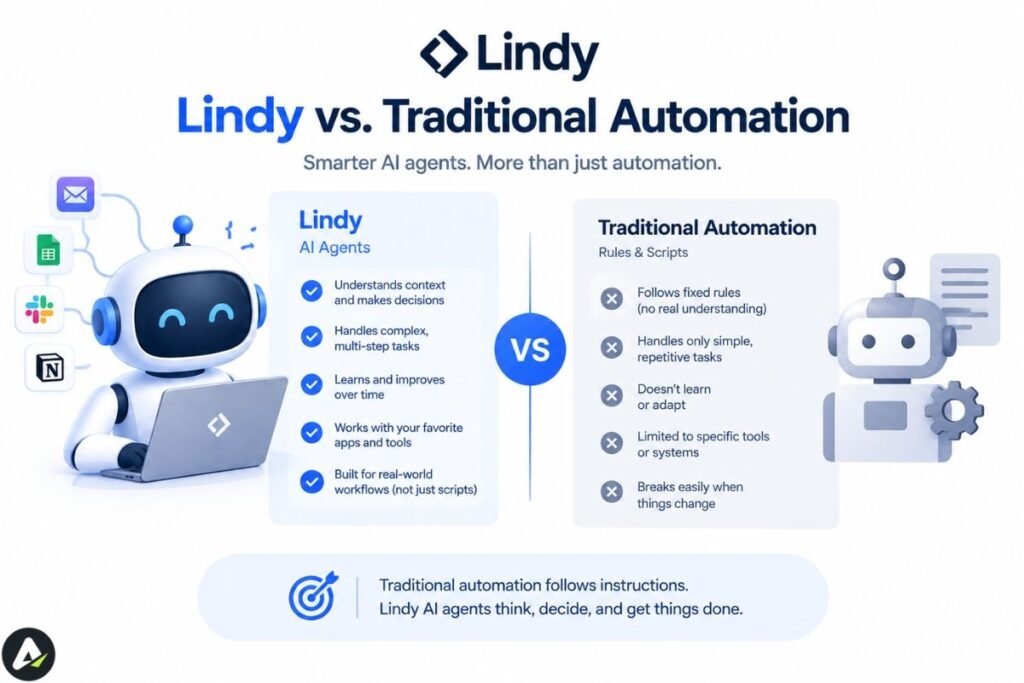
The old framing for this comparison was “Lindy reasons, Zapier doesn’t.” That’s no longer accurate enough to be useful. Zapier now markets its own Agents product, built with a “Zapier Copilot” builder across its 9,000+ app catalog. So a flat claim that rules-based tools “can’t reason” is an easy target for anyone who’s looked at a current Zapier pricing page.
The more durable distinction is what each platform’s team designed around first. Lindy is an AI teammate designed agent-first: reasoning is the core loop, not a feature bolted onto an existing product. Zapier, Make, and n8n are automation infrastructure that added an agent layer on top of a much larger, longer-running base of deterministic, app-to-app workflows. Put differently: Lindy sits above automation as a decision layer, while Zapier, Make, and n8n are the automation, with agents now living on top of it.
That distinction shows up in a concrete way. A fixed Zapier or Make workflow, run the old-fashioned way, still executes the same steps regardless of what the input looks like. That’s useful when you want identical output every time, but a liability when a message doesn’t match the pattern the workflow expects. A Lindy agent can decide mid-run that an angry customer email needs to skip the queue and go straight to a person, or that a lead doesn’t meet enough criteria to bother enriching.
How the Agent Works
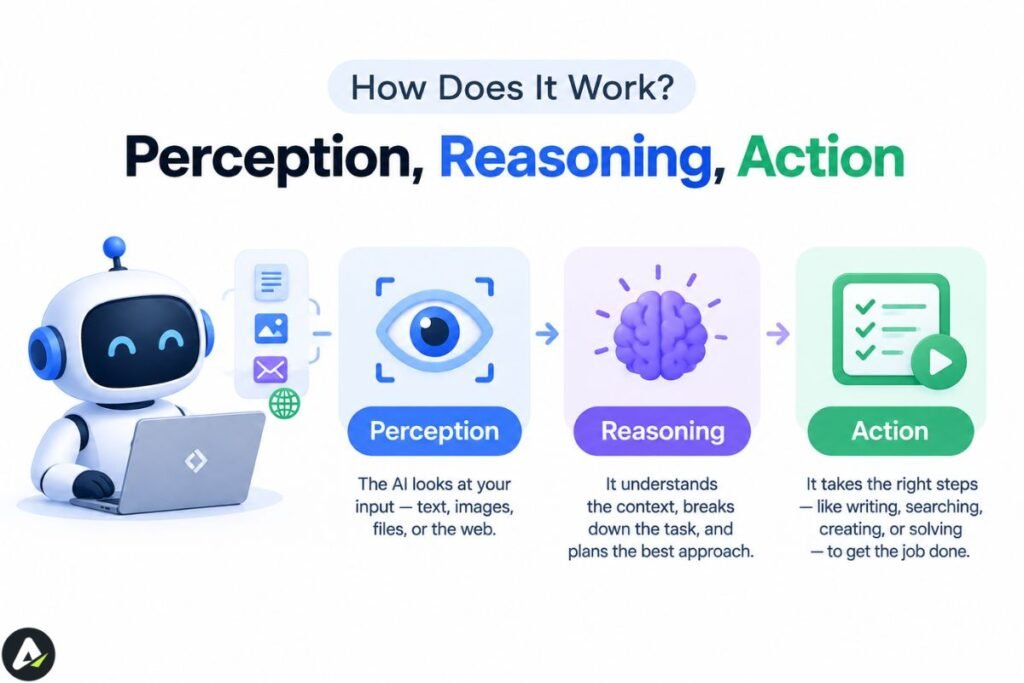
You can think of a Lindy agent as a simple loop: perception, reasoning, action — the same basic cycle behind how AI agents think, act, and get things done more broadly. That’s an explanatory model, not a term Lindy’s own documentation uses. If you want to see how that loop actually plays out step by step, it’s worth understanding before you start building.
In the perception step, the agent watches a trigger — a new email, a Slack message, a calendar event, a form submission, or a scheduled time. During reasoning, it checks that input against your instructions and, optionally, a knowledge base built from your company’s documents, FAQs, or wikis. In the action step, it executes the task: drafting a reply, updating a record, generating a document, or handing the task to a human.
That reasoning step is what separates Lindy from a standard workflow tool. It’s also where things can go wrong. Every additional decision an agent makes on its own is another place a model can choose incorrectly — worth sitting with before the feature list below. More on that trade-off in the reliability section.
Lindy AI Features
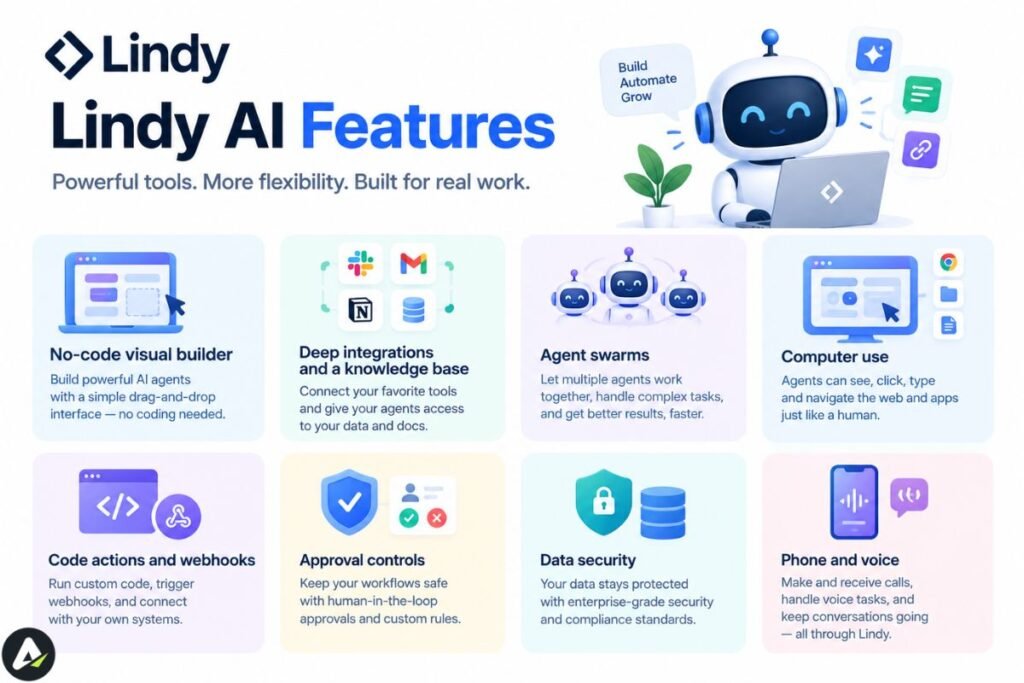
No-code visual builder
You describe what you want in plain English, and Lindy generates the underlying flow of triggers, steps, and conditions. That flow is inspectable afterward in a visual editor. You never need to write code, though technical teams can fine-tune the logic manually.
Deep integrations and a knowledge base
Lindy connects to roughly 1,000+ tools out of the box, including Gmail, Slack, HubSpot, Salesforce, Notion, and Google Calendar. For anything outside that list, Lindy’s integrations documentation explains that any hosted server built on the Model Context Protocol plugs straight in — Lindy automatically builds usable actions from the tools that server publishes. Worth noting: 1,000+ integrations is solid, but it isn’t the largest ecosystem in this category anymore, since Zapier’s agent platform advertises 9,000+ apps. Integration count isn’t really Lindy’s edge; how much of the agent experience sits on top of those integrations is.
You can also upload internal documents, FAQs, or wikis, so an agent references accurate company-specific information instead of guessing. Model is one of the core settings on every Lindy agent, alongside its prompt and connected skills. Skills can just as easily break a workflow as improve it if you don’t know what’s actually loading behind the scenes — worth reading up on what can go wrong with agent skills before you lean on them heavily.
Agent swarms
For heavier workloads, a “parent agent” can orchestrate multiple sub-agents working in parallel, sometimes called an agent swarm. A parent agent might send one sub-agent to research a lead, another to draft outreach copy, and a third to log everything to the CRM, all coordinated as one workflow. Developer-focused frameworks like CrewAI, Microsoft’s AutoGen, and LangChain’s LangGraph tackle the same idea in code instead of a visual builder. That trades Lindy’s no-code setup for lower-level control.
Computer use
Some tools a business relies on don’t have a public API. Computer Use — which Lindy also calls Autopilot internally — covers that gap: an agent opens a browser and clicks, types, and navigates a site the way a person would. Anthropic’s case study on Lindy describes Autopilot as built on Claude, though Lindy has since diversified which models power different parts of its platform. Confirm the current default with Lindy directly if that matters to your evaluation. Lindy documents session length and recommended concurrency limits, but they change often enough that they’re worth checking directly rather than treating a specific number as fixed.
Code actions and webhooks
A Code Action step runs custom Python or JavaScript inside a workflow, using sandboxed execution on E2B’s infrastructure. This is useful for data transformations the visual builder can’t express. Webhooks let a workflow trigger from, or call out to, a system outside its built-in integration list.
Approval controls
Lindy’s current positioning is direct about this: nothing irreversible happens without your approval. Lindy describes the product flow as prep → approve → ship. Anything with outside impact — sending an email, updating a ticket, posting to another channel, publishing a document — waits for a named approver, while read-only lookups from connected sources happen automatically. That said, approval behavior depends on the specific action and interface, so don’t assume Lindy guards every interaction equally by default. If a workflow has consequential side effects, test the exact approval behavior in the channel and integration you’ll actually deploy before assuming a human checkpoint exists.
Data security
Lindy encrypts data in transit and at rest, and says it never sells or uses customer data to train models, per Lindy’s security and compliance page. It also states it maintains SOC 2 Type II certification and compliance with HIPAA, GDPR, and PIPEDA. That’s worth phrasing carefully, since GDPR and PIPEDA are compliance frameworks rather than certifications in the same formal sense as SOC 2 Type II. Enterprise plans add signed BAAs and full audit logs, and Lindy scopes permissions per integration, with revocation available at any time.
Phone and voice
Lindy sells phone numbers and voice minutes as an add-on, and the product supports iMessage, SMS, and voice-note interaction as channels. The gap isn’t capability, it’s documentation depth: Lindy’s public docs don’t spell out inbound call handling, transfer behavior, or transcription depth for dedicated phone-agent workflows the way platforms like Bland AI or Vapi do. If a phone-reception use case is central to your evaluation, get specifics from Lindy’s sales team rather than the public docs.
Where Lindy Can Fail
An agent that quietly acts on bad information is a bigger risk than one that fails loudly, and it’s part of a broader pattern worth understanding before you hand an agent real responsibility check why treating an agent like an employee is dangerous for a fuller look at that risk.
Autonomy Isn’t the Same as Reliability
Autonomy and reliability aren’t the same thing, and it’s worth being precise about that distinction before deciding how much to trust an agent. A Lindy agent can understand a messy input, choose a path, call tools, adapt when conditions change, and finish a task. But each additional decision it makes on its own introduces another place where the model can choose wrong. More autonomy buys more flexibility and more potential failure modes. More deterministic logic buys less flexibility and more predictability. Neither is universally better; the question is which one a given workflow actually needs.
Lindy logs every agent run block by block, so you can open any task and see exactly what data moved through each step, where it failed, and how long it took. A dedicated “Task failed” trigger can alert you the moment a run errors out. But there’s no auto-rollback. Lindy doesn’t automatically undo a bad action, and recovery is something you build yourself using its monitoring and alerting tools.
Managing Risk by Action Type
The real risk isn’t that an agent makes a mistake; every automated system does, eventually. It’s that the mistake becomes an irreversible action before a human ever sees it — the same failure mode behind incidents like 700 OpenAI agents that hacked Hugging Face to cure an imaginary disease, where agents acted confidently on a belief nobody checked. That’s why the safest agents run read → reason → draft → approve → write, not read → reason → send:
| Agent design | Risk level |
|---|---|
| Read → summarize | Low |
| Read → classify → draft | Low |
| Read → update CRM field | Medium |
| Read → send external email | High |
| Read → delete or change financial data | Very high |
Regardless of how much you trust the agent, route anything in the high-risk band through a safety net. Have it write new records to a draft sheet or staging table first, and move them into your CRM or production database only after a quick human check.
The Credit Problem
Lindy runs on a task-based credit system rather than a flat per-automation fee.
Plans at a Glance
| Plan | Monthly Price | Credits/Month | Best For |
|---|---|---|---|
| Plus | $29.99/user | 3,000 | Solopreneurs, individual use |
| Pro | $99.99/user | 15,000 | Small teams needing more volume and model choice |
| Max | $199.99/user | 35,000 | Growing teams with heavier automation needs |
| Enterprise | Custom | Shared/bonus pools | SSO, SCIM, HIPAA (with signed BAA), audit logs, dedicated support |
Lindy’s official pricing page confirms these numbers, checked as of September 2026. The company repriced earlier in the year, so some older reviews still quote a $49.99 (or lower) Plus tier. Confirm the live number before budgeting against it. Only teammates Lindy invites through Slack get a 7-day free trial; signing up directly on the website means Lindy bills you immediately, and there’s no permanent free tier either way. That’s a real difference from Zapier’s free plan, which never expires but caps at 100 tasks/month.
Estimating Your Real Cost
Lindy groups credit usage into three bands: everyday tasks (2–250 credits) for answers, summaries, and quick lookups; deep work (250–1,000 credits) for research, ticket triage, or proposal building; and big builds (1,000–2,500 credits) for full dashboards, workflows, or internal tools. A support-ticket triage-and-draft workflow could fall anywhere in that 250–1,000-credit “deep work” band. It depends on how much context it has to read and how many tools it calls, which makes a single fixed cost-per-ticket estimate unreliable without testing your own workflow.
Don’t try to estimate Lindy’s real cost from the headline credit allowance alone. Instead, run 25–50 representative tasks through the agent, record the credits consumed, and extrapolate from the median run rather than the worst one. Repeat the test with a cheaper model before deciding whether the workflow belongs on Lindy at all. Lindy’s community documentation notes that Gemini models generally cost less than GPT or Claude models for comparable work, though Lindy doesn’t publish a fixed multiplier.
Extra Charges and Top-Ups
Several third-party reviews describe extra charges Lindy’s pricing page doesn’t itemize: roughly $10 per 1,000 top-up credits, $10/month for a dedicated phone number, and per-minute voice rates. The pricing page instead states that a plan’s credit pool simply pauses when it runs out, rather than triggering an overage charge. Because reviews and the vendor disagree here, get exact add-on pricing from Lindy directly if phone or voice features matter to your use case.
Lindy vs. Zapier, n8n, Make, Relevance AI, and Gumloop
The comparison that actually helps a buyer isn’t “which platform is best.” It’s which category of problem you have.
| Platform | Core Model | Best For | Biggest Advantage | Biggest Weakness |
|---|---|---|---|---|
| Lindy | Agent-first AI teammate | Inbox, meetings, research, business tasks | Fastest path from plain English to delegated work | Credit economics are hard to predict up front |
| Zapier Agents | Automation + agent layer | Broad app coverage, simple triggers | 9,000+ apps | Agent layer sits on top of a much larger automation system, not a native design |
| Make | Visual automation + AI | Complex, high-volume workflows | Granular workflow control | More configuration overhead |
| n8n | Developer workflow infrastructure | Technical teams wanting control | Self-hosting, execution-based pricing, full infrastructure control | Steeper learning curve, more operational responsibility |
| Relevance AI | AI workforce platform | Multi-agent GTM operations | Separates Actions from Vendor Credits for clearer cost mechanics | More complex pricing model to learn |
| Gumloop | AI workflow/data automation | Data-heavy, repeatable workflows | Strong AI-native workflow orientation | Less assistant-like than Lindy |
n8n: Control Over Convenience
n8n’s advantage is control, not just price. It wins on cost predictability for technical teams too, since n8n meters pricing by workflow execution rather than by step or task. A single execution with 2, 20, or 200 steps still counts once. Per n8n’s official pricing page, Starter costs €20/month for 2,500 executions, and Pro costs €50/month for 10,000. But the real reason technical teams reach for n8n isn’t the price. It’s that they can control workflow execution, infrastructure, credentials, branching, custom code, deployment, and model choice directly, rather than delegating those decisions to a managed platform. Lindy trades that control for less operational overhead: faster setup, managed hosting, and an agent-first experience, at the cost of some infrastructure visibility.
Relevance AI: Separating Actions from Model Cost
Relevance AI is a sharper comparison than “AI Workforce” alone suggests. Relevance AI’s pricing model separates “Actions” from “Vendor Credits” — Actions cover what an agent does, Vendor Credits cover the underlying model cost — as two distinct meters, rather than bundling everything into one credit pool the way Lindy does. That’s a direct answer to one of Lindy’s biggest weaknesses: pricing predictability. It’s worth evaluating on its own terms if cost transparency matters more to you than turnkey setup. Relevance AI fits agencies and go-to-market teams running several coordinated agents in parallel more than someone who wants one assistant running their own inbox.
Other Builders Worth Knowing
MindStudio is the closer no-code match to Lindy’s own positioning: a visual builder with 200+ underlying models and 1,000+ integrations, best for people who want to construct custom AI applications rather than delegate to a pre-built assistant. Gumloop leans further into AI-native data and workflow automation than assistant-style delegation. For Microsoft-heavy enterprises, Microsoft Copilot Studio is the more relevant comparison than any of the above, given its native Microsoft 365 integration and governance tooling. OpenAI’s AgentKit and Agent Builder target developers who want more control over the underlying agent architecture. The company announced in June 2026 that it’s winding the product down, though, with a shutdown scheduled for November 30, 2026 — so confirm its status before committing to it.
When You Shouldn’t Use an Agent at All
This is worth asking before any platform comparison, because it’s a different question from “which agent is best.” Use a deterministic tool instead when:
- The input is predictable and structured, and you already know the full decision tree in advance.
- Every output needs to be identical given the same input.
- A mistake would be expensive or hard to reverse.
- The task runs thousands of times a day.
- A simple API call or conditional can already do the job without anyone judging anything.
The same logic applies to general-purpose assistants. ChatGPT and Claude both now offer scheduled, autonomous tasks, and the capabilities of general-purpose assistants are changing quickly. But they still serve a different job than Lindy. ChatGPT and Claude are the better fit when what you want is research, writing, reasoning, personal assistance, or a handful of connected-app actions on a schedule. Lindy is the better fit when you want persistent business workflows, many integrations, inbox and meeting operations, business-specific context, agent permissions, and approval-driven execution across a whole stack. Think of ChatGPT’s scheduled tasks as a smart alarm clock inside one app, while Lindy acts across many apps at once.
Who Should Buy Lindy
Where it holds up: genuinely accessible for non-technical users, thanks to a visual layer underneath the plain-language setup; strong reasoning for tasks that need a judgment call; persistent, editable memory so an agent doesn’t lose context between runs; Computer Use and Code Actions extend it past simple API-only automation.
On the downside: costs climb quickly once usage scales, so the $29.99 entry price is easy to outgrow; complex, many-branched workflows get harder to manage past a certain size; no permanent free tier; Enterprise pricing gates SSO, SCIM, and HIPAA.
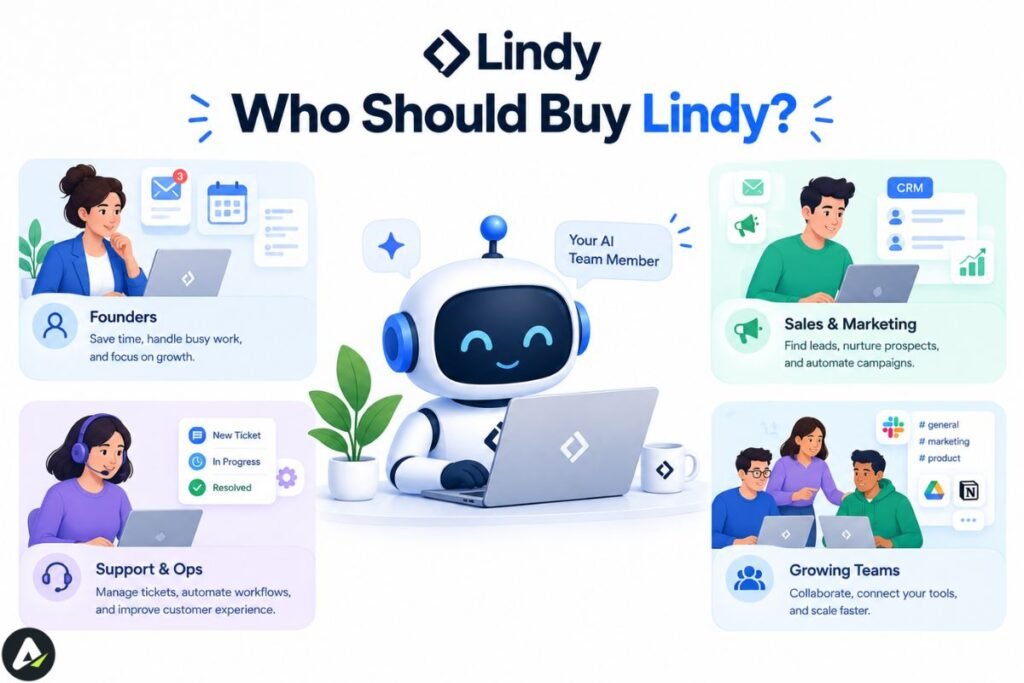
Four profiles cover most buyers:
- Founders and executives — inbox triage, scheduling, meeting prep and notes, follow-ups. Lindy’s clearest fit.
- Small support teams — ticket triage, knowledge-base-grounded answers, escalation for anything the knowledge base doesn’t cover.
- Sales operators — lead research, enrichment, CRM updates, outbound follow-up sequencing.
- Ops or generalist roles — recurring cross-tool reports, multi-system research, administrative workflows that need judgment about what’s worth flagging.
It’s a poorer fit for high-volume deterministic automation, where Zapier, Make, or n8n is cheaper and more predictable. It’s also a poorer fit for developer-controlled agent infrastructure needing full code-level control (n8n, LangGraph, AutoGen), for coordinating multiple specialized agents across a GTM motion (Relevance AI’s workforce model), or for building fully custom agents on your own choice of underlying model (MindStudio or a developer framework).
Setup Checklist
For a simple, well-documented task like inbox triage, expect roughly 15–30 minutes to get a first version running in supervised mode. That estimate stretches out fast once a workflow needs more than a handful of decision points.
- Pick one narrow, repetitive task your team does at least a few times a week. Agents that try to automate ten steps at once are the most common first-build failure.
- Write instructions like you’re briefing a new hire, specific about edge cases and what counts as “urgent.” If you can’t explain the process in plain language, the agent can’t execute it reliably either.
- Connect only the tools that task actually needs. Over-connecting integrations early makes debugging harder later.
- Upload the knowledge base it needs to be accurate — FAQs, product docs, examples of “good” output.
- Run it in supervised mode first, keeping approval steps on for anything with external consequences until you’ve seen a few weeks of consistent output.
- Route any irreversible action through a staging step before it touches your CRM or production database.
- Test credit usage on a real batch of 25–50 tasks, and try a cheaper model where heavy reasoning isn’t required.
- Confirm current plan pricing and add-on costs directly with Lindy, especially for phone/voice.
- Review output weekly for the first month before scaling up.
- Compare at least one rules-based alternative (Zapier, Make, n8n) for cost at your expected volume.
Is Lindy AI Worth It?
It comes down to one question: does the task need judgment, or just movement? Run a predictable, high-volume, identical-output task through Lindy and you’ll pay reasoning-model prices for work a $20/month deterministic tool could do for less. Run a genuinely judgment-heavy task through a rules-based platform instead, and it’ll fail silently or need constant manual patching.
The broader pattern holds beyond Lindy specifically: agents and deterministic automation aren’t competing for the same job. The businesses getting the most value from this category in 2026 run both side by side rather than picking one over the other. If your case isn’t a clear yes or no, the cheapest way to find out is to build one narrow agent from the checklist above, run it with approvals on for a couple of weeks, and let the resulting credit bill answer the question no spec sheet can.
Frequently Asked Questions
Q. How much does Lindy AI cost?
$29.99–$199.99/user/month (Plus through Max) plus custom Enterprise pricing — see Pricing above for the credit-consumption factors that determine your real cost.
Q. Is Lindy AI any good?
For judgment-heavy, repetitive tasks — inbox triage, meeting notes, lead research — most in-depth reviews rate it favorably, particularly for non-technical users. It’s less well-suited to very high-volume, simple integrations, where Zapier or Make is typically cheaper.
Q. Who owns Lindy AI?
Lindy AI was founded by Flo Crivello, who serves as CEO.
Q. What does Lindy AI do?
It lets users build AI agents with natural-language instructions that monitor triggers, reason over context and a knowledge base, and complete multi-step tasks across connected apps like Gmail, Slack, HubSpot, and Salesforce.
Q. Does Lindy AI have a free plan?
No — a time-limited (commonly 7-day) trial rather than a permanent free tier, unlike Zapier’s ongoing capped free plan.
Q. Does Lindy AI have an API, and can I add custom code?
Yes to both: programmatic access and MCP connections for extending agents beyond the visual builder, a Code Action step for custom Python/JavaScript, and webhooks for systems outside its 1,000+ built-in integrations.
Q. What is “Computer Use” in Lindy AI?
Its browser-control feature (internally called Autopilot) — see Core Features above. Lets an agent use a site with no API at all, at the cost of being slower and less reliable than a native integration when a site blocks automated browsing.
Q. What are the best AI agent platforms besides Lindy AI?
Zapier and Make for rules-based automation with broader app coverage; n8n for technical teams wanting open-source, self-hosted control; Relevance AI for multi-agent agency pipelines; MindStudio as the closest no-code match to Lindy itself. See How Lindy Compares above.
Q. Is there a Lindy AI mobile app?
Lindy is primarily used through the web and Slack, with a mobile app for checking in on agents and approvals on the go, though most setup still happens on desktop.
Q. Is Lindy AI safe to use with sensitive company data?
Yes, with real certifications behind it (SOC 2 Type II, GDPR, HIPAA, PIPEDA — see Core Features above) and permissions scoped per integration. No vendor’s certification list substitutes for your own review against your specific compliance requirements.
Q. What happens if a Lindy agent makes a mistake?
Nothing rolls back on its own — see What Happens When an Agent Gets It Wrong above. Logging and alerting tell you a mistake happened; preventing damage from it is a design choice you make before the agent goes live, not after.
Related: What Is Crew AI? How It Works, Pricing, Features & Best Alternatives (2026)
| Disclaimer: Lindy AI’s features, pricing, and credit limits can change. This review is based on available information and testing notes, but always confirm current pricing and security details before choosing a plan. |

Maliha
AI is moving steadily from experimental technology into the products and workflows people rely on every day. Maliha Irfan is a technology writer covering artificial intelligence, automation, and emerging software. Her work focuses on the practical side of AI agents, exploring how these systems are being used, what they can realistically accomplish, and the limitations that matter when businesses and individuals adopt them.
More from Maliha →