Devin AI Review 2026: Pricing, Features & Hidden Limits
Devin AI is an autonomous software engineering agent built by Cognition, first shipped in March 2024. It accepts a written task, plans an approach, writes and tests code inside its own cloud virtual machine, and returns a pull…

In this article · 28 sections +
- What Devin AI Is and How It Differs From a Coding Assistant
- How Devin AI Turns a Ticket Into a Pull Request
- Step 1: Repository indexing and scoping
- Step 2: Planning and execution
- Step 3: Self-verification
- Step 4: Review and close
- The Four Ways You Can Run Devin AI
- Which Models Power Devin AI
- Devin AI Features That Change How You Work
- Devin AI Pricing in 2026: What Free, Pro, Max, Teams, and Enterprise Cost
- How the $80 Teams minimum works
- Quotas versus credits
- What Tasks Devin AI Handles Well
- Where Devin AI Fails
- The FIT Test: Five Questions Before You Assign a Task
- Three Costs Buyers Underestimate
- Why monorepos burn credits faster than small repositories
- The review burden nobody budgets for
- Kimi K3, Moonshot AI, and the supply-chain question
- Devin AI vs Cursor vs GitHub Copilot vs Claude Code
- Devin AI vs Claude Code: does absence actually beat presence?
- Devin AI vs Cursor and Copilot: the cost predictability gap
- Devin AI vs OpenHands and self-hosted agents
- Why Cognition rebranded Windsurf as Devin Desktop
- Five Mistakes That Make Devin AI Look Worse Than It Is
- Who Should Buy Devin AI and Who Should Skip It
- How to Run a Two-Week Devin AI Trial A credible trial measures cost per merged change against a human control group.
- Frequently Asked Questions
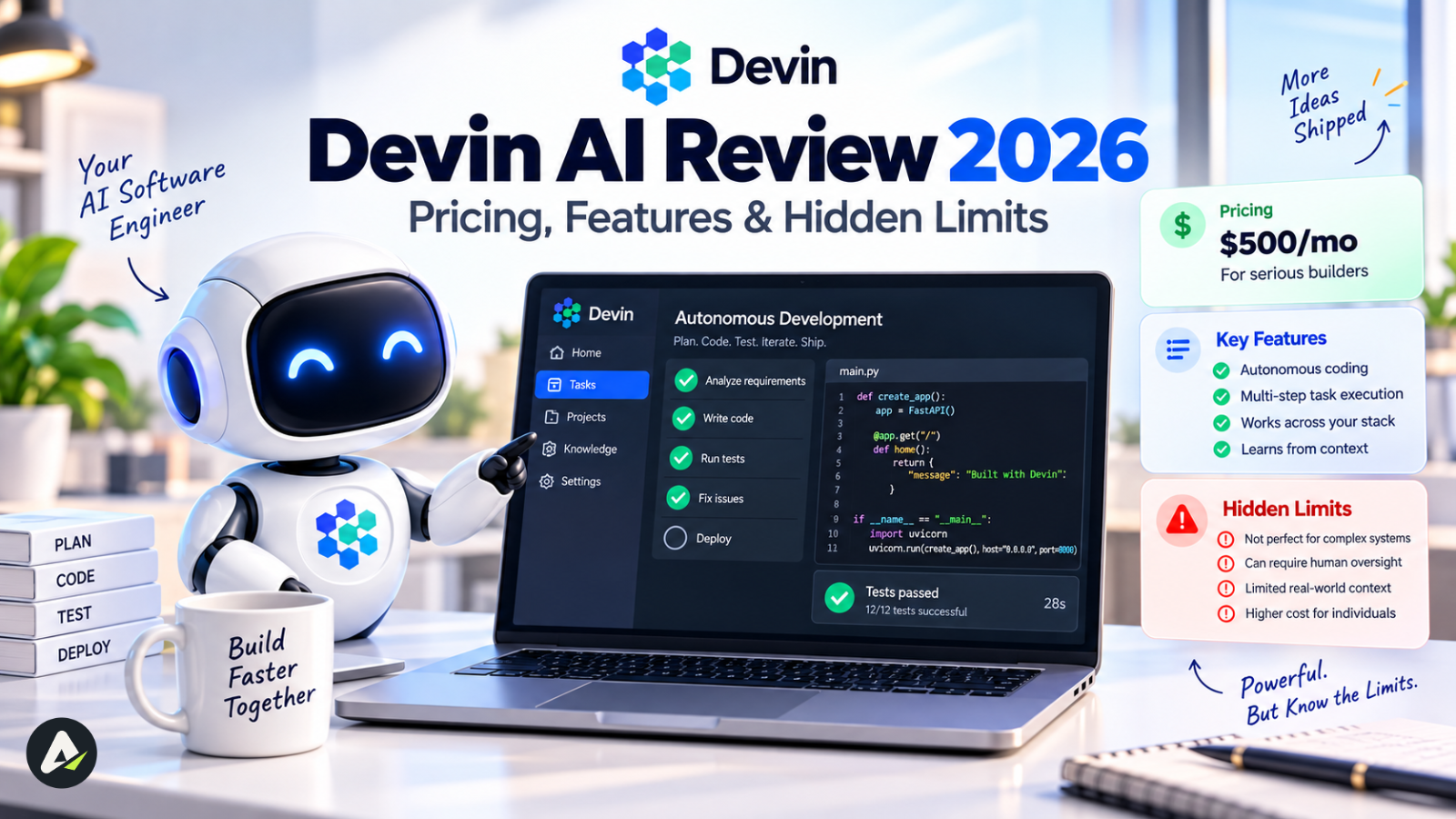
Devin AI is an autonomous software engineering agent built by Cognition, first shipped in March 2024. It accepts a written task, plans an approach, writes and tests code inside its own cloud virtual machine, and returns a pull request for human review. Plans start free and run to $200/month for individuals, with team and enterprise tiers billed partly on usage.
What Devin AI Is and How It Differs From a Coding Assistant
Devin AI is an asynchronous coding agent. You assign it a ticket, it works unsupervised in a cloud sandbox, and it returns a reviewable pull request.
The distinction that matters is where the work happens. GitHub Copilot lives in your editor and reacts to your cursor. Devin AI takes a task description and disappears for twenty minutes.
That difference isn’t cosmetic. It changes who supervises the work, how you measure output, and what you budget for. Anyone new to this category should start with the broader distinction between AI tools and AI agents, because the pricing and review models diverge sharply from there.
A typical Devin AI session runs like this:
- You describe the task and the success criteria
- The agent provisions a sandboxed VM with a shell, code editor, and browser
- It reads the repository, drafts a plan, edits files, runs tests, and fixes failures
- It opens a pull request and answers review comments
- You review the output, not the keystrokes
Cognition markets this as “the first AI software engineer.” The framing invited the 2024 backlash, and the company has since narrowed its claims considerably.
How Devin AI Turns a Ticket Into a Pull Request
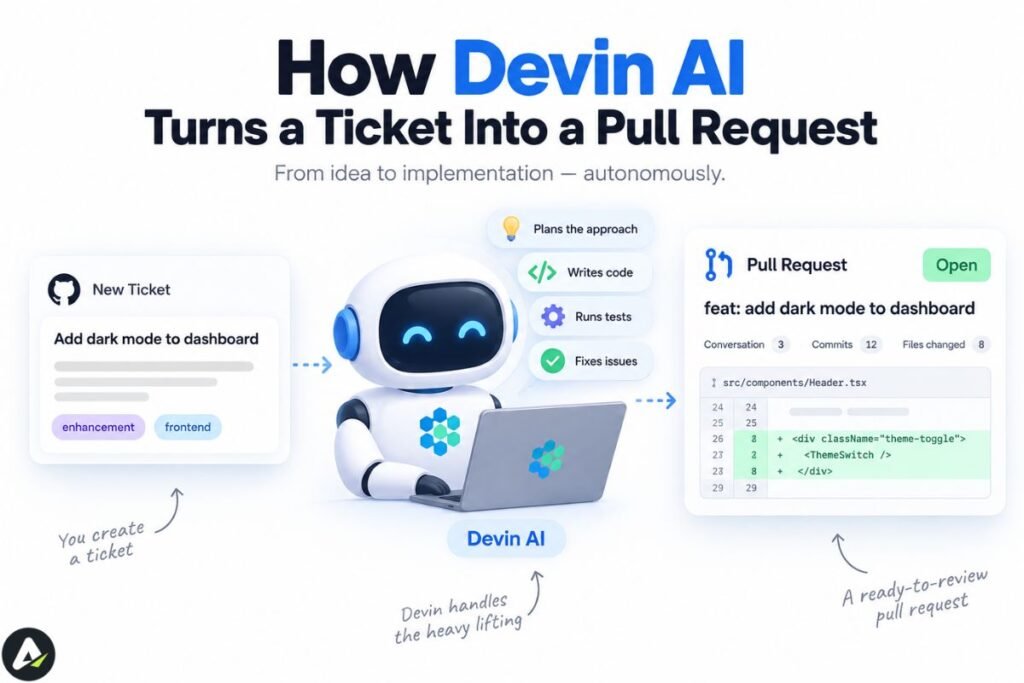
Devin AI runs an agent loop: index the repository, plan the change, execute shell and editor commands, verify the result by running tests and the application itself, then commit and open a pull request.
The loop matters more than the underlying model.
Step 1: Repository indexing and scoping
Devin AI indexes your repository before writing anything. Two features depend on that index. Ask Devin lets you interrogate the codebase and shape an approach before a session starts, and it can generate a high-context prompt from that conversation. DeepWiki auto-generates architecture documentation and diagrams per repository, configurable through a .devin/wiki.json file.
Teams that skip indexing are the ones who later report that the agent doesn’t understand their stack.
Step 2: Planning and execution
The agent decomposes the task into tracked steps. Inside the session, it operates a full desktop: shell, IDE, interactive browser, and a side chat where you can redirect it mid-run.
Step 3: Self-verification
This separates agents from assistants. Devin AI can boot your application, click through the interface, capture screenshots, and record video of the flow as evidence that the change works. Where tests or CI checks exist, it runs those too.
Step 4: Review and close
Sessions end with a pull request. Large changes split into stacked PRs that reviewers read in sequence. With Auto-Fix enabled, the agent responds to review comments and CI failures without prompting.
The Four Ways You Can Run Devin AI
Devin AI ships as four distinct surfaces, and the pricing conversation makes no sense until you know which one you’d actually use.
| Surface | What it is | Best for |
|---|---|---|
| Devin Cloud (Web) | The async agent in a hosted VM | Tickets, migrations, backlog work |
| Devin Desktop | The Windsurf editor, rebranded in June 2026 | Interactive coding and tab completion |
| Devin CLI | A local terminal agent with /handoff to cloud |
Quick fixes using local context |
| Devin Review | Automated code review, free on public GitHub PRs | Catching bugs before humans look |
Which Models Power Devin AI
Devin AI is model-agnostic. It routes across frontier models from OpenAI, Anthropic, and Google, plus Cognition’s in-house SWE family.
Two routing layers control cost:
- Adaptive selects a model per task automatically
- Fusion pairs an expensive lead model for planning with a cheaper sidekick for execution
Cognition released SWE-2 on September 10, 2026, its most capable in-house coding model, post-trained from Kimi K3. The published benchmark results:
| Benchmark | SWE-2 | Fable 5.1 | GPT-6 Astra | SWE-1.7 |
|---|---|---|---|---|
| FrontierCode 1.1 Main | 50.0% | 50.9% | 53.3% | 42.0% |
| DeepSWE 1.1 | 73.0% | 67.4% | 74.1% | 37.7% |
| Terminal-Bench 2.1 | 92.8% | 91.4% | 89.9% | 81.5% |
| Terminal-Bench 4 | 27.3% | 55.8% | 57.9% | 7.6% |
Read that last row carefully. On the hardest long-horizon agentic benchmark, SWE-2 scores roughly half what Fable 5.1 does. Every figure here comes from Cognition’s own runs on Cognition’s own leaderboard, and no independent evaluator has replicated them yet.
Devin AI Features That Change How You Work
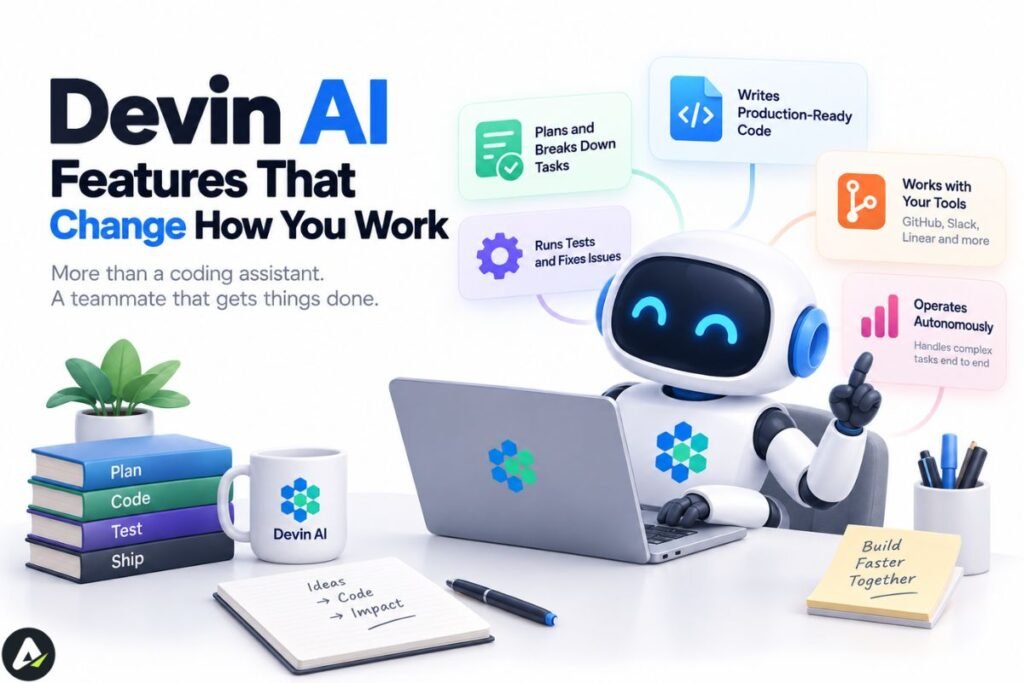
Devin AI’s feature set breaks into three jobs: teaching the agent your codebase, triggering work without you, and controlling what it’s allowed to touch.
Context and memory
- Knowledge — persistent organization-wide instructions
- AGENTS.md — repository-level context read at the start of every session
- Skills — committed
SKILL.mdfiles that standardize testing, deploy, and review steps - Playbooks — reusable prompt templates for recurring task types
- Session Insights — post-run analysis with prompt suggestions
Triggers
- Automations — sessions fired from Slack, GitHub, Linear, schedules, or webhooks
- Auto-triage — a persistent watcher that triages bugs posted to a Slack channel
- Scheduled Sessions — recurring daily or weekly jobs
- Ticket assignment — hand a Linear or Jira issue directly to the agent
Reach
- MCP marketplace — Datadog, Sentry, Figma, Notion, Stripe, databases, and hundreds more
- Computer Use — full GUI interaction for visual verification
- Data Analyst agent (DANA) — database queries and charts from Slack
- Platform VMs — macOS, Windows, and Android emulators alongside the Linux default
Controls
- SSO (Okta, Entra, SAML, OIDC), SCIM provisioning, custom RBAC roles
- Security Profiles restricting network, git, and MCP access per session
- AI Guardrails screening for prompt injection and data exfiltration
- Attribution Filtering checking generated code against public repositories
- Outposts for running sessions on infrastructure you own
That control layer is unusually deep for this category, and it’s the main reason Devin AI clears security reviews that block lighter-weight tools.
Devin AI Pricing in 2026: What Free, Pro, Max, Teams, and Enterprise Cost
Devin AI bills in two layers: a monthly subscription that includes a usage quota, and prepaid credits that cover anything past it. Enterprise contracts run on a separate meter called Agent Compute Units.
Most pricing articles are wrong about the tiers. The product launched at $500/month in December 2024, dropped to a $20 entry tier in 2025, and restructured again this year. Pages still quoting $500, or the “Core” plan, are stale — Core is retired, and those accounts migrated to Free.
Current tiers, per the self-serve billing documentation:
| Plan | Price | Members | Included |
|---|---|---|---|
| Free | $0 | 1 | Limited agent usage, Devin Review, DeepWiki |
| Pro | $20/mo | 1 | Daily + weekly quota across cloud, CLI, and Desktop; on-demand credits; Slack, Linear, MCP |
| Max | $200/mo | 1 | Pro features with a larger weekly quota and no daily cap |
| Teams | $80/mo minimum | Up to 200 | $40 per full seat; free flex seats draw on shared credits |
| Enterprise | Custom | Unlimited | ACU metering, dedicated deployment, SSO, RBAC, IP access lists |
How the $80 Teams minimum works
Every Teams account pays at least $80/month, reached through any mix of seats and prepaid credits:
- 0 full seats → $80, entirely as shared credits
- 1 full seat → $40 seat + $40 credits
- 2 full seats → $80, no bundled credits
- 3+ seats → seats × $40
Two full seats clear the floor. Give full seats to daily users and park occasional users on free flex seats drawing from the shared pool.
Quotas versus credits
Paid plans include a usage allowance that refreshes on a calendar schedule. Pro and Teams full seats get a daily and a weekly allowance, with the daily figure set deliberately above one-seventh of the weekly so weekend work doesn’t consume the week. Max is weekly only.
Once the allowance runs out, prepaid on-demand credits take over. Credits roll over indefinitely, never expire, and on Teams are shared across all members. Admins can configure auto-reload thresholds and per-session spending limits.
Agent Compute Units now apply only to Enterprise contracts. Self-serve plans left that model behind, and Cognition’s documentation notes that credits carry the same dollar value as the ACUs legacy customers were billed in. Confirm current numbers at devin.ai/pricing before committing budget.
What Tasks Devin AI Handles Well
Devin AI performs best on bounded tasks with automated success criteria: bug fixes with a clear reproduction, test coverage gaps, dependency upgrades, and mechanical migrations.
Cognition’s guidance on when to use Devin offers a useful heuristic: if a task would take you three hours or less, the agent can probably handle it. Longer work should be split across sessions.
Specific task types with a strong track record:
- Legacy migrations at volume. Java version upgrades, JavaScript to TypeScript, SAS to PySpark, COBOL modernization. Nubank’s Talend migration covered roughly 6 million lines of code on a project originally scoped at 18 months. Cognition’s case study claims 8–12x efficiency and 20x cost savings, which is a vendor number and should be read as directional.
- Backlog clearing. Flaky test fixes, dead code removal, small refactors.
- Test coverage. Filling gaps in an existing suite carries a built-in pass/fail signal.
- Dependency and CI maintenance. Recurring, low-judgment, easy to verify.
- Parallel fan-out. Ten independent tickets running at once is where async beats an editor outright.
Security work now has its own orchestration layer. Security Swarm builds a threat model for your code, validates findings, and proposes fixes through pull requests, using a multi-agent pattern Cognition calls Agentic MapReduce.
Where Devin AI Fails
Devin AI struggles with architectural judgment, underspecified tasks, and problems with no precedent in your codebase.
The Answer.AI evaluation surfaced a failure mode worth remembering: the agent pressed forward on tasks that weren’t possible. Asked to deploy multiple applications to a platform that didn’t support it, the agent spent over a day attempting workarounds and describing features that didn’t exist.
That pattern hasn’t disappeared from the category. A documented case of 700 OpenAI agents acting on a false belief shows the same dynamic at fleet scale: agents rarely stop to ask whether the premise holds. Your specification is the only guardrail against a confidently wrong twelve-hour run.
Known weak spots:
- Architectural decisions. Independent testing this year found refactors shipped with mock tests that validated nothing real.
- Underspecified work. Without measurable success criteria, the agent has no way to know it’s finished.
- Long horizons. Cognition’s own documentation says to break these up.
- Novel problems. The agent pattern-matches against your codebase. No pattern, shaky results.
The FIT Test: Five Questions Before You Assign a Task
Run this before any non-trivial session. Two or more “no” answers means do the work yourself.
- Finish line — can you describe “done” in one sentence, with an automated check that proves it?
- Instances — does a similar implementation already exist in the repository to imitate?
- Three hours — would a mid-level engineer on your team finish this in three hours or less?
- Testable — will something automated fail loudly if the change is wrong?
- Tolerable blast radius — if a subtly wrong change slips review, what breaks?
Teams that call Devin AI unreliable are usually failing questions 1 and 4, not question 3.
Three Costs Buyers Underestimate
Sticker price is the easy part. These three line items decide whether the economics work.
Why monorepos burn credits faster than small repositories
Consumption billing punishes exploration. A large monorepo gives the agent more surface to read before it starts editing, and that reading is metered.
Scoping is the lever. In Devin Desktop, indexing skips .gitignore paths node_modulesand hidden paths by default, and you can narrow it further with a .devinignore file at the repository root using gitignore syntax. Enterprise administrators can enforce ignore rules globally across every repository.
Worth being precise here: that mechanism governs Desktop indexing. For cloud sessions, your controls are tight task scoping, naming the relevant directories in the prompt, and per-session spending limits in Settings → Usage. Verify with your own usage data before assuming a single config file fixes monorepo costs.
The review burden nobody budgets for
Devin AI shifts effort from writing code to reviewing it. More pull requests only help if your team can absorb them.
There’s a subtler tax underneath. Machine-written code often fails to match a team’s idiomatic style, so reviewers spend energy parsing unfamiliar patterns rather than evaluating logic. Left unchecked across hundreds of merged changes, that fragments a codebase.
The fix is documentation the agent actually reads: AGENTS.md for conventions, Knowledge entries for organizational context, committed SKILL.md files for repeatable procedures, and a Devin-specific pull request template. Teams that skip this discover the cost six months later, in review velocity.
Kimi K3, Moonshot AI, and the supply-chain question
Base weights from a Chinese lab raise procurement questions for fintech, defense, and regulated buyers. Answer them before a pilot, not during one.
Cognition published trustworthiness evaluations alongside the SWE-2 release. The model passed 98.0% of a 145-question propaganda and censorship benchmark across English, Simplified Chinese, and Traditional Chinese. A second evaluation tested whether customer identity or request language changed a model’s willingness to write vulnerable code, and found no statistically significant effect for any model tested.
Nothing forces you onto SWE-2 anyway. Enterprise administrators restrict model availability by team or group, so a buyer can route exclusively to US-origin frontier models and still run the platform.
Two open items for procurement: Cognition’s FedRAMP High authorization was listed as “In Process” as of mid-2026, and complete serving-infrastructure details for SWE-2 aren’t public. Get both in writing. This is also where a formal governance framework earns its keep, since treating an AI agent like an employee is the assumption that breaks under audit.
Devin AI vs Cursor vs GitHub Copilot vs Claude Code
Pick by the work you want removed from your week, not by benchmark scores. The grid below is the factual comparison; the three questions after it are the ones that actually decide a purchase.
| Devin AI | Cursor | GitHub Copilot | Claude Code | |
|---|---|---|---|---|
| Model of work | Async agent, ticket → PR | AI-first editor | Assistant inside your IDE | Terminal agent |
| Where it runs | Cloud VM, plus local CLI and Desktop | Local editor | Your IDE | Your terminal |
| Supervision | Check in when you want | Continuous | Continuous | Collaborative loop |
| Entry price | Free; $20/mo Pro | ~$20/mo Pro | $10/mo Pro | Bundled with Claude plans |
| Bill predictability | Variable, usage-driven | Mostly flat | Mostly flat | Mostly flat |
| Governance depth | Extensive | Moderate | Strong via GitHub | Growing |
| Best at | Migrations, backlog, parallel tickets | Multi-file edits with you driving | Everyday completion and chat | Deep local repository work |
| Weakest at | Ambiguity, architecture | Long unattended runs | Complex cross-file agentic work | Team-wide orchestration |
Devin AI vs Claude Code: does absence actually beat presence?
Supervision is the row that looks like a feature and behaves like a risk control.
A wrong assumption in Claude Code surfaces in the first two minutes, because you’re watching it reason and can stop it. An unattended cloud session has no circuit breaker. The Answer.AI Railway failure is the template: a full day spent on an approach that was never going to work, with nobody there to say so.
That’s the honest counterargument to Devin AI’s pitch. Absence pays only when the specification is airtight enough that nobody needs to watch. Where you hold the context, and the problem is still taking shape, presence wins.
Devin AI vs Cursor and Copilot: the cost predictability gap
A flat seat price buys something the table can’t show: a forecastable invoice.
Devin AI credits burn on repository reading, self-verification loops, retries, and every dead end the agent explores. A badly scoped ticket in a large monorepo can cost several multiples of a well-scoped one for identical output, which makes the annual budget a range rather than a number.
Judge on cost per merged change instead. A cheap seat that produces nothing is expensive, and a variable bill that clears twelve migration tickets is cheap. Just don’t forecast the variable one from a demo month.
Devin AI vs OpenHands and self-hosted agents
Open-source agent frameworks like OpenHands answer a question commercial platforms can’t fully close: what if the code never leaves your infrastructure?
For buyers facing data sovereignty rules, foreign base-model weights, or a security review that treats any outbound code path as a finding, self-hosting removes the objection rather than mitigating it. Devin AI’s Outposts feature narrows this gap by running sessions on your own machines, but the control plane remains Cognition’s.
The tradeoff is real. Self-hosted agents mean you own the sandboxing, the model routing, the integrations, and the upgrade treadmill. Teams without a platform group usually discover that maintenance cost exceeds the license they avoided. This is also where evaluating general-purpose agent platforms like Lindy against developer-specific tooling tends to go wrong, since the comparison is about operational burden, not capability.
Why Cognition rebranded Windsurf as Devin Desktop
Cognition acquired Windsurf in July 2025 and rebranded the editor as Devin Desktop in June 2026. By that July, it appeared inside the Devin plan table rather than as a separately priced product.
The strategic logic is visible in the packaging, though this reading is analysis rather than a company statement. A free local editor is a zero-marginal-cost distribution channel. The /handoff command then moves work from the free local surface to the metered cloud agent, which is where revenue lives.
For buyers, the practical effect is one vendor covering both the interactive and autonomous halves of the workflow, and one pricing ladder instead of two.
Five Mistakes That Make Devin AI Look Worse Than It Is
Most disappointing deployments trace to process, not model limits.
- Skipping environment setup. Sessions that boot without dependencies spend your credits fighting the build. Configure the environment blueprint first.
- Writing tickets for humans. “Fix the pagination bug” assumes shared context. Include the reproduction, the suspected layer, and the definition of fixed.
- Rubber-stamping output. These branches need the same review as a junior engineer’s. Teams that skip it get burned once, then quit the tool.
- Starting with the hardest problem. People test agents on work they can’t do themselves. Begin with tasks you know are bounded.
- Documenting nothing. Knowledge and Skills are how the agent stops repeating mistakes. Without them, every session starts from zero.
Who Should Buy Devin AI and Who Should Skip It
Devin AI suits teams with a documented backlog of well-defined, testable work — especially migrations and maintenance — and a review process that can absorb more incoming changes.
- Solo developer, greenfield project → Skip it. An editor assistant serves you better. The free tier covers curiosity.
- Solo developer, maintained codebase → The $20 tier is a reasonable experiment. Point it at the boring tickets.
- Team of 5–15 engineers → Start at the Teams minimum. Two or three full seats, then measure cost per merged change for a month.
- Enterprise with legacy debt → The intended buyer. Migration use cases and governance controls are built for this. Negotiate an ACU contract and pilot one system.
- Regulated or public sector → Enterprise with Outposts or dedicated deployment, plus written answers on FedRAMP status and model serving.
One caveat applies to everyone. Cognition reports that the agent writes over 90% of its own code, which is a real claim about a company whose engineers are unusually skilled at prompting it. Your results will differ.
How to Run a Two-Week Devin AI Trial 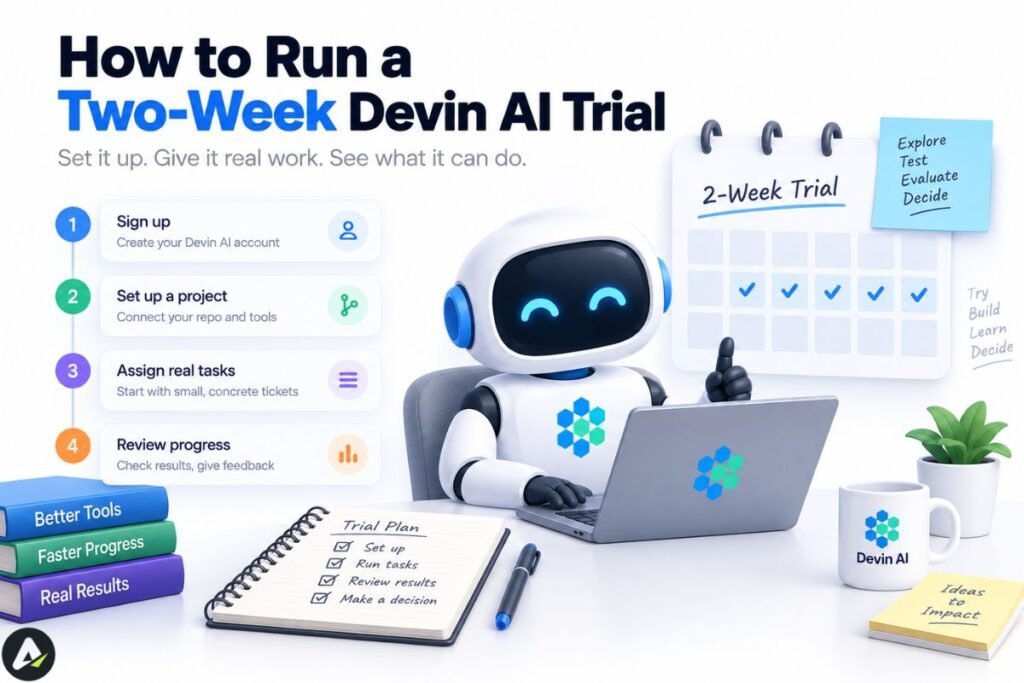 A credible trial measures cost per merged change against a human control group.
Vendor benchmarks won’t tell you whether Devin AI works on your repository. This will.
Week one — setup. Index your two or three most active repositories. Write anAGENTS.md, seed Knowledge with conventions and build commands, and configure the environment blueprint so sessions boot ready. Run five throwaway tasks to learn the agent’s behavior.
Week two — measurement. Pick 15 backlog tickets that pass the FIT test. Assign 10 to the agent and keep 5 as a human control. For each, log wall-clock time, credits consumed, human interventions, review rounds, and whether it merged unchanged.
What to compare. Cost per merged change against the control. Review minutes per submission, which is where hidden cost lives. Percentage merged without edits. And which ticket types succeeded, because that pattern defines your real use case.
Session Insights will audit the failures for you, usually distinguishing a bad prompt from a bad environment from a bad task.
Frequently Asked Questions
Q. What is Devin AI in simple terms?
Devin AI is an autonomous coding agent from Cognition that works like a remote contractor. You describe a task, it writes and tests the code by itself in a cloud environment, and it returns a pull request. New to the category? Start with what AI agents are.
Q. Is Devin AI free?
Yes, Devin AI has a free tier at $0 per month. It covers limited agent usage plus Devin Review and DeepWiki, which is enough to index one repository and test the agent. Paid plans start at $20.
Q. How much does Devin AI cost per month?
Devin AI costs $0, $20, or $200 per month for individuals, and a minimum of $80 per month for Teams. Enterprise is custom and metered in Agent Compute Units. Because usage bills beyond an included quota, your real cost depends on how much you delegate.
Q. Is Devin AI better than Cursor?
No, they solve different problems. Cursor is an editor you drive in real time; Devin AI runs unsupervised and returns finished pull requests. Many teams pay for both.
Q. How is Devin AI different from Claude Code?
Devin AI is asynchronous, and Claude Code is synchronous. Claude Code runs in your terminal while you supervise each step. Devin AI works in a cloud VM you aren’t watching and reports back with a pull request.
Q. Can Devin AI replace software engineers?
No. Devin AI handles bounded tasks with clear success criteria, and a human reviews every change it produces. Independent testing has repeatedly found it weak on architectural judgment and ambiguous problems.
Q. Is Devin AI open source?
No, Devin AI is commercial, and its SWE-2 weights are proprietary. SWE-2 is post-trained from Kimi K3, an open-weight Moonshot AI model, but Cognition’s version isn’t published. OpenHands is the closest open alternative.
Q. What is an ACU in Devin AI?
An Agent Compute Unit is Cognition’s measure of resources a session consumes: VM time, model inference, and bandwidth. ACUs now apply only to Enterprise contracts. Self-serve plans bill quota plus prepaid credits instead.
Q. What can Devin AI do that GitHub Copilot cannot?
Devin AI runs unsupervised, launches your app to test its own changes visually, responds to CI failures on its own, and works multiple tickets in parallel from Slack or Jira. Copilot is cheaper and faster inside your editor, but expects you to be present and driving.
Related: What Is Crew AI? How It Works, Pricing, Features & Best Alternatives (2026)
| Disclaimer: Devin AI’s pricing, features, and benchmark results can change. This review covers real capabilities, limitations, and reported performance to help you decide if it’s worth trying. Verify current pricing before subscribing. |

Maliha
AI is moving steadily from experimental technology into the products and workflows people rely on every day. Maliha Irfan is a technology writer covering artificial intelligence, automation, and emerging software. Her work focuses on the practical side of AI agents, exploring how these systems are being used, what they can realistically accomplish, and the limitations that matter when businesses and individuals adopt them.
More from Maliha →