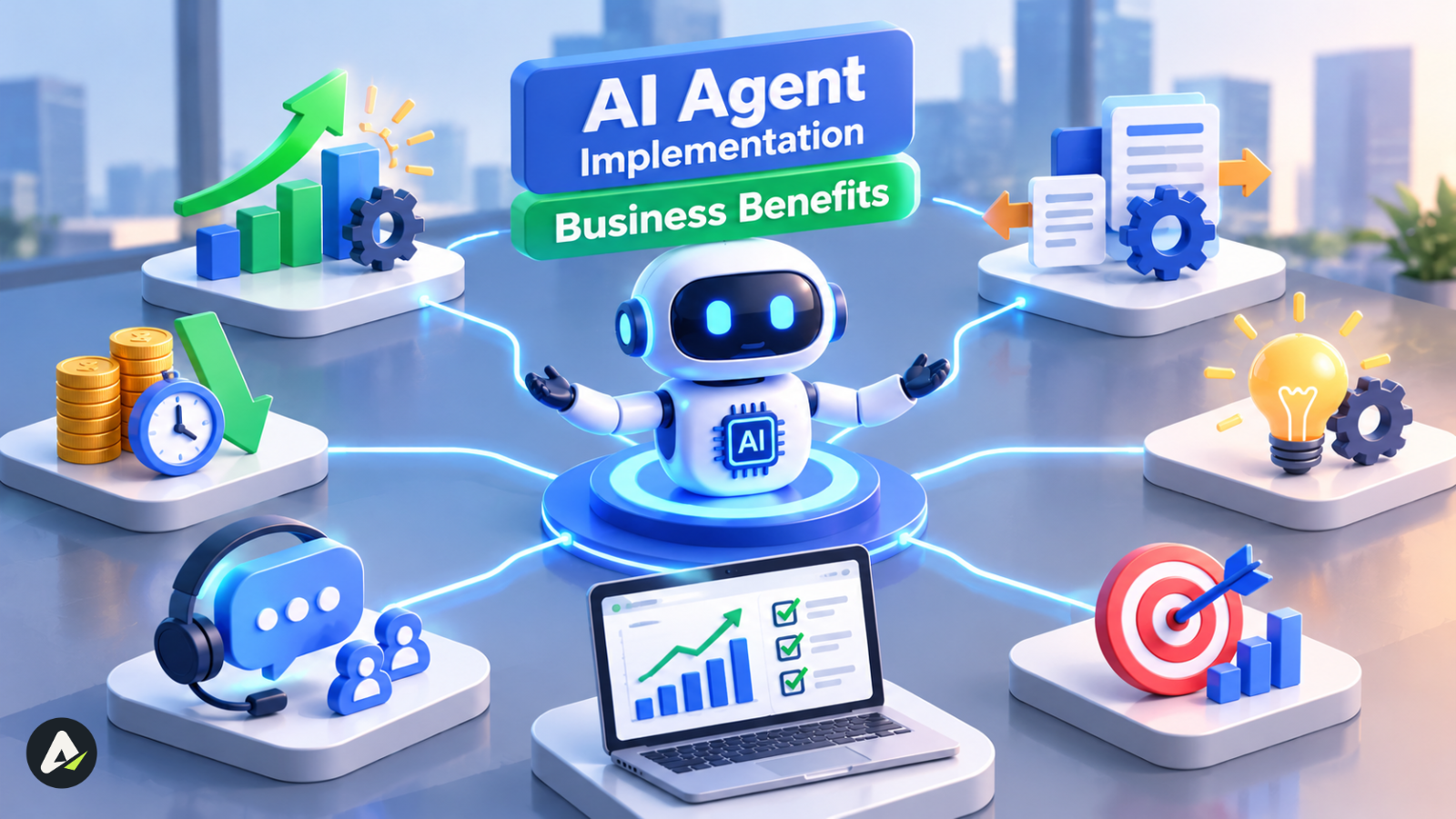
AI Agent Implementation Business Benefits: 7 Key Gains
AI agents can cut costs, boost productivity, and speed up business operations—but not every implementation delivers ROI. Explore seven proven benefits, real-world lessons, implementation costs, risks, and a practical framework for choosing the right AI agent use cases in 2026.

In this article · 31 sections +
- What Is AI Agent Implementation?
- When Should You Not Use an AI Agent?
- How Many Businesses Use AI Agents in 2026?
- 7 Business Benefits of AI Agent Implementation
- 1. Lower cost per task
- 2. Staff hours freed for better work
- 3. Faster replies at any hour
- 4. Room to absorb volume spikes
- 5. Quicker routine decisions
- 6. A consistent process with a full audit trail
- 7. More return from software you already pay for
- Which Business Processes Suit AI Agents Best?
- How Much Does It Cost to Implement an AI Agent?
- Why costs spike without warning
- How agents remember long tasks
- Should You Build, Orchestrate or Buy AI Agents?
- How Do You Keep AI Agents Safe and Under Control?
- Five AI Agent Security Risks
- Guardrails that stop runaway agents
- Privacy and compliance basics
- What Klarna’s AI Agent Rollout Teaches
- Why Do AI Agent Projects Fail? 7 Agentic Anti-Patterns
- How to Implement AI Agents: The VALUE Rollout Method
- What to test before going live
- Monitoring after launch
- Bringing your team along
- How Do You Measure AI Agent ROI?
- Two metrics built for agents
- Worked example (hypothetical)
- What’s Next for AI Agents in Business (2026 to 2029)?
- Frequently Asked Questions
Two-thirds of companies using AI agents report productivity gains, according to PwC’s 2025 AI Agent Survey. Yet Gartner predicts over 40% of agentic AI projects will be canceled by the end of 2027.
Both can be true. The business benefits of AI agent implementation depend on the process, operating costs, and safeguards—not just the model. AI agents can reduce task costs, save staff time, and handle customer requests around the clock, but real savings come when those gains reduce actual spending.
This guide covers seven proven benefits, implementation costs, the best first pilot, and how to measure ROI before investing.
What Is AI Agent Implementation?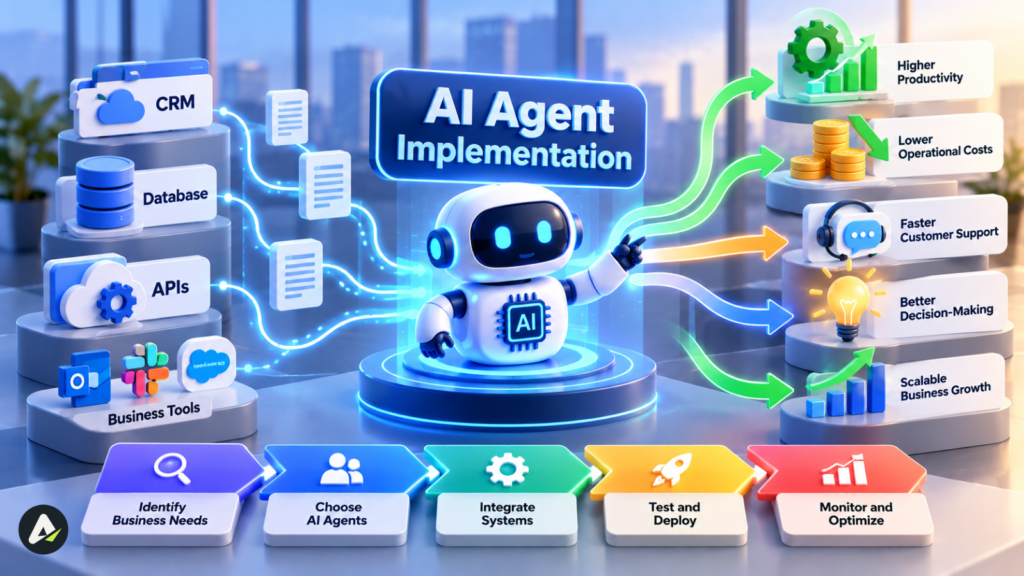
AI agent implementation is the process of deploying AI agents that plan, make decisions, and complete multi-step business tasks. Most use large language models, APIs, and task memory to work across business systems.
Unlike chatbots, AI agents can take action. For example, a returns agent can check an order, verify eligibility, generate a shipping label, and email the customer. If you’re curious about how AI agents think and act, understand their decision-making process.
Before investing, verify vendor claims carefully. Gartner has warned about agent washing, where chatbots and basic automation tools are marketed as genuine AI agents.
When Should You Not Use an AI Agent?
If simpler automation can handle a job, you don’t need an agent. Rules-based tools are great at fixed steps, and assistants are fine for answers and drafts. Agents only earn their keep when the work calls for judgment across several steps or systems.
Gartner’s own analyst didn’t mince words: “Many use cases positioned as agentic today don’t require agentic implementations.”
| Situation | Best fit | Why |
|---|---|---|
| Same steps every time, structured data | RPA or scripts | Cheaper, predictable, easy to audit |
| Questions answered from a knowledge base | AI assistant | No actions needed |
| Messy input, several steps, two or more systems | AI agent | Each case needs context-aware choices |
| Rare, high-stakes judgment calls | People, with AI drafting | One error costs too much |
| Undocumented or broken process | Fix the process first | Automation only speeds up the mess |
It’s the same distinction you see between AI tools versus AI agents. A tool waits for you to ask; an agent goes after a goal.
Try a quick gut check. Sketch the process on a whiteboard. If none of the boxes says “it depends,” you’re looking at an automation job, not an agent job.
Don’t forget speed, either. An agent that plans and double-checks its work might need several seconds per task, and when agents pass work to each other, those seconds pile up. Nobody minds in the back office. On a live chat or phone call, it feels like forever, so send a quick scripted reply first and let the agent finish behind the scenes.
How Many Businesses Use AI Agents in 2026?
Lots of companies are trying AI agents; far fewer have them running at scale. It helps to separate three stages that headlines tend to mash together: experimenting, limited production, and full scale.
- Survey, mid-2025: In McKinsey’s State of AI 2025, 62% of respondents were at least experimenting with agents. Another 23% were scaling one in a single function or more. No function topped 10%.
- Survey, April 2025: 88% of PwC’s executives planned bigger AI budgets because of agentic AI. That’s intent, not spend.
- Forecast, August 2025: Gartner expected task-specific agents inside 40% of enterprise apps by the end of 2026, up from under 5%.
- Analysis, June 2026: After reviewing 107 deployments, Gartner predicted that by 2028, 80% of tangible agentic AI ROI will come from domain-specific agents, not general-purpose ones.
Getting your hands on an agent isn’t the hard part anymore, since one probably came bundled with software you already pay for. Getting it to pay off is another story.
Data as of October 2026. Each figure carries its survey or forecast date.
7 Business Benefits of AI Agent Implementation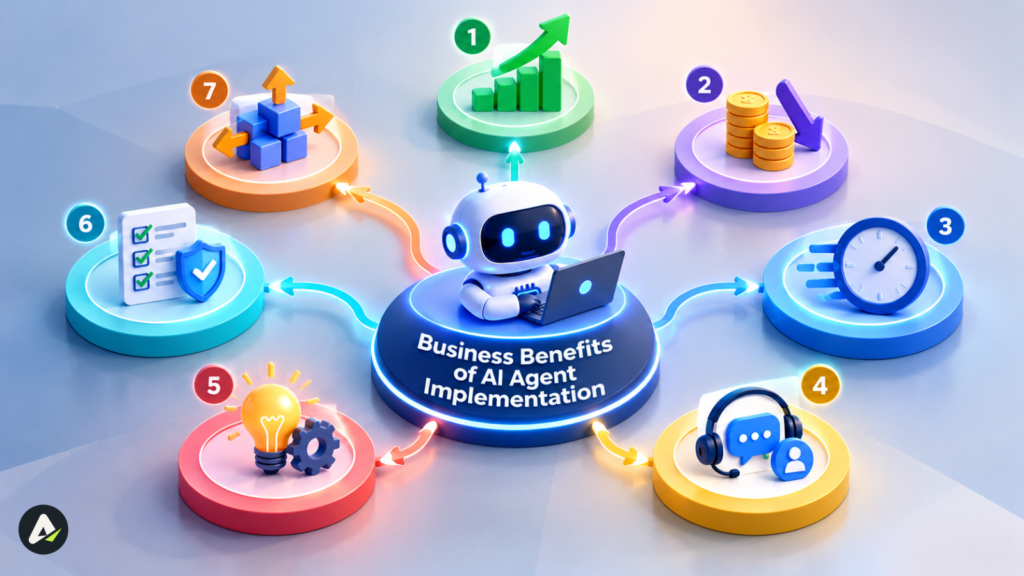
The value of AI agents comes down to lower costs, faster service, spare capacity, and steadier execution. For each benefit below, you’ll see whether the proof comes from a survey, a company’s own claim, or a forecast.
1. Lower cost per task
Think ticket triage, invoice matching and scheduling: the dull, high-volume work that eats your team’s week. Agents soak it up, and 57% of PwC’s adopters said they’d seen cost savings as a result.
Gartner goes further and projects a 30% cut in customer service operating costs by 2029. Just remember that’s a forecast for an industry, not a guarantee for your team.
2. Staff hours freed for better work
This is the benefit people mention most. Two-thirds of PwC’s adopters reported productivity gains, usually because the agent handles the gathering, sorting and first drafts while a person makes the actual call.
3. Faster replies at any hour
Agents don’t sleep. A customer who writes in at 3 a.m. gets an answer right away, and often a fix. Klarna’s early numbers (more on those below) are the example everyone quotes.
4. Room to absorb volume spikes
Product launches, holiday rushes, and outages all flood the queue at once. An agent picks up the overflow, so you’re not paying overtime or scrambling to hire temps.
5. Quicker routine decisions
Approving a standard refund or rerouting a late shipment takes an agent seconds. Gartner expects 15% of day-to-day work decisions to be made autonomously by 2028, up from essentially none in 2024.
Fast isn’t the same as right, though. A quick bad decision still costs you.
6. A consistent process with a full audit trail
An agent runs the same checks every single time and logs what it did, which your auditors will appreciate. That doesn’t make it correct. In McKinsey’s survey, 51% of respondents had hit at least one problem with AI, and inaccuracy topped the list.
7. More return from software you already pay for
Give an agent API access, and it can treat your help desk, billing system, and CRM as one connected process instead of three browser tabs. Narrow agents built for a single domain tend to pull this off best.
Which Business Processes Suit AI Agents Best?
The best candidates are tasks that happen often, follow clear rules, have an obvious finish line, and produce something you can measure. Risk matters as much as payoff, so the table rates both.
| Department | Example use case | Main gain | Risk |
|---|---|---|---|
| Customer service | Order, return, and account questions; hand-offs with context | Faster resolution | Low to medium |
| Sales | Lead research, CRM updates, follow-up drafts | More selling time | Low |
| Marketing | Campaign monitoring, weekly reports | Faster optimization | Low |
| Finance | Invoice-to-PO matching, anomaly flags | Fewer manual errors | Medium |
| IT operations | Ticket triage, access resets, incident routing | Smaller backlog | Medium |
| HR | Policy questions, onboarding tasks | Better employee experience | Medium |
| Supply chain | Shipment tracking, delay alerts, reorders | Fewer stockouts | Medium |
How Much Does It Cost to Implement an AI Agent?
You pay for an agent twice: once to build it, then every month to run, watch, and maintain it. Most budgets underestimate that second bill.
McKinsey made this point in its July 2026 paper, Is that AI agent worth it?. Agents tend to resend earlier context as a task goes on, so spending snowballs. Its partners now suggest judging every agent on three numbers: what a task costs, how often it succeeds, and how long a person spends checking it.
| Cost driver | When you pay | What pushes it up |
|---|---|---|
| Process redesign | Upfront | Undocumented workflows |
| Integrations | Upfront, then upkeep | Legacy systems without APIs |
| Platform fees | Monthly | Per-seat or per-conversation pricing |
| Model usage | Monthly | Long context, retries, agents calling agents |
| Testing | Before launch and after changes | Edge cases, high-risk actions |
| Security and compliance | Upfront, then audits | Personal or regulated data |
| Human review | Monthly | Complex cases |
| Monitoring | Monthly | Model updates, process changes |
Why costs spike without warning
Easy cases cost pennies. Hard ones can get expensive fast.
Picture an agent whose tool call fails. It re-plans, tries again, re-plans again, and every lap drags the whole growing conversation along with it. One stuck task can end up costing many times more than a routine one.
Human review works the same way. Cleaning up after a confused agent can take longer than doing the job yourself. That’s why it’s smarter to budget in ranges rather than averages, and to cap how many steps an agent can take on any one task.
How agents remember long tasks
Agents work with two kinds of memory. Short-term memory is whatever the model can see at each step. Long-term memory is what gets saved to a database between steps or sessions.
Stuffing everything into short-term memory is the pricey route. Saving progress at checkpoints keeps things lean, and if an API times out, the agent can pick up where it left off instead of starting from scratch.
Check what comes back out of memory as well. An outdated or tampered note from three turns ago will be treated as gospel.
Should You Build, Orchestrate or Buy AI Agents?
Businesses have three main options for AI agent implementation: buy ready-made agents, connect tools through a workflow platform, or build custom agents. Start with the simplest option that meets your needs.
| Approach | Examples | Best for | Main trade-off |
|---|---|---|---|
| Buy | Salesforce Agentforce, Microsoft Copilot Studio | Tasks within existing software | Vendor lock-in and usage costs |
| Orchestrate | Zapier, Make, n8n, Retool Workflows | Connecting multiple business tools | Platform limits and complex workflows |
| Build | LangGraph, LlamaIndex, model-provider SDKs | Specialized or tightly controlled processes | Higher maintenance, testing, and security responsibility |
The distinction is becoming less clear as software vendors add built-in orchestration tools. However, custom-built agents can create long-term dependency on external developers.
Implementation tip: Define ownership, documentation, knowledge transfer, and maintenance responsibilities before signing a vendor contract. Your team should be able to manage and update the agent without relying entirely on its original developers.
If you don’t have engineers in-house, AI agent development services can handle the build. Be careful about what you bolt on afterward, though. Packaged agent skills like SKILL.md files can teach an agent new tricks, but every one you add is one more thing that can break.
How Do You Keep AI Agents Safe and Under Control?
AI agent governance focuses on three questions: what can an agent access, how much autonomy does it have, and how quickly can you stop it? In 2026, the biggest risk is an agent making mistakes at scale.
Five AI Agent Security Risks
- Prompt injection: Hidden instructions manipulate an agent into unsafe actions.
- Excessive permissions: Attackers trick agents into exposing data or misusing API access.
- Compounding errors: One agent’s mistake spreads through a multi-agent workflow.
- Autonomous drift: Model, prompt, or data changes cause unexpected behavior.
- Shadow agents: Employees connect unauthorized AI tools to company systems.
These risks have real-world precedents. In 2024, a Canadian tribunal ordered Air Canada to honor a refund promised by its chatbot. In 2023, a dealership chatbot agreed to an unusually low vehicle price. AI agents with permission to execute actions can create even greater risks without proper safeguards.
Guardrails that stop runaway agents
- Action budgets: caps such as refunds under $100, 50 record updates an hour, a daily token ceiling, and a step limit per task.
- Circuit breakers: automatic pauses when errors, spend, or escalations cross a threshold.
- Separate identities: give each agent its own access identity, never a borrowed employee login, so every action traces back.
- Least privilege: read access first, write access only where the task needs it.
- Deterministic checks: plain code validates amounts, IDs and permissions before any action fires. A small guardrail model can screen for subtler policy breaches.
Privacy and compliance basics
- Confirm whether the vendor trains on your data and where it’s stored.
- Request current SOC 2 Type II or ISO 27001 reports from every vendor in the chain.
- Set a lawful basis and data minimization under GDPR or local law.
- Check which EU AI Act obligations apply; they phase in over several years.
- For highly sensitive data, consider open-weight models such as Llama or Mistral in your own cloud.
Treat this as a starting point, not legal advice.
What Klarna’s AI Agent Rollout Teaches
Klarna’s AI agent implementation shows both the benefits and limits of customer service automation.
In February 2024, Klarna reported that its AI assistant handled two-thirds of customer chats in its first month, cutting average resolution times from 11 minutes to two. These were company-reported figures, not an independent audit.
By 2025, Klarna was bringing human support staff back as service quality became a concern. Later that year, it reported savings of around $60 million and work equivalent to 853 full-time agents, while keeping humans for complex cases.
The lesson: AI agents deliver the most value when handling routine, high-volume tasks. Sensitive disputes and complex customer problems still need human judgment. Successful AI agent implementation means improving service and controlling costs—not simply replacing people.
Why Do AI Agent Projects Fail? 7 Agentic Anti-Patterns
Most failed agent projects trip over the same handful of mistakes. Gartner pins the cancellations on rising costs, fuzzy value, and weak risk controls, and each pattern below feeds one of those.
To be fair, not every cancelled pilot is a failure; some simply get folded into a packaged tool. The patterns below are avoidable, though, and worth knowing by name.
| Anti-pattern | What it looks like | Root cause | Fix |
|---|---|---|---|
| The Demo Trap | First project is the flashiest, riskiest one | Unclear value | Start with an AGENT score of 8+ |
| The Deflection Mirage | Chats handled counted, problems solved ignored | Unclear value | Track resolution and repeat contacts |
| The Phantom Saving | Freed hours booked as cash | Unclear value | Split capacity from cash |
| The Skeleton Key | Admin access granted for convenience | Weak controls | Least privilege, separate identity |
| The Unwatched Loop | No caps on spend, actions or retries | Rising costs | Action budgets and circuit breakers |
| The Rubber Stamp | Reviewers approve on autopilot after weeks of good output | Weak controls | Seed known errors, track catch rate |
| The Orphan Agent | IT owns the tool, nobody owns results | Unclear value | One AgentOps owner across IT, ops, finance, and legal |
How to Implement AI Agents: The VALUE Rollout Method
The VALUE Rollout Method is a five-step way to prove an agent is worth it before you pour more money in.
- Validate the process. Pilot only processes scoring 8+ on the AGENT Fit Score.
- Audit data, APIs, and access. Agents can only call APIs they understand, so check for clear documentation, ideally OpenAPI specs. Give the agent its own identity with minimal permissions.
- Limit autonomy at first. The agent drafts; a person approves. Release independent actions one at a time.
- Use a baseline and budgets. Record time, cost, errors, and satisfaction before launch. Set pass marks, action budgets, and circuit-breaker limits.
- Expand with exit rules. Scale only after the pilot beats its baseline for a solid stretch. Agree upfront on rollback triggers, such as a spike in repeat contacts.
What to test before going live
A slick demo doesn’t prove much. Before you hand over any autonomy, throw these at it:
- Real past cases, messy ones included
- Rare exceptions the process owner remembers
- Failed tools and timeouts
- Prompt injection hidden in emails and files
- Actions the agent must never take
- Handoffs, to confirm humans get full context
- A kill switch that stops the agent and reverses its changes
Set the bar by risk. A wrong ticket tag is annoying; a wrong refund is expensive, so the two shouldn’t share a pass mark.
Monitoring after launch
Testing tells you an agent works on day one. Monitoring tells you it’s still working on day ninety.
Keep a full trace of every run, including each step, tool call, input, and output. Then set alerts for the failures that don’t announce themselves, like a rate-limited API that quietly returns empty data, or a vendor renaming a field without telling anyone.
Every time you change the model or a prompt, rerun your test set. Outputs vary from run to run, so score each case a few times. Using an LLM as the judge speeds things up, but a 2026 McKinsey interview warns it gets shaky on long multi-step tasks, so keep a person doing spot checks. Tools like LangSmith, Arize Phoenix, and Ragas take care of much of this.
Bringing your team along
Here’s the uncomfortable part: your own people can sink an agent project faster than any hacker.
Frontline staff who think they’re being replaced will find ways around the tool. Middle managers can slow things down too, often without saying a word, because automated triage shrinks the team and the decisions they oversee.
A few things that help:
- Say early which tasks move to the agent and which stay.
- Let current staff write test cases. They know the edge cases.
- Give managers ownership of agent results, not just headcount.
- Offer paths into roles like agent reviewer or process owner.
- Share pilot results openly, misses included.
How Do You Measure AI Agent ROI?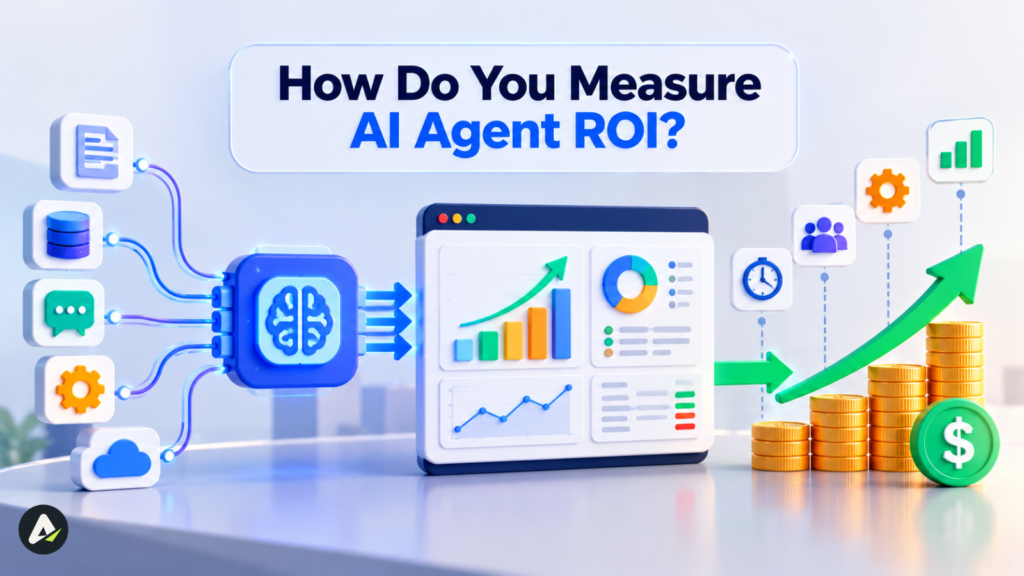
Measuring AI agent ROI means comparing the value an agent creates with everything it costs to run. The catch is that finance treats each kind of value differently, and saved hours are where most business cases fall apart.
| Value type | Meaning | Counts as cash? |
|---|---|---|
| Cash savings | Less overtime, fewer contractors, cancelled tools | Yes |
| Cost avoidance | Growth absorbed without a planned hire | Yes, with a documented hiring plan |
| Released capacity | Hours freed for other work | Only if tied to measurable output |
| Revenue gain | Faster quotes, higher conversion, lower churn | Yes, if attributable |
| Quality gain | Fewer errors and penalties | Partly |
\text{ROI} = \frac{\text{cash savings} + \text{cost avoided} + \text{attributable revenue} - \text{total cost}}{\text{total cost}}Total cost here means setup (spread across the payback period), plus monthly running costs, plus the time people spend reviewing the agent’s work.
Two metrics built for agents
- Cost per resolved task (CPRT): total running cost divided by tasks finished correctly, with no rework and no human stepping in.
- Review drag: average human minutes spent checking or fixing each agent task. If it climbs, savings are leaking back into payroll.
CPRT has one blind spot: it measures effort, not risk. An unauthorized refund isn’t just a slightly pricier task; it’s a liability problem. Keep high-impact actions behind human approval no matter how good the numbers look.
If your agents work in sales or marketing, cost only tells half the story. Track speed-to-lead, quote turnaround, and pipeline velocity as well.
Worked example (hypothetical)
- Baseline: 4,000 tier-1 tickets a month at 9 minutes each, or 600 hours. At $30 an hour, each ticket costs $4.50.
- With the agent: 2,000 tickets fully resolved, 300 hours freed ($9,000). Review takes 10 hours ($300). Running costs: $3,500 a month. Setup: $20,000.
- CPRT: $3,800 ÷ 2,000 = $1.90 per ticket.
- If two planned hires are cancelled: monthly ROI = ($9,000 − $3,800) ÷ $3,800 ≈ 137%. Setup pays back in about four months.
- If no hire was planned: you’re paying $3,800 a month for capacity until those hours produce something.
- In a bad month: edge cases double running and review costs. CPRT hits $3.80, still below $4.50 but with a thin margin.
One agent, three very different business cases. Your hiring plan ends up mattering more than which model you pick.
What’s Next for AI Agents in Business (2026 to 2029)?
Agents are moving from solo helpers toward teams of agents working across your apps. Everything below is a forecast, so read it that way:
- Gartner expects multi-agent ecosystems by 2029 and agentic AI behind about 30% of enterprise application software revenue, over $450 billion, by 2035.
- Gartner also predicts agents will settle 80% of common customer service issues without human help by 2029.
- Buyers will send their own agents to shop and negotiate. Storefronts, pricing and policies will need to be machine-readable through clean APIs, not just designed for human eyes.
- Cost discipline is taking center stage, as McKinsey’s 2026 research asks which agents earn their keep.
Plan for where things are heading, but don’t bet the budget on exact dates.
Frequently Asked Questions
Q. What can an AI agent do for my business?
An AI agent can finish multi-step tasks across your software: resolving order questions, updating CRM records, matching invoices, routing IT tickets, and drafting reports. It performs best on frequent, rule-guided processes with clean data and a clear end point.
Q. Are AI agents worth the investment?
They can be, when the process runs often, the data is reachable and the gains replace real spending. Many surveyed adopters report productivity gains, yet Gartner expects over 40% of agentic projects to be cancelled by 2027. A supervised pilot against a baseline tells you before you commit.
Q. How much does it cost to implement an AI agent?
There’s no single price. You pay once for process design, integrations, testing, and security, then monthly for platform fees, model usage, human review, and maintenance. Agents built into existing software usually cost far less to start than custom builds.
Q. AI agents vs RPA: which is better for business?
Neither wins everywhere. RPA suits fixed, repeatable steps with structured data and is cheaper to run and audit. AI agents suit messy input and decisions spread across several steps or systems. Many companies run both side by side.
Q. What are the disadvantages of AI agents in business?
The main drawbacks are wrong actions taken on bad information, prompt injection, over-broad access, unpredictable running costs, and staff resistance. Action budgets, circuit breakers, least-privilege access, and human review keep them in check.
Q. What are the 7 types of AI agents?
One common introductory classification lists simple reflex, model-based reflex, goal-based, utility-based, and learning agents, often adding hierarchical agents and multi-agent systems as ways to organize several agents. In business, people usually group agents by job instead: support, sales, IT, finance or operations agents.
Q. Is ChatGPT an AI agent?
ChatGPT is mainly an AI assistant that responds to prompts. OpenAI has added agent-style features that browse and complete tasks, but a business AI agent typically plugs into your own systems and runs a defined process with set permissions.
Q. How do you measure AI agent performance?
Track cost per resolved task, success rate, review drag (human minutes per agent task), repeat-contact rate, and escalation rate. Compare each against the baseline you recorded before launch.
Related: Meta AI Business Agent Guide: Costs, Setup, Controls
| Disclaimer: This article is for informational purposes only and is not affiliated with or endorsed by Gartner, PwC, or any companies mentioned. Statistics and forecasts are attributed to their respective sources, and actual AI agent results may vary by business, implementation, and operating costs. |

Maliha
AI is moving steadily from experimental technology into the products and workflows people rely on every day. Maliha Irfan is a technology writer covering artificial intelligence, automation, and emerging software. Her work focuses on the practical side of AI agents, exploring how these systems are being used, what they can realistically accomplish, and the limitations that matter when businesses and individuals adopt them.
More from Maliha →