Droven.io RPA and Business Automation: Is It the Right Automation Tool?
Droven.io is an editorial technology platform, not an RPA or workflow automation product. It publishes articles about AI, RPA, and business automation, but it doesn't offer a bot builder, dashboard, or automation engine. If you've searched droven.io RPA…

In this article · 20 sections +
- Is Droven.io an RPA Platform?
- Why Do Search Results Describe Droven.io Differently?
- What Do People Mean by “Droven.io AI Automation Tools”?
- Who Needs This, and What Problem Does Automation Solve?
- Who it’s for
- The problem underneath
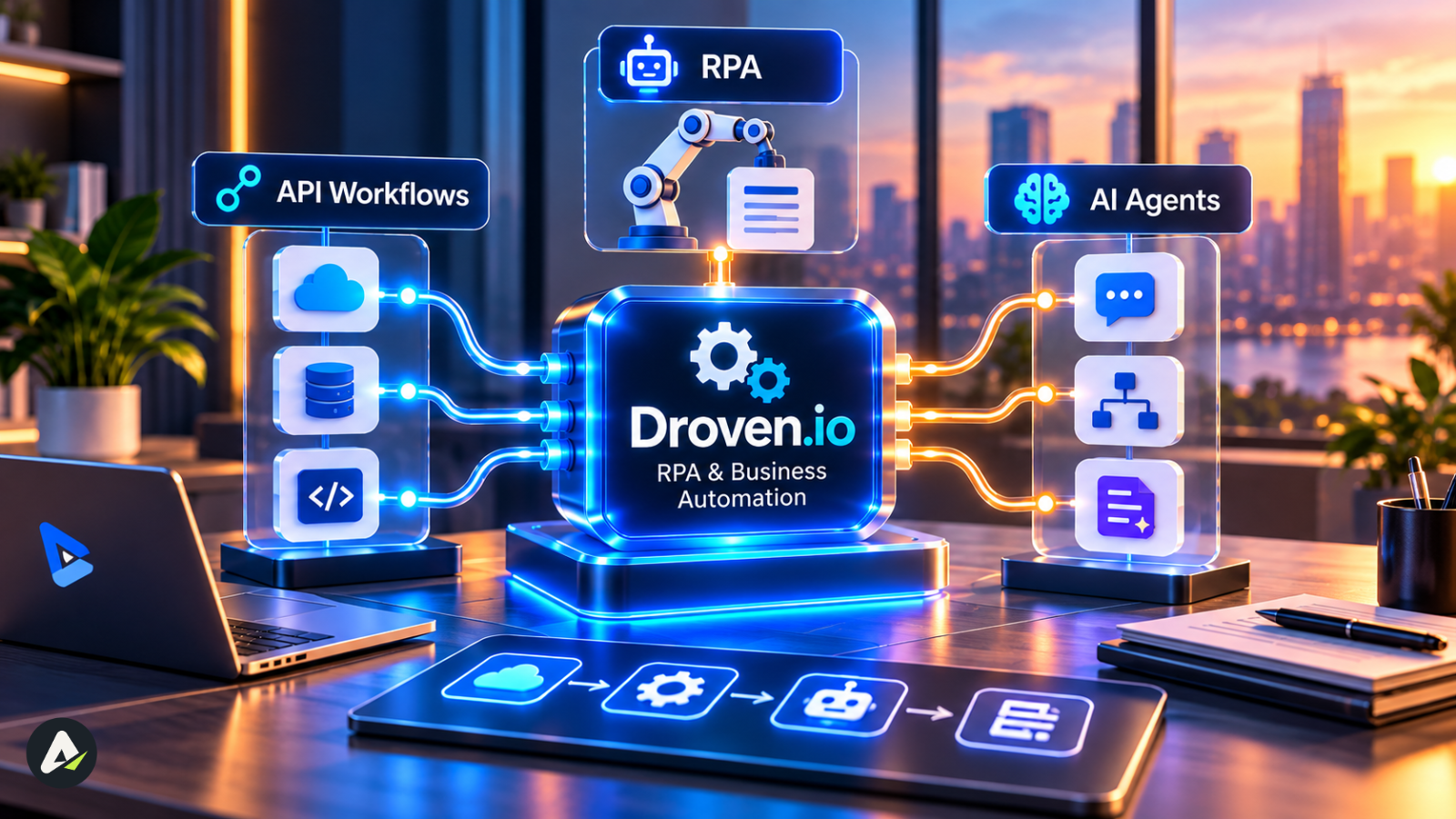
- Droven.io RPA and Business Automation Explained: API Workflows, RPA, and AI Agents
- Rule-driven execution vs model-generated interpretation
- How the three combine in one process
- The 4R Fit Test: Which Approach Should a Task Use?
- Where Automation Creates the Most Value
- Is Automation Worth It? A Simple ROI Calculation
- Which Automation Tools Should You Compare?
- How Is AI Changing Business Automation?
- What Should US Businesses Know About Automation Compliance?
- How Should You Judge What You Read About Automation?
- How Do You Start an Automation Project? A 30-Day Pilot
- What can go wrong
- Conclusion
- Frequently Asked Questions
Droven.io is an editorial technology platform, not an RPA or workflow automation product. It publishes articles about AI, RPA, and business automation, but it doesn’t offer a bot builder, dashboard, or automation engine.
If you’ve searched droven.io RPA and business automation, you’ve probably noticed that the results argue with each other. A few pages describe a software platform with bots and pricing tiers, while most describe a publication that sells nothing at all.
We’ll settle that quickly, with evidence rather than assertion. Then we’ll get to the question that matters more once you know Droven.io is a reading resource: how do you turn what you’re learning into an actual automation decision?
That’s where most articles on this topic stop, and where this one keeps going. You’ll get a simple test for matching any task to the right technology, a way to estimate whether automation will pay off, a tools comparison with the reasoning behind it, and a 30-day pilot plan with the metrics you should be tracking.
Is Droven.io an RPA Platform?
No. Droven.io is a technology publication that explains AI, automation, and related topics. RPA platforms are software you install or subscribe to so you can build and run bots.
| Droven.io | RPA platform | |
|---|---|---|
| Purpose | Reading and research | Building and running automations |
| Bot or workflow builder | No | Yes |
| Account and dashboard | No | Yes |
| Pricing plans | No | Yes |
| Product documentation | No | Yes |
What we checked (September 2026): the Droven.io homepage, main navigation, and any sign-up, product, or pricing pages.
What we found: the site presents itself as an editorial technology publication. We found no publicly documented RPA product, bot builder, or pricing plan.
Why Do Search Results Describe Droven.io Differently?
Most of the contradiction comes from third-party articles written around the search term, not from Droven.io itself.
You’re not imagining the confusion. One competing guide points out that some pages describe Droven.io as a drag-and-drop RPA platform with pricing tiers, while others call it an editorial site that sells nothing.
We can’t know how each page was written. Still, a few patterns probably explain a lot of it. Many articles target the keyword without anyone visiting the site. Others borrow from pages that already rank. And when several AI-written articles copy one another, a mistake can spread across a dozen sites in a few weeks.
The fix is to check for yourself. A real automation product almost always has:
- A login or account area
- A public pricing page or a “contact sales” path
- Product documentation or a help center
- Screenshots or demos of an actual interface
- Terms of service and data-processing terms for business customers
If a site has none of these, it isn’t a product, whatever an article says.
What Do People Mean by “Droven.io AI Automation Tools”?
The phrase describes the kinds of automation software the site writes about. It doesn’t name anything the site sells.
One analysis describes the term as a research category spanning automation platforms, AI assistants, RPA systems, and connected business workflows. In practice, the person searching usually has a job to get done. This table points to the kind of tool that job needs:
| If you want to… | Look at… |
|---|---|
| Connect cloud apps like your CRM, email, and forms | An API workflow tool |
| Automate old desktop software with no API | RPA |
| Pull data out of messy PDFs or emails | An AI step inside a workflow |
| Handle requests that vary every time | An AI agent, with human review |
| Automate decisions with legal or financial risk | A workflow with a human approval step |
Who Needs This, and What Problem Does Automation Solve?
Who it’s for
This kind of research suits people who need to understand automation before they spend money on it: business owners, operations managers, buyers preparing for vendor demos, and students learning the field. Engineers who already build bots will get more from vendor documentation.
The problem underneath
Most offices still depend on someone moving information between inboxes, spreadsheets, and CRMs. That copying is slow, error-prone, and fragile, because the whole process stalls when that person is on holiday. Automation takes over the predictable parts so people can spend their time on work that actually needs judgment.
Droven.io RPA and Business Automation Explained: API Workflows, RPA, and AI Agents
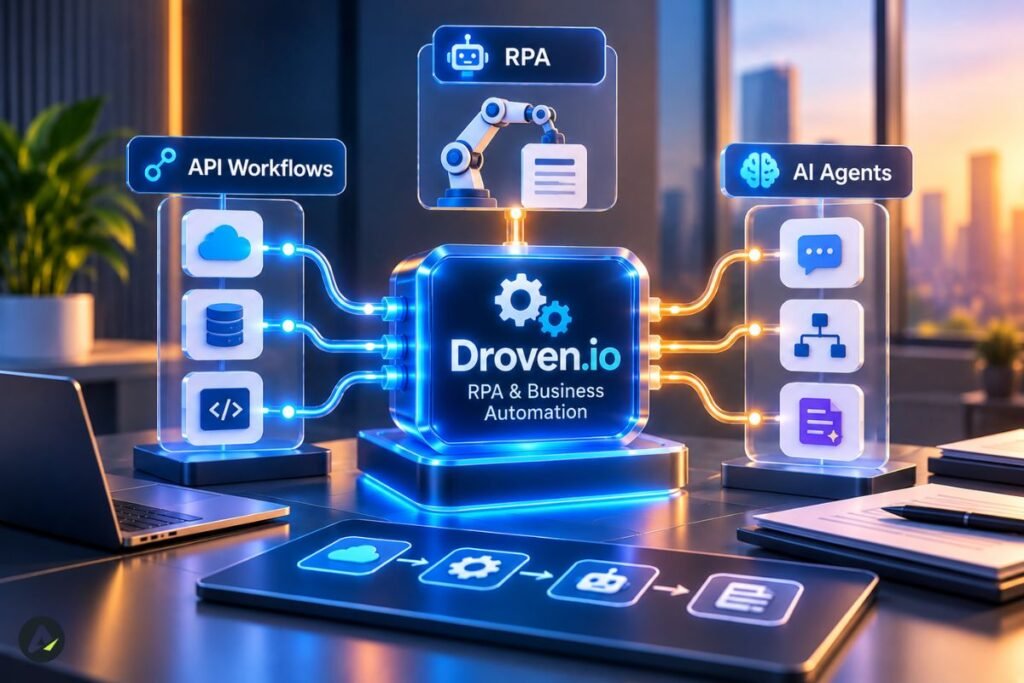
Business automation is the goal of getting work done with less manual effort. API workflows, RPA bots, and AI agents are three different ways to reach it.
API workflow: software that passes data directly between applications through their APIs, such as sending a new form entry straight into your CRM.
RPA (robotic process automation): software bots that operate applications the way a person would, clicking and typing through the interface. Modern platforms can also call APIs.
AI agent: a system built on a language model that interprets information and decides on next steps, which makes it useful for work without fixed rules.
| Approach | Best for | What usually breaks it |
|---|---|---|
| API workflow (Zapier, Make, n8n) | Cloud apps and real-time syncing | API changes, expired credentials, rate limits |
| RPA (UiPath, Power Automate desktop) | Legacy software with no usable API | A screen redesign that moves a button or field |
| AI agent (LLM-based systems) | Messy inputs and variable requests | Plausible but wrong outputs, rising usage costs |
For vendor explanations, UiPath has solid primers on workflow automation and RPA. If you’re weighing agents, it helps to understand how an AI agent differs from an ordinary AI tool, since many products labeled “agents” are closer to tools with a chat box. Many agents also run on skill files that shape how they approach a task, and those can fail in ways worth knowing about.
Rule-driven execution vs model-generated interpretation
This distinction matters more than any tool name. Workflows and RPA generally carry out predefined rules. They can still misbehave because of timeouts, retries, or bad data, but their logic is written down and can be traced. AI agents add something different: model-generated interpretations and decisions, which can change from one run to the next even when the input looks the same.
That’s why AI output needs checking before it reaches a customer. When rule-based steps fail, you can usually trace why. When a model-driven step goes wrong, the output can look perfectly reasonable, which is exactly what makes it hard to catch.
How the three combine in one process
Real processes rarely use just one approach. Here’s a common hybrid pattern for a support inbox:
- An AI step reads each incoming email and labels it as a refund request, an address change, or a complaint.
- For address changes, a workflow updates the CRM through its API.
- The old billing system has no API, so the workflow triggers an RPA bot to make the same change there.
- Complaints and anything the AI labels with low confidence go to a person.
The AI handles interpretation, while the rule-based pieces handle execution. For most businesses in 2026, that division of labor is more realistic than handing a whole process to an agent.
The 4R Fit Test: Which Approach Should a Task Use?
- The 4R Fit Test is a heuristic we developed for this guide. It matches a task to the right approach by looking at its Rules, Repetition, Reach, and Risk.
It isn’t an industry standard. It simply organizes the questions experienced teams tend to ask anyway. One principle sits underneath it: for new projects, check for a stable API or native integration before choosing screen-based RPA, because direct integrations generally avoid much of the maintenance that comes with automating an interface.
Score each factor from 1 (low) to 3 (high):
| Factor | Question | Score 1 | Score 3 |
|---|---|---|---|
| Rules | How clearly can the steps be written down? | Mostly judgment | Fully rule-based |
| Repetition | How often does it happen? | A few times a month | Many times a day |
| Reach | How accessible are the systems? | No API anywhere | Stable APIs for every system |
| Risk | How bad is a mistake? | Minor inconvenience | Legal, financial, or safety impact |
Reading the scores:
- High Rules, high Repetition, high Reach: Start with an API workflow.
- High Rules, high Repetition, low Reach: RPA is a sensible choice.
- Low Rules, high Repetition: Try an AI step inside a workflow, with review.
- Low Repetition: It’s probably not worth automating yet.
- High Risk: Add a human approval step, whatever else you choose.
Risk is the factor people most often underrate. In regulated fields, it tends to shape the whole design. Agent-based automation in lending is a good example, where controls and checkpoints get as much attention as speed.
Where Automation Creates the Most Value 
Automation pays off fastest on high-volume, rule-heavy work such as data entry, invoice matching, report generation, and routing requests to the right team.
A widely repeated piece of advice holds up well here: start with high-volume, form-based work rather than processes that depend on personal judgment, shifting rules, and unclear data.
Example: customer intake at a brokerage
An illustrative composite, not a named company.
Picture a 40-person insurance brokerage that receives about 300 web forms a week. Staff copy each form into the CRM and then into an old policy system with no API. On the 4R test, the task scores high on Rules and Repetition, mixed on Reach, and medium on Risk.
The design follows directly from those scores. A workflow sends each form to the CRM, a small bot enters it into the policy system, and incomplete forms land in a review queue. When the policy system’s screens change, only that one bot needs attention.
Is Automation Worth It? A Simple ROI Calculation
To estimate automation ROI, compare what the manual work costs each year with the full cost of automating it, including maintenance and human review.
The four formulas:
- Annual manual cost = hours per week × hourly labor cost × 52
- Annual running cost = software + maintenance + human review time
- Annual net benefit = annual manual cost − annual running cost
- Payback period = one-time build cost ÷ monthly net benefit
Worked example (illustrative numbers)
| Item | Assumption | Annual amount |
|---|---|---|
| Manual work | 10 hrs/week × $30/hr | $15,600 |
| Software | Subscription | $1,200 |
| Maintenance | 2 hrs/month × $50/hr | $1,200 |
| Human review | 1 hr/week × $30/hr | $1,560 |
| Annual running cost | $3,960 | |
| Annual net benefit | $15,600 − $3,960 | $11,640 |
| One-time build | Setup and testing | $4,000 |
| Payback period | $4,000 ÷ $970 per month | About 4 months |
Swap in your own numbers. Two cautions apply. First, time saved only turns into money if those hours go to other useful work. Second, don’t underestimate maintenance. A figure attributed to HFS Research puts licensing at roughly 25–30% of automation operating costs, with implementation, infrastructure, development, and support making up the rest. Blueprint’s total-cost breakdown covers those other components.
Which Automation Tools Should You Compare?
Choose the approach first using the 4R test, then shortlist tools designed for it.
How we classified these tools: by each vendor’s primary design and publicly documented capabilities as of September 2026. “Desktop/legacy” means the tool can automate desktop application interfaces. Features and plans change often, so confirm details with each vendor.
| Tool | Primary approach | Desktop/legacy | AI features | Free way to start | Main constraint |
|---|---|---|---|---|---|
| UiPath | RPA platform | Yes | Yes | Community edition | Enterprise licensing can get complex |
| Automation Anywhere | RPA platform | Yes | Yes | Community edition | Needs trained builders |
| Power Automate | Workflow + RPA | Yes | Yes | Desktop version for Windows | Premium connectors cost extra |
| Zapier | API workflow | No | Yes | Free plan | Costs rise with task volume |
| Make | API workflow | No | Yes | Free plan | Complex scenarios take time to learn |
| n8n | API workflow | No | Yes | Self-hosted community edition | Harder for non-technical teams |
Quick picks: A small team on cloud apps can usually start with Zapier or Make. A Microsoft 365 shop should try Power Automate first. A company with legacy desktop systems at scale should evaluate UiPath or Automation Anywhere. Developers who want control should look at n8n.
For agents specifically, no-code agent builders like Lindy aim to let non-developers set up assistants for email and scheduling.
How Is AI Changing Business Automation?

AI is moving from standalone experiments into individual steps inside everyday workflows, alongside a smaller number of more autonomous agents.
Agents have spread well beyond the back office. Businesses now use AI agents that reply to customers inside Meta’s messaging apps, and some fashion and retail brands are testing agents for styling and shopping help.
Gartner’s outlook is mixed. It predicts that over 40% of agentic AI projects will be canceled by the end of 2027, citing “escalating costs, unclear business value or inadequate risk controls.” It also expects at least 15% of day-to-day work decisions to be made autonomously through agentic AI by 2028, up from 0% in 2024. Both figures come from the Gartner release.
Market sizing is just as unsettled. Mordor Intelligence puts the global RPA market at USD 8.12 billion in 2026 (report listing), while The Business Research Company estimates $12.35 billion (report listing). The gap mostly reflects different definitions of what counts as RPA, so treat either figure as a sign of growth rather than a planning input.
What Should US Businesses Know About Automation Compliance?
US businesses should treat every bot and agent as a system user: limit its access, log what it does, and check which state and industry privacy rules apply to the data it handles.
The US has no single national privacy law that covers every business. The rules come from states, such as California’s CCPA, and from specific industries, such as HIPAA for health data. If you also serve European customers, the European Commission’s data protection guidance applies.
In practice, that translates into a short control list:
- Least-privilege access: each bot gets only the permissions its task needs.
- Credential vaulting: keep passwords in a secrets manager, never in scripts or spreadsheets.
- Audit logs: record what each automation did, when, and to which records.
- Human approval: require sign-off for high-risk actions such as payments or account changes.
- Vendor data terms: check where each tool processes and stores your data, and sign a data processing agreement where required.
- Retention limits: don’t let automations keep copies of personal data longer than needed.
How Should You Judge What You Read About Automation?
Judge any automation article, including this one, by its sources, its date, and whether the author has something to sell.
A few quick checks go a long way. Does a claim name its source, or just say “studies show”? Is the page recent enough for pricing and features to still be accurate? Is the author a vendor whose product happens to solve the problem they describe? And can you test the claim yourself with a free trial?
What Droven.io is good for, and where it falls short
Based on what’s visible on the site, it’s free, has no sales funnel, and explains automation terms in plain language, which makes it a reasonable place to start. It’s weaker on author transparency and implementation detail. It’s also broader than it first appears: one reviewer notes it publishes reviews of unrelated products, from mousepads to PCB manufacturing, alongside AI tool comparisons. Use it to learn the vocabulary, then go to vendor documentation and trials before making decisions.
How Do You Start an Automation Project? A 30-Day Pilot
Map your tasks, score them with the 4R test, trial tools on one task, and measure the results against a baseline before you scale.
Week 1: Map. List ten repetitive tasks, the time each one takes, and every system it touches.
Week 2: Score. Run each task through the 4R test. Pick one with high Rules, high Repetition, and low Risk, and record how it performs today.
Week 3: Test. Trial two or three tools that suit the approach, using real or anonymized data. Check them against the compliance list above.
Week 4: Pilot. Launch with a named owner and an exception queue, then track the metrics below.
Metrics to track during the pilot
| Metric | What it tells you |
|---|---|
| Processing time per item | Whether it’s actually faster |
| Error rate | Whether quality held up |
| Exception rate | How often the automation gives up |
| Human intervention rate | How much hidden manual work remains |
| Cost per transaction | Whether the ROI math holds |
| Failure or downtime rate | How fragile it is |
| Maintenance hours | The true long-term burden |
What can go wrong
Most failed projects trace back to the same few causes: automating a broken process, starting with the most complicated workflow, choosing a tool before scoring the task, or launching without an owner or an exception plan—two more show up often. Bots get shared admin passwords, and agents get used for jobs a simple rule could handle.
Conclusion
Droven.io can teach you the vocabulary, but the decision is still yours. So start with the task, not the tool. Run it through Rules, Repetition, Reach, and Risk. Estimate the payback with your real numbers, including maintenance and review time. Then pilot the smallest automation that could work, and let the metrics decide whether it earns a bigger rollout.
That sequence is what turns droven.io RPA and business automation reading into a result you can measure.
Frequently Asked Questions
Q. Is Droven.io an RPA software tool?
No. Droven.io is an editorial site that publishes articles about RPA, AI, and automation. It has no bot builder, dashboard, or pricing plans. To build automations, use a platform such as UiPath, Power Automate, Zapier, or n8n.
Q. Why do some websites say Droven.io is automation software?
Many third-party articles target the search term without describing the site accurately. A real software product has a login, pricing, documentation, and a working interface, and Droven.io shows none of these publicly.
Q. What is RPA in business automation?
RPA (robotic process automation) uses software bots to perform repetitive, rule-based tasks by operating applications the way a person would. It’s most useful for older systems that lack an API.
Q. Is RPA outdated in 2026?
No, but its role is narrowing. RPA increasingly serves as a bridge to legacy systems, working alongside API workflows and AI steps rather than handling whole processes alone.
Q. What is the difference between RPA and workflow automation?
Workflow automation connects apps directly through APIs, while RPA works through an application’s interface like a person. Workflows are usually easier to maintain; RPA reaches systems that can’t be connected any other way.
Q. How much does RPA cost?
Costs include licensing, setup, hosting, maintenance, and review time. A figure attributed to HFS Research puts licensing at roughly 25–30% of automation operating costs, so ask vendors for a three-year total, not just a license quote.
Q. Can AI agents replace RPA?
Not yet for most businesses. Agents handle variable work well but produce model-generated decisions that need checking, while RPA executes predefined steps that are easier to audit. Many strong setups use both.
Related: Lendflow AI Agents: How Lending Automation Works in 2026
| Disclaimer: This article is based on information publicly available about Droven.io and automation tools as of September 2026. Features, pricing, and capabilities can change, so verify details with official sources before making a business or purchasing decision. |

Maliha
AI is moving steadily from experimental technology into the products and workflows people rely on every day. Maliha Irfan is a technology writer covering artificial intelligence, automation, and emerging software. Her work focuses on the practical side of AI agents, exploring how these systems are being used, what they can realistically accomplish, and the limitations that matter when businesses and individuals adopt them.
More from Maliha →