Vibe Otter Review: I Tested Its AI Website Builder (2026)
is Vibe Otter worth it in 2026? This hands-on review examines its AI website builder, pricing plans, editing tools, and limitations. See how it performed in a real test and whether it suits your business.


In this article · 22 sections +
- What Is Vibe Otter?
- What you can build with it
- How Vibe Otter Works
- Vibe Otter Pricing and Plans
- Extra costs to budget for
- When the paid expert calls make sense
- Vibe Otter Review: The Sweet Crumbs Test Build
- What came back
- What went wrong
- What this test proves, and what it doesn’t
- Vibe Otter Features Beyond the Builder
- Backend and business tools
- Technical SEO, not a ranking shortcut
- Security, ownership, and the questions still open
- The dashboard after login
- Vibe Otter vs Wix, Squarespace, WordPress and Lovable
- Is Vibe Otter Worth It? The 4-Question Fit Test
- Pros and cons at a glance
- Common Vibe Otter Mistakes to Avoid
- Where AI Website Builders Are Heading in 2026
- Final Verdict
- FAQs
Two minutes. That’s how long one plain-English prompt took to become a four-page bakery website with a menu, an order form, and a warm cream-and-caramel look. No template browsing, no drag-and-drop, no code.
The test ran on Vibe Otter, an AI website builder made for small business owners. A quick draft, though, is only half the job. Before a generated site can serve real customers, its details need checking, its forms need testing, and its pricing has to make sense.
So this review keeps three things apart: what the test showed, what Vibe Otter says about itself, and what nobody has verified yet. Inside, you’ll find:
- The build workflow in plain terms
- Every plan and add-on cost, checked on October 24, 2026
- The bakery test, including what the AI got wrong
- A same-criteria comparison with Wix, Squarespace, WordPress, and Lovable
- A fit test, common mistakes and FAQs
What Is Vibe Otter?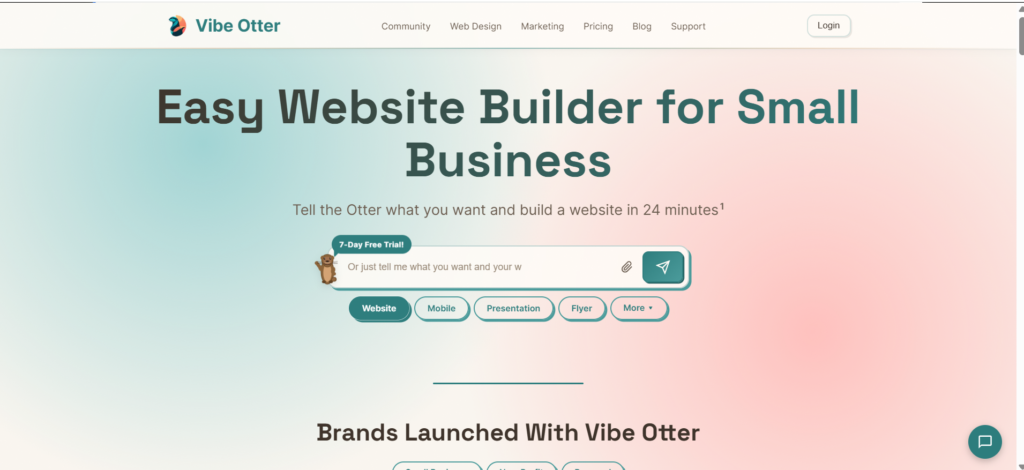
Vibe Otter is an AI website and web app builder that turns a plain-language description of your business into a hosted, mobile-ready site. You type a brief, or paste a link to a site you admire, and the builder writes the layout, copy, images, and backend functions.
A practicing web design agency created the platform. By its own count, it hosts more than 3,000 websites and has grown without venture funding. In practice, it behaves like a specialized AI agent for web design. The agency roots also explain its main selling point: human designers and engineers answer live chat on every plan, free included.
What you can build with it
- Websites and landing pages
- Mobile app layouts
- Presentations and flyers
- Proposals and ebooks (under “More”)
- Full-stack apps with logins, databases, and dashboards (Pro plan)
How Vibe Otter Works
The builder runs on three editing layers: a prompt creates the first draft, Lasso Mode reworks one selected area, and click-editing handles small fixes for free. That split protects your budget. Full-site rewrites burn prompts fastest, and Lasso Mode sidesteps them.
- Write the brief. Give the business name, pages, tone, colors, and must-have buttons. Attach a logo or menu file so the AI works from real material.
- Lasso one section. Circle a block and ask for a change, such as “add a booking calendar here.” Everything outside the selection stays as it was.
- Polish by hand. Click any element to edit text, swap photos, change fonts, or move blocks. Each change can be undone, and a Saves panel stores earlier versions.
- Preview and publish. Toggle desktop, tablet, and phone views, then press Go Live to publish on a free subdomain or your own domain.
Vibe Otter Pricing and Plans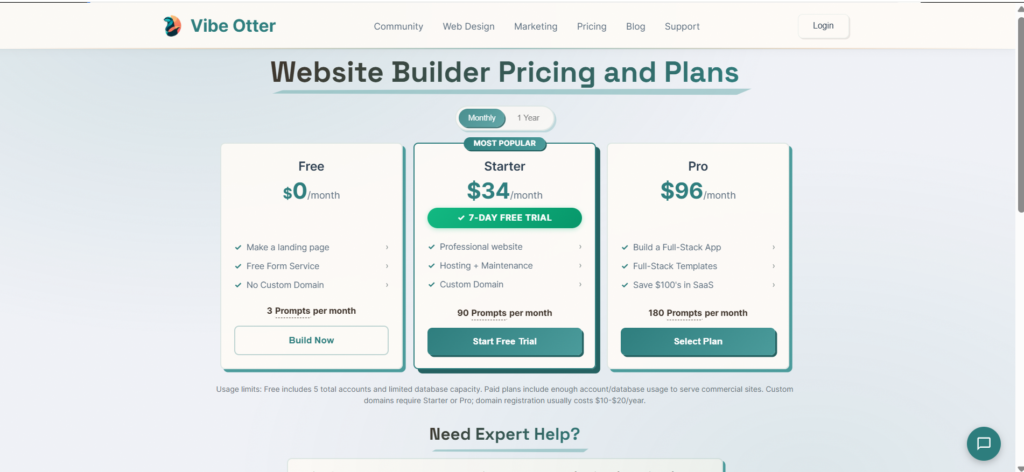
Vibe Otter pricing has three tiers: Free at $0, Starter at $34 a month, and Pro at $96 a month, each capped by a monthly prompt allowance. One prompt is one AI request, such as generating a page or reworking a section.
| Plan | Monthly price | Prompts per month | Included | Suits |
|---|---|---|---|---|
| Free | $0 | 3 | Landing page, form service, vibeotter.com subdomain, 5 user accounts, limited database | Trying the builder |
| Starter | $34 (7-day free trial) | 90 | Multi-page site, hosting and maintenance, custom domain | A standard business website on your own domain |
| Pro | $96 | 180 | Full-stack apps and templates, backend toolkit | Client portals, member areas, booking apps |
Prices and allowances come from the official pricing page, checked on October 24, 2026. The page also offers a “1 Year” billing toggle and was running a limited “Founder’s Birthday Special” banner without listed terms. Confirm both at checkout, since promotions change.
Run the numbers, and Pro looks less generous. Starter works out to about 38 cents per prompt; Pro costs about 53 cents. Pro buys backend tools, not cheaper prompts, so heavy trial-and-error users pay a premium.
Extra costs to budget for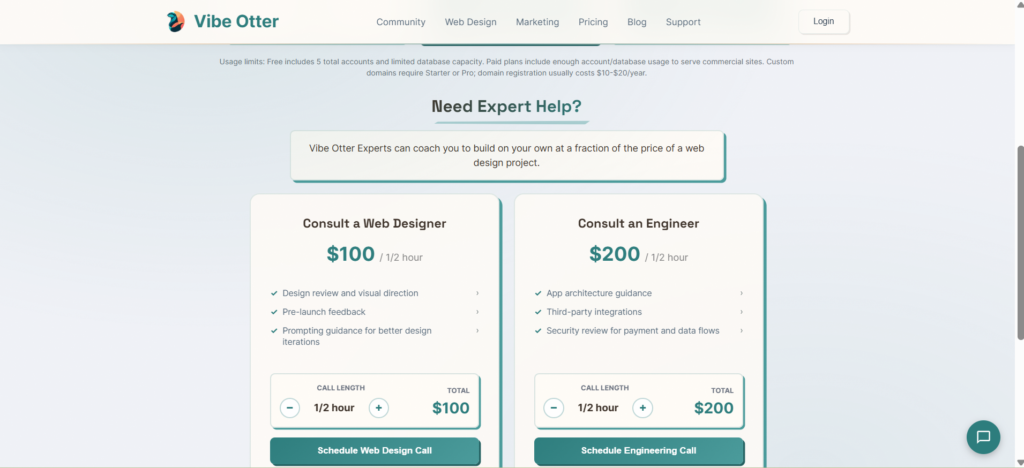
- Domain name: custom domains need Starter or Pro. Vibe Otter estimates $10–$20 a year at a registrar; renewal rates and extensions such as .io can cost more.
- Expert calls: a web designer costs $100 per half hour; an engineer costs $200 per half hour.
- Prompt use: three free prompts disappear quickly during heavy revisions.
When the paid expert calls make sense
The designer call covers design review, pre-launch feedback, and prompting tips. The engineer call covers app architecture, third-party integrations, and security reviews of payment and data flows. A simple brochure site rarely needs either. A site that takes payments or stores customer records is a different story: one engineer session before launch costs far less than a data mistake.
Vibe Otter Review: The Sweet Crumbs Test Build
One prompt on the free plan produced a credible four-page bakery draft in about two minutes; the draft looked finished, but parts of it were invented, and its order workflow was not proven.
Create a professional website for a small bakery called Sweet Crumbs. Include a homepage, menu with prices, About Us section, contact details, opening hours, and a clear order button. Use a clean design with warm colors and mobile-friendly layout.
What came back
- Home, Menu, About Us and Contact pages
- A cream-and-caramel palette that matched the “warm colors” brief
- A rotating gallery of bakery photos on the homepage
- A dotted price list: croissant, sourdough loaf, fudge cake, cinnamon roll
- An “Order Now” header button plus a “Planning something sweet?” order section
- An order form the AI described as sending a confirmation email
- A footer with address, phone, email, and opening hours
The copy had personality. A line like “Birthday, wedding, or just a Tuesday that needs cake” reads like a small brand, not filler.
What went wrong
The AI filled gaps without asking. It set the bakery in Clifton, Karachi, and added a phone number and email address the prompt never mentioned. For a mockup, that’s convenient. For a live business, it’s a liability.
Two more notes. The free-plan footer carries a “Small business web design by Vibe Otter” credit. And the prompt meter still read 0/3 after this build, though one test can’t tell you whether first generations are always free.
What this test proves, and what it doesn’t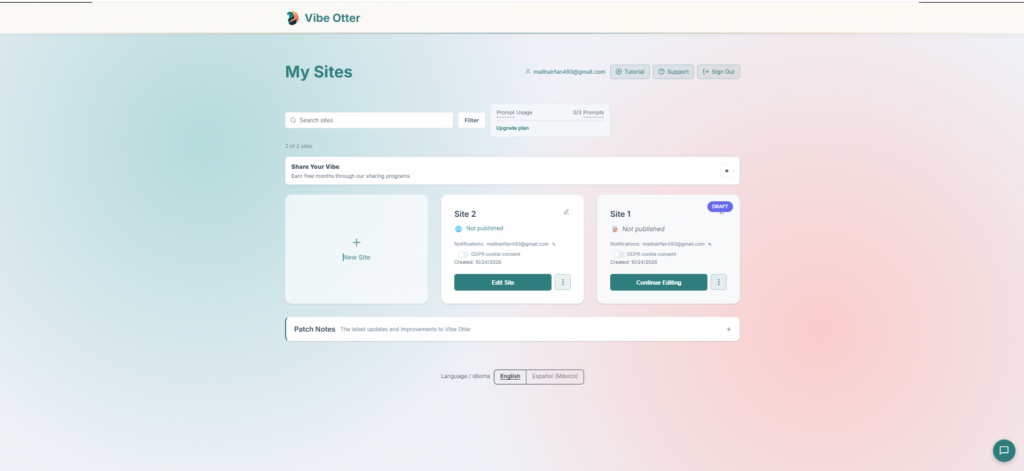
| Evidence type | Findings |
|---|---|
| Demonstrated | A multi-page draft from one prompt in about two minutes; design matched the brief; invented contact details appeared |
| Vendor-stated | Working order emails, database, logins, SEO files, security controls, human chat support, code export |
| Unverified | End-to-end form delivery, phone rendering, export format, support response times, search performance |
Vibe Otter Features Beyond the Builder
Vibe Otter bundles hosting, a database, user logins, technical SEO files, and security settings, so a small business doesn’t need to connect separate tools. The features below are documented by Vibe Otter; only the editor itself was tested here.
Backend and business tools
- Database with automatic lockdown of sensitive records
- Customer accounts with email verification
- File uploads and storage
- Booking calendars and contact forms
- Scheduled tasks and backend functions
- Shopify storefronts with cart and checkout
Those pieces move Vibe Otter past page design. On Pro, it competes less with Wix and more with app builders like Bubble. Anyone planning a client portal should test logins and data handling, not just the homepage.
Technical SEO, not a ranking shortcut
Each site ships with robots.txt, sitemap.xml, canonical links, structured data, and an llms.txt file. That covers crawlability basics. It doesn’t guarantee rankings or AI citations. Google’s own guidance says llms.txt isn’t needed for its generative AI Search features, as Search Engine Journal reported in May 2026. After publishing, confirm that your pages are indexable, titles and descriptions are editable, and structured data matches what visitors see.
Security, ownership, and the questions still open
- Passwords and API keys stay out of page code
- Sites holding sensitive data require extra sign-in verification
- Every site has a GDPR cookie consent toggle
- Paid accounts get ownership and export rights to content and code
Automated backends raise the stakes, which helps explain why AI agent security startups keep drawing investors. A bakery site holds little risk. A portal with customer records holds plenty.
Vibe Otter doesn’t spell out its export format. Can the code move to another host, or does it lean on Vibe Otter’s backend? And six months in, who fixes an expired API key or a new payment provider? Leaving that to the AI alone repeats the risk of treating an agent like an employee. Put both questions to support before you build anything business-critical.
The dashboard after login
A Vibe Otter login opens the My Sites dashboard. It lists each project with its publish status, notification email, and creation date, plus prompt usage, patch notes, and a “Share Your Vibe” referral program that earns free months. The interface runs in English and Spanish (Mexico).
Vibe Otter vs Wix, Squarespace, WordPress and Lovable
Vibe Otter’s edge over these rivals is a chat-first workflow with bundled human help; its weak spots are a short track record and an export path it hasn’t documented. Each platform below is judged on the same six criteria, using its published features as of October 2026. Only Vibe Otter was tested hands-on.
| Platform | First draft | Forms, bookings, data | Custom domain | No-code editing | Export and lock-in | Support |
|---|---|---|---|---|---|---|
| Vibe Otter | Chat prompt or reference link | Built-in; full-stack apps on Pro | Starter and Pro | Click-edit plus Lasso Mode | Export rights on paid plans; format not documented | Live chat with designers and engineers on all plans |
| Wix | AI site generator or template | Through Wix apps | Paid plans | Drag-and-drop editor | Site can’t be moved to another host | Help center and customer care |
| Squarespace | AI site builder or template | Commerce and scheduling built in | Paid plans | Block editor | Partial content export | Customer support team |
| WordPress | Theme or page builder | Through plugins | Any host | Block editor; plugins vary | Full export, open source | Depends on your host |
| Lovable | Prompt that generates code | Database and logins through integrations | Paid plans | Mostly prompts; code visible | Code sync to GitHub | Docs and community |
Vibe Otter claims 24 minutes of average active build time, against 12 hours on Wix, 35 on Squarespace and 72 on WordPress. Those are vendor figures, not independent benchmarks. The same internal August 2026 data admits about 1 in 13 prompts failed, adding roughly 3 minutes each.
Lovable sits closest in spirit. Both turn prompts into working software, much as coding agents like Devin do for engineering teams. The audience differs, though. Lovable expects you to read code; Vibe Otter expects you never to.
Is Vibe Otter Worth It? The 4-Question Fit Test
Vibe Otter fits small businesses that want a hosted site without designing it themselves, provided they verify the details before launch. Answer these four questions first.
- Can you describe your business in five sentences? A sharp brief gives a usable first draft.
- Do you need bookings, logins, or payments? Those point to Starter or Pro.
- Can you handle most edits by hand? If so, 90 monthly prompts on Starter should go a long way.
- Would a human reviewer help you sleep at night? Access to designers and engineers is the clearest differentiator.
Three or four yes answers? The 7-day Starter trial is worth a look. One or two? Stay on Free and test your own brief first.
Pros and cons at a glance
| Pros | Cons |
|---|---|
| Credible multi-page draft from one prompt | Free plan: 3 prompts, no custom domain |
| Section-level edits without redoing the site | Invents business details when the brief is thin |
| Hosting, forms and database bundled | Full-stack tools need the $96 Pro plan |
| Human designers and engineers on every plan | Export format and lock-in undocumented |
| Technical SEO files included by default | Only 2 reviews on G2 so far |
Common Vibe Otter Mistakes to Avoid
Most problems with Vibe Otter come from unchecked AI output, untested workflows or the wrong plan.
- Publishing placeholder content. Replace every generated address, phone number, price and testimonial.
- Trusting a form you haven’t submitted. Send a test order from a phone. Make sure both customer and owner get it.
- Copying AI-written legal text. Generated privacy notices or payment terms can mix rules from the wrong country. A local expert should review them.
- Spending prompts on typos. Fix text and colors by hand for free.
- Re-prompting the whole site. A site-wide prompt can undo sections you liked.
- Missing the trial deadline. Starter’s trial runs 7 days, so set a reminder.
- Taking payments unreviewed. Book an engineer call before you handle card data or customer records.
Better briefs pay off on every AI tool, and a few prompt engineering basics stretch a monthly allowance much further.
Where AI Website Builders Are Heading in 2026
AI site builders are moving from page generators toward small-business operators that also run day-to-day tasks. Business software made the same jump, from email triage to AI-powered workflows. Vibe Otter already ships scheduled functions and booking flows. Files like llms.txt hint at a next step, where shopping agents read a menu and place an order, though nobody has proven that yet.
The bigger test for the category is “day two.” Who maintains integrations, renews keys, and fixes the backend after the owner forgets how it was built? Platforms that answer with real people may earn more trust than fully self-serve tools.
Final Verdict
Vibe Otter is worth testing if you want a small-business website without starting from a blank template. The evidence so far supports a narrow but useful conclusion:
- It turns a clear brief into a convincing multi-page draft very quickly.
- Generated business details need a line-by-line check.
- A form that looks finished still needs a real test submission.
- Starting at $34 a month makes sense once you need your own domain; Free is the safer place to evaluate.
- Pro needs its own test of logins and data handling before you pay for it.
Your next step: write a five-sentence brief for your own business, build it on the free plan, replace every placeholder, and test the order flow. Upgrade only once that draft holds up.
FAQs
Q. Is Vibe Otter free to use?
Yes. The free plan costs $0 and includes 3 prompts per month, a landing page, a free form service, and a yoursite.vibeotter.com address. It doesn’t support custom domains.
Q. How much does Vibe Otter cost per month?
As of October 2026, Starter costs $34 per month with a 7-day free trial, and Pro costs $96 per month. Starter includes 90 prompts; Pro includes 180 prompts plus full-stack app tools.
Q. What is Lasso Mode in Vibe Otter?
Lasso Mode lets you select one area of a page and prompt changes to that area only. It keeps the rest of your site unchanged while you rework a single section.
Q. Can I use my own domain with Vibe Otter?
Yes, on the Starter or Pro plan. You buy the domain from any registrar, usually for $10–$20 a year, and connect it through a step-by-step walkthrough in the dashboard.
Q. Do I own the website I build on Vibe Otter?
You keep everything you upload, and paid accounts receive ownership and export rights to content and code. Vibe Otter doesn’t publish the export format, so ask support how portable the code is.
Q. Is Vibe Otter good for SEO?
It covers technical basics by default, including robots.txt, sitemap.xml, canonical links, and structured data. Rankings and AI citations still depend on your content, local signals, and correct setup.
Q. How do I log in to Vibe Otter?
Click “Login” at the top right of the Vibe Otter site and sign in with your account email. You land on the My Sites dashboard, where you can edit, publish, or create sites.
Q. Is Vibe Otter better than Wix?
It depends on how you like to work. Vibe Otter suits owners who prefer describing a site and getting human help. Wix suits people who want to design every block by hand.
Related: What Is Crew AI? How It Works, Pricing, Features & Best Alternatives (2026)
| Disclaimer: This review is based on hands-on testing and publicly available product information. Pricing and features may change. Some claims are based on vendor-provided information and have not been independently verified. This article is an independent review; we are not affiliated with Vibe Otter. |

Maliha
AI is moving steadily from experimental technology into the products and workflows people rely on every day. Maliha Irfan is a technology writer covering artificial intelligence, automation, and emerging software. Her work focuses on the practical side of AI agents, exploring how these systems are being used, what they can realistically accomplish, and the limitations that matter when businesses and individuals adopt them.
More from Maliha →