Is OpenCode a Good AI Coding Tool for Developers in 2026?
Explore OpenCode's dashboard, test its AI coding capabilities, and see how well it handles real-world development tasks.

In this article · 28 sections +
- OpenCode AI Features and Capabilities
- Why ACP editor support matters
- Which OpenCode GitHub Repo Is the Real One?
- Is OpenCode AI Free?
- Zero retention vs. no training: why the difference matters
- The hidden cost of free models
- OpenCode Zen vs. Go: Which Is Better?
- How to Install OpenCode on Windows, macOS and Linux
- Desktop app (all platforms)
- macOS
- Linux
- Windows
- Any OS with Node.js or Bun
- OpenCode V1 vs. V2: what changed?
- How to Connect OpenCode to an AI Model
- Running local models: hardware and privacy
- OpenCode AI Agents Explained
- Permissions and undo: what protects your project
- Can You Run Several OpenCode Agents at Once?
- What Happens When OpenCode Builds a Website From One Prompt?
- The OpenCode homepage.
- The agent at work.
- The same site in Google Chrome.
- What the result shows
- OpenCode Limitations and Security Risks
- OpenCode vs. Other AI Coding Agents
- Is OpenCode Worth Using in 2026?
- Frequently Asked Questions
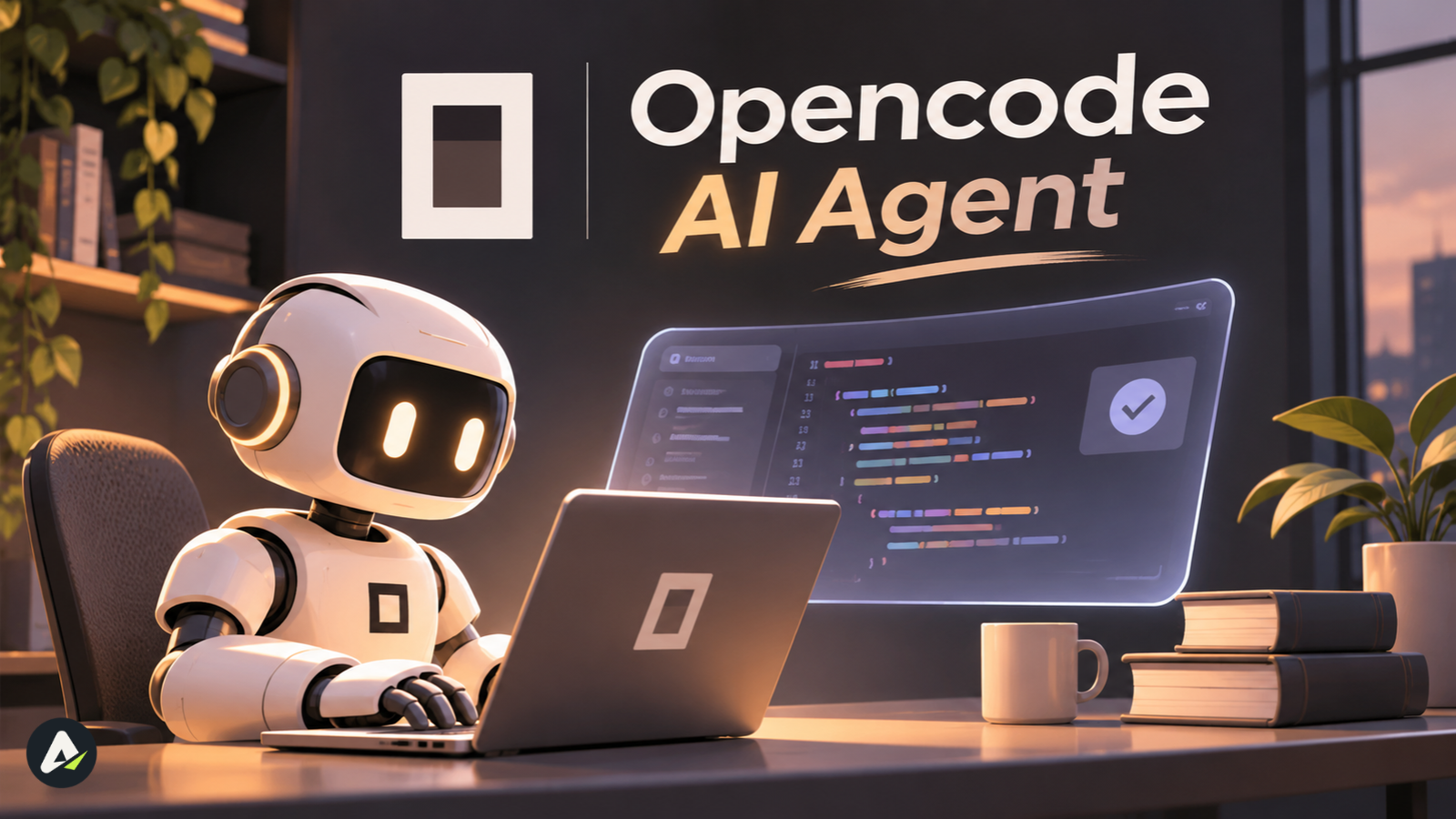
OpenCode is an open-source AI coding agent. It reads your project, writes code, runs commands and fixes errors with any model you choose, local ones included.
Free access does not mean unlimited use or full privacy. Your model, its data policy, and your permission settings shape the whole experience.
This review covers setup, pricing, privacy, and the built-in agents, then follows a real session where the default free model builds a business website from one prompt. It closes with a competitor comparison and a clear verdict.
The short verdict: OpenCode is an open source, model-agnostic coding agent that avoids vendor lock-in. Closed editors like Cursor and ecosystem-bound tools like Claude Code tie you to one platform. OpenCode lets you switch between 200+ cloud providers, run local models through Ollama or use built-in free models. The trade-off: you manage your own configuration and permission guardrails.
OpenCode AI Features and Capabilities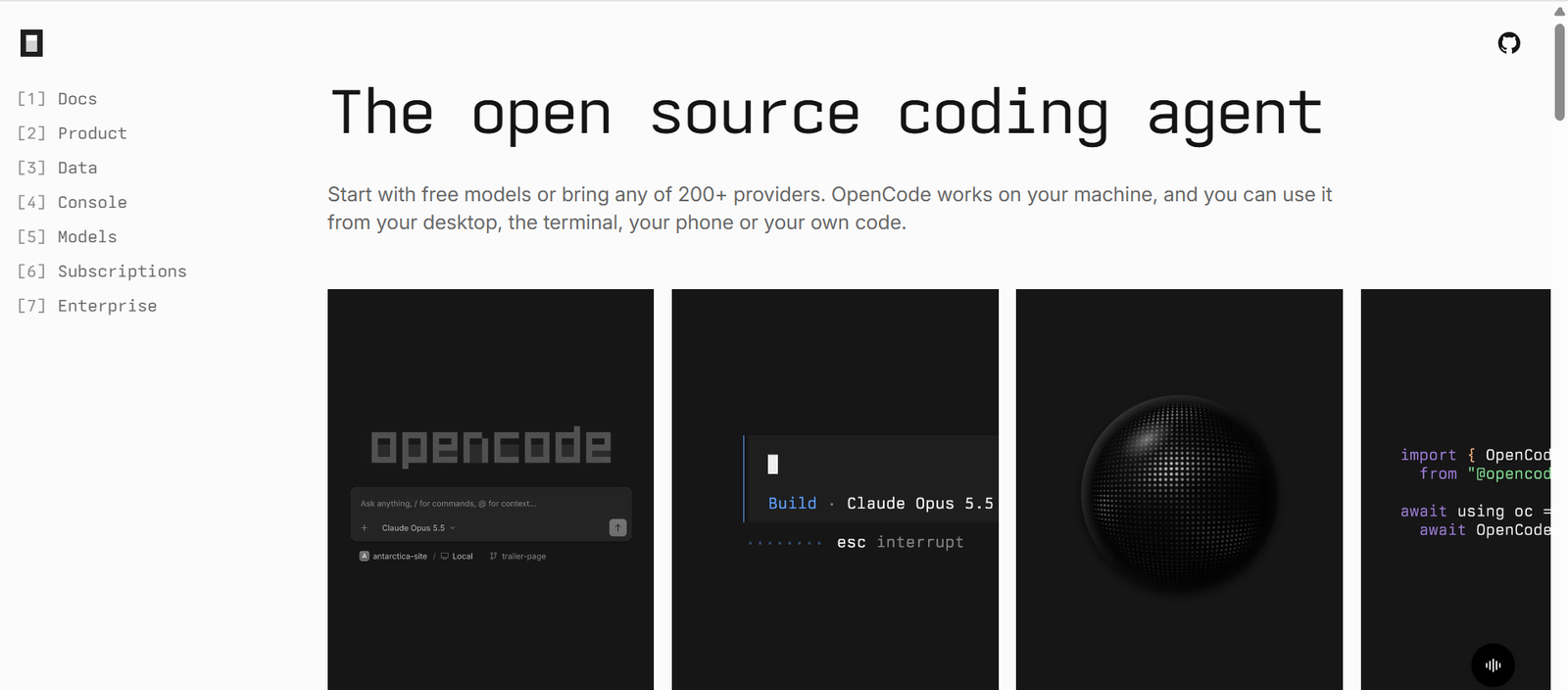
Anomaly, the company behind OpenCode, releases it under the MIT license. Its core features:
- Any model: 200+ LLM providers through Models.dev, including local models
- Any device: desktop app, terminal interface, mobile app, and an SDK for your own tools
- Multi-session: several agents running in parallel on one project
- Plugins, MCP servers and custom agents: hook into events, add tools and build specialists with their own prompts and models
- Agent skills and custom commands: reusable workflows in SKILL.md files, plus slash commands for repeat jobs
For companies, OpenCode Enterprise ties the agent to your SSO provider and locks every user to an internal AI gateway, priced per seat. It follows the wider shift toward identity-based agent governance, where each agent inherits a named user’s access.
OpenCode’s site lists about 226K GitHub stars and 1,089 contributors as of November 11, 2026.
Why ACP editor support matters
The Agent Client Protocol, an open standard that Zed first released, splits the agent from the editor. Your editor launches opencode acp in the background and swaps messages with it.
That changes the lock-in question. Cursor ships the agent and editor as one product. OpenCode keeps the same agent, config, and models across the terminal, the desktop app, and any ACP editor. Connecting Zed takes a few lines of ACP settings.
Which OpenCode GitHub Repo Is the Real One?
The active OpenCode project lives at github.com/anomalyco/opencode. The older opencode-ai/opencode repo is a separate Go tool. Its owner archived it on September 18, 2025, and development continued as Crush, its successor project.
That old install script still circulates in tutorials, and even Google’s AI summary for this query mixes the two. Treat any guide that uses sst/opencode or opencode-ai/opencode as outdated.
| Repo | Status | What it is |
|---|---|---|
| anomalyco/opencode | Active, MIT | The OpenCode agent on opencode.ai |
| opencode-ai/opencode | Archived Sep 18, 2025 | Older Go tool, now continued as Crush |
| sst/opencode | Redirects | Former home of the current project |
Is OpenCode AI Free?
Yes. The agent is open source, and it ships with built-in models that need no sign-up. Two limits apply: these models carry a daily request cap, and several of them store your prompts or use them to improve the model during the free period.
As of November 11, 2026, OpenCode offers 14 no-cost models through Zen. The lineup changes often, so run /models for the live list.
Zero retention vs. no training: why the difference matters
These two privacy terms are not the same. Zero retention means the provider does not store your prompts after it answers. No training means the provider will not use your prompts to train models, but it may still keep them for a while, for example, for safety review. Beam Free is a good example: no training, yet a 30-day retention period.
| Free model | Used for training? | Retention |
|---|---|---|
| GLM-5.3-Flash Free, DeepSeek V4.1 Flash Free, MiniMax M3.1 Flash Free | No | Zero retention |
| LongCat 2.5 Free (hosted in China) | No | Not retained |
| Beam Free | No | 30 days, for safety |
| Big Pickle | May be used to improve the model during its free period | Collected; period not stated |
| Flint 40B Free | May be used to improve the model | 30 days |
| Iceman Free, Inkling 2 Small Free | Yes, or possibly | Retained |
| MiMo-V2.6-Flash Free | May be used to improve the model | Not stated |
| Nemotron 3 family (free) | Logged for security and product improvement; trial use only | Logged |
Data terms reflect Zen’s per-model privacy notes on November 11, 2026, and the lineup shifts often. For client work or private code, stick to the first three rows. These chat models also run only inside OpenCode, so other tools cannot use them.
The hidden cost of free models
A free model costs nothing in tokens, but it can cost a lot in time. Smaller models more often write wrong code, misuse tools, or loop on the same broken fix. Each retry fills the context window, and a crowded context tends to drag later answers down.
For a quick prototype, that trade works fine. For a stubborn bug in a large codebase, a stronger paid model often finishes in fewer rounds. A practical rule: start free, and switch models /models as soon as the agent repeats a mistake.
OpenCode Zen vs. Go: Which Is Better?
Zen is pay-as-you-go: you load credits and pay per token for a curated set of coding models. Go is a flat subscription from $10 a month with usage caps. Both are optional, since you can always bring your own key.
| Feature | OpenCode Zen | OpenCode Go |
|---|---|---|
| Billing | Prepaid credits, priced per 1M tokens | $10/month (Go), $40/month (Go Plus), $20/member/month (Go Teams) |
| Extra fees | 4.6% + $0.31 processing fee on each credit purchase | None beyond the plan; optional credit top-ups for extra usage |
| Usage limits | Your balance; budgets and auto-recharge available | Five-hour, weekly and monthly windows, set per model |
| When limits hit | Top up or stop | Fall back to free models, or spend top-up credit |
| Use in other agents | Paid models work in other tools | Validated with Claude Code, Codex, Hermes and Pi |
Go limits apply per model, so reasoning models drain the allowance fastest. On base Go, Kimi K3 allows about 110 requests per five hours, against roughly 43,330 for DeepSeek V4.1 Flash. By default, Go also blocks paid endpoints that train on your requests. Prices match the OpenCode Go plan page on November 11, 2026, before local taxes.
Daily coders who want a fixed bill fit Go. CI pipelines and bursty work fit Zen, but pay-as-you-go has no ceiling, so set a monthly budget before any unattended run.
How to Install OpenCode on Windows, macOS and Linux
The fastest route is the OpenCode desktop app, available for Windows, macOS and Linux. For the terminal, the official script is curl -fsSL https://opencode.ai/v2/install | bash. Many older guides list commands for V1 or for the archived Go project, so confirm which version a tutorial targets.
OpenCode runs two release lines. The site now installs V2. V1 still exists on npm as opencode-ai, so npm install -g opencode-ai gives you the older line.
Desktop app (all platforms)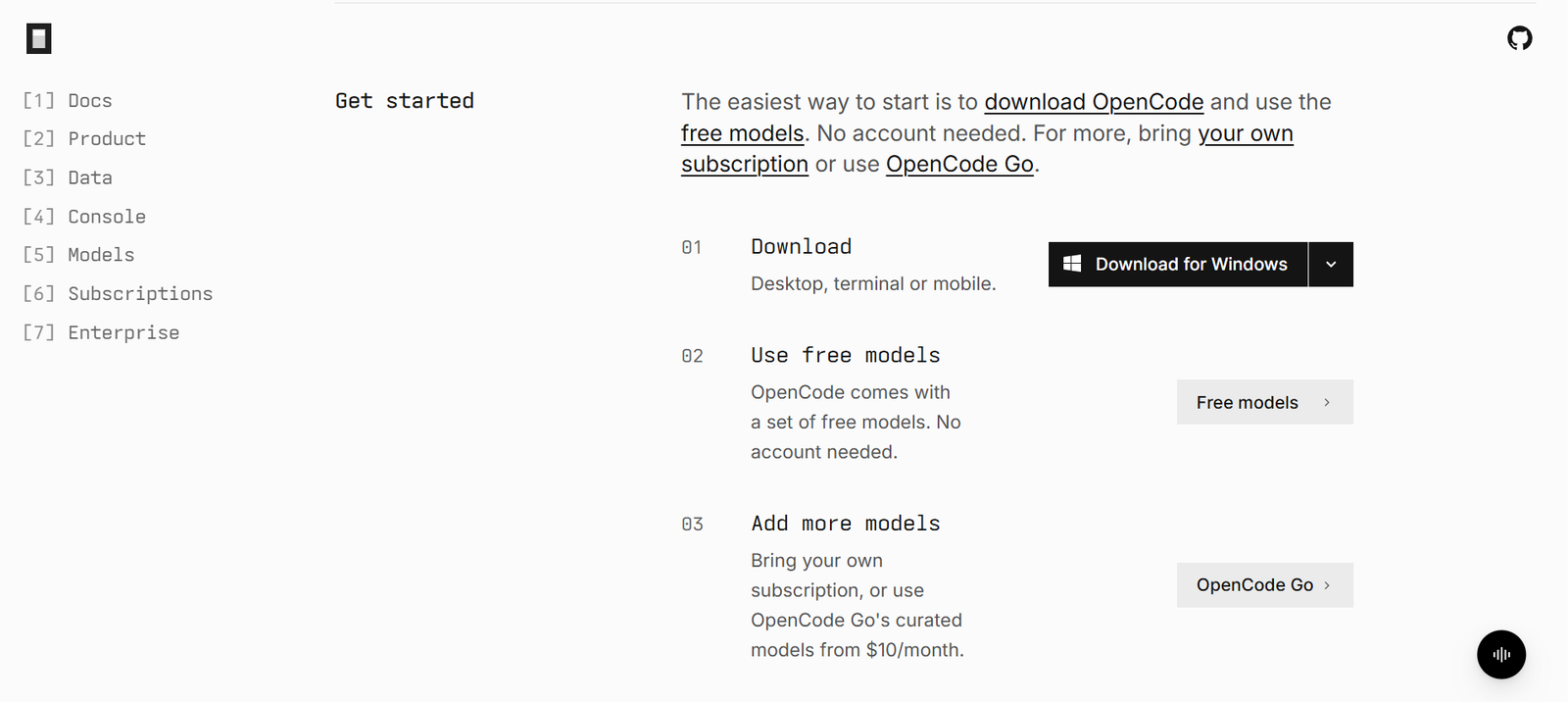
Download builds for macOS (Apple Silicon and Intel), Windows (x64 and ARM64), and Linux (.deb, .rpm and AppImage, x64 and ARM64). No terminal is needed.
macOS
curl -fsSL https://opencode.ai/v2/install | bash
# or Homebrew
brew install anomalyco/tap/opencode-v2
Linux
curl -fsSL https://opencode.ai/v2/install | bash
# Arch Linux (AUR)
paru -S opencode-beta
Windows
Windows package managers such as Scoop and Chocolatey do not work with OpenCode (install notes). Use the desktop installer or the standalone CLI binary, or run the install script inside WSL.
Any OS with Node.js or Bun
npm install -g @opencode/cli
# or
bun install -g --trust @opencode/cli
Two commands still circulate in search results and AI summaries: npm install -g @opencodeai/cli and the raw GitHub script from opencode-ai/opencode. Neither matches anything OpenCode documents today, and the second installs the archived Go tool.
OpenCode V1 vs. V2: what changed?
Most settings carry over, but V2 changes several defaults. Every row below matches the official V1-to-V2 migration guide.
| Area | V1 | V2 |
|---|---|---|
| npm package | opencode-ai |
@opencode/cli |
| Folders outside the project | Asks before access | Allowed by default |
| Project instructions | AGENTS.md, with a CLAUDE.md fallback | AGENTS.md only |
| Language servers (LSP) | Runs servers and reports diagnostics | Keeps the config, but runs no servers and reports no diagnostics |
| Plugins | V1 plugin API | New API; port V1 plugins before upgrading |
The outside-folder change carries the most security weight. V2 grants external_directory access by default. Add this rule to your permissions config to bring back the V1 prompt:
{ "action": "external_directory", "resource": "*", "effect": "ask" }A careful model is no substitute for hard limits. Explicit agent permission allow-lists draw firm lines around what an agent can touch. And without LSP diagnostics, V2 users need the project’s own lint, typecheck, or compiler commands to catch errors.
How to Connect OpenCode to an AI Model
The built-in free models work without logging in. To add a paid provider, type /connect in OpenCode, pick a provider, and paste an API key or sign in. Then type /models to choose a model. You need an OpenCode Console account only for Zen or Go.
Four provider connection routes cover most setups:
- API key:
/connectChoose Anthropic, OpenAI, OpenRouter, or another provider, and paste the key. - ChatGPT Plus or Pro:
/connectSelect OpenAI, then sign in with ChatGPT. Usage counts against your plan, so models show no cost. - GitHub Copilot:
/connectSelect GitHub Copilot, and finish the device login. Your account needs Copilot Chat access. - Zen or Go: sign in to the OpenCode Console, copy your key, then
/connectand choose the OpenCode provider.
Running local models: hardware and privacy
For local models, start Ollama and pull a model. OpenCode detects it at http://127.0.0.1:11434 and lists it under /models with no account. It finds LM Studio (port 1234) and vLLM (port 8000) the same way.
Local models bring hardware demands. OpenCode needs a context window of at least 64K tokens, and Ollama’s default sits lower. Start the server with a larger window, for example OLLAMA_CONTEXT_LENGTH=65536 ollama serve. A bigger window eats more memory on top of the model weights, so confirm the model still fits on your GPU.
Tool calling is the second hurdle. An agent only works if the model can call tools, such as writing a file, instead of printing commands as plain text. Many smaller local models stumble here, so try a model on a throwaway project before trusting it with real code.
Local inference keeps model processing on your machine, but the whole workflow does not become private. Remote MCP servers, web-fetch tools, plugins, and session sharing can still send data out. Turn sharing off with "share": "disabled" in opencode.json while you evaluate the tool.
OpenCode AI Agents Explained
OpenCode splits work between two primary agents and two subagents, and you can add your own.
| Agent | Type | What it does | Default access |
|---|---|---|---|
| Build | Primary | Default coding agent | Full tools; asks before reading sensitive environment files |
| Plan | Primary | Explores and plans | Cannot edit normal project files; shell stays permission-controlled |
| General | Subagent | Research and multi-step work | Broad tools, but cannot launch more subagents |
| Explore | Subagent | Searches and reads code or web sources | Read-only |
A practical habit: start a risky change in Plan, read the plan, then switch to Build. Because Plan cannot touch normal project files, you get a review step before anything changes.
Custom agents are Markdown files, and they work like specialized AI agents: each gets a narrow job, its own prompt and its own model. Save one at ~/.config/opencode/agents/<name>.md for every project, or at .opencode/agents/<name>.md for one project. The frontmatter sets the model, tools, and permissions, and the body becomes the system prompt. A file at .opencode/agents/team/reviewer.md becomes an agent called team/reviewer, which the main agent can call as a subagent.
Permissions and undo: what protects your project
OpenCode takes local snapshots of your files so /undo can roll back an agent’s edits. These file snapshots live in a separate Git store inside OpenCode’s data folder and never touch your own commits or branches.
Undo has limits. It restores files, but it cannot reverse what a shell command did to a database, a running service, a network resource, or files outside the project. Snapshots also hold full copies of your files, so treat OpenCode’s data folder as sensitive.
The safest setup follows a simple rule behind AI agent autonomy limits: let reversible work run freely, and keep a human approver on anything irreversible.
Can You Run Several OpenCode Agents at Once?
Yes, but not safely in one folder. Two agents editing the same working directory can overwrite each other’s changes, break a half-finished build, or leave Git in a confusing state. The safe pattern gives each agent its own Git worktree: a separate folder on its own branch that shares the same repository history.
OpenCode’s desktop app offers a Workspaces option for this. It puts each session on its own branch and folder inside a Git repository. In the terminal, create worktrees with git worktree add and start OpenCode inside each one.
Isolation prevents file clashes, not logic clashes. Two agents can still produce changes that conflict at merge time or solve one problem in two different ways. The same pattern drives many multi-agent coordination failures, where each agent works correctly alone but the combined result goes wrong. Give each session one clear, separate task, and review every branch before you merge it.
What Happens When OpenCode Builds a Website From One Prompt?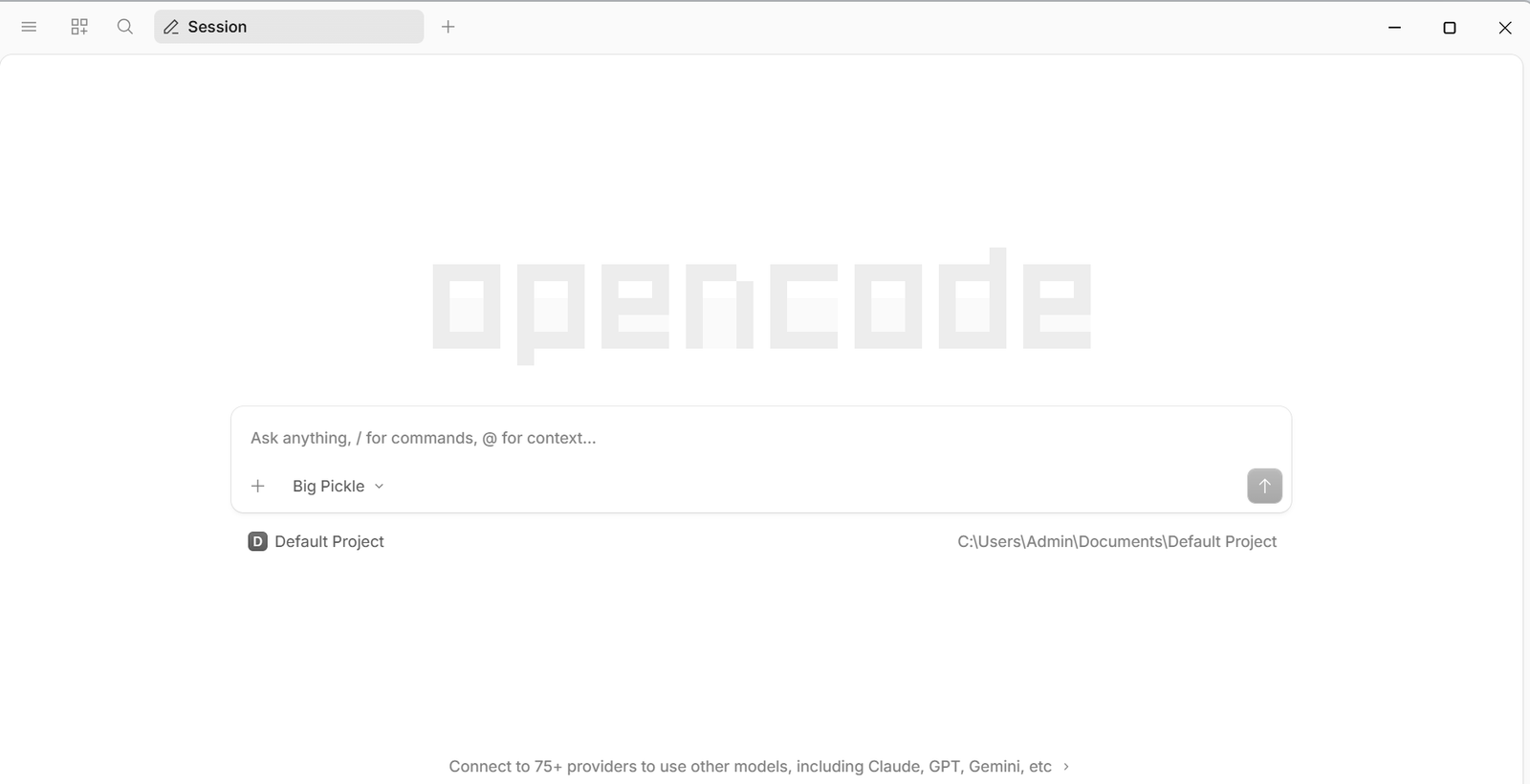
OpenCode’s default free model, Big Pickle, can turn a single prompt into a complete multi-section business website. In a November 2026 session in the Windows desktop app, it wrote the HTML, CSS, and JavaScript, started a local server, and showed a live preview. The session required no account or API key.
The prompt asked for a modern, responsive business website with a navigation bar, a hero section, and Services, About, and Contact sections. The token counter climbed to about 101K tokens, and the model cost nothing.
A fresh build like this is the easiest job for any coding agent. It shows how fast OpenCode gets you started, not how well it debugs an existing codebase or survives a multi-file refactor.
The OpenCode homepage.
The hero reads “The open source coding agent,” with previews of the desktop app, the terminal (“Build · Claude Opus 5.5” means the Build agent on that model), and an SDK snippet.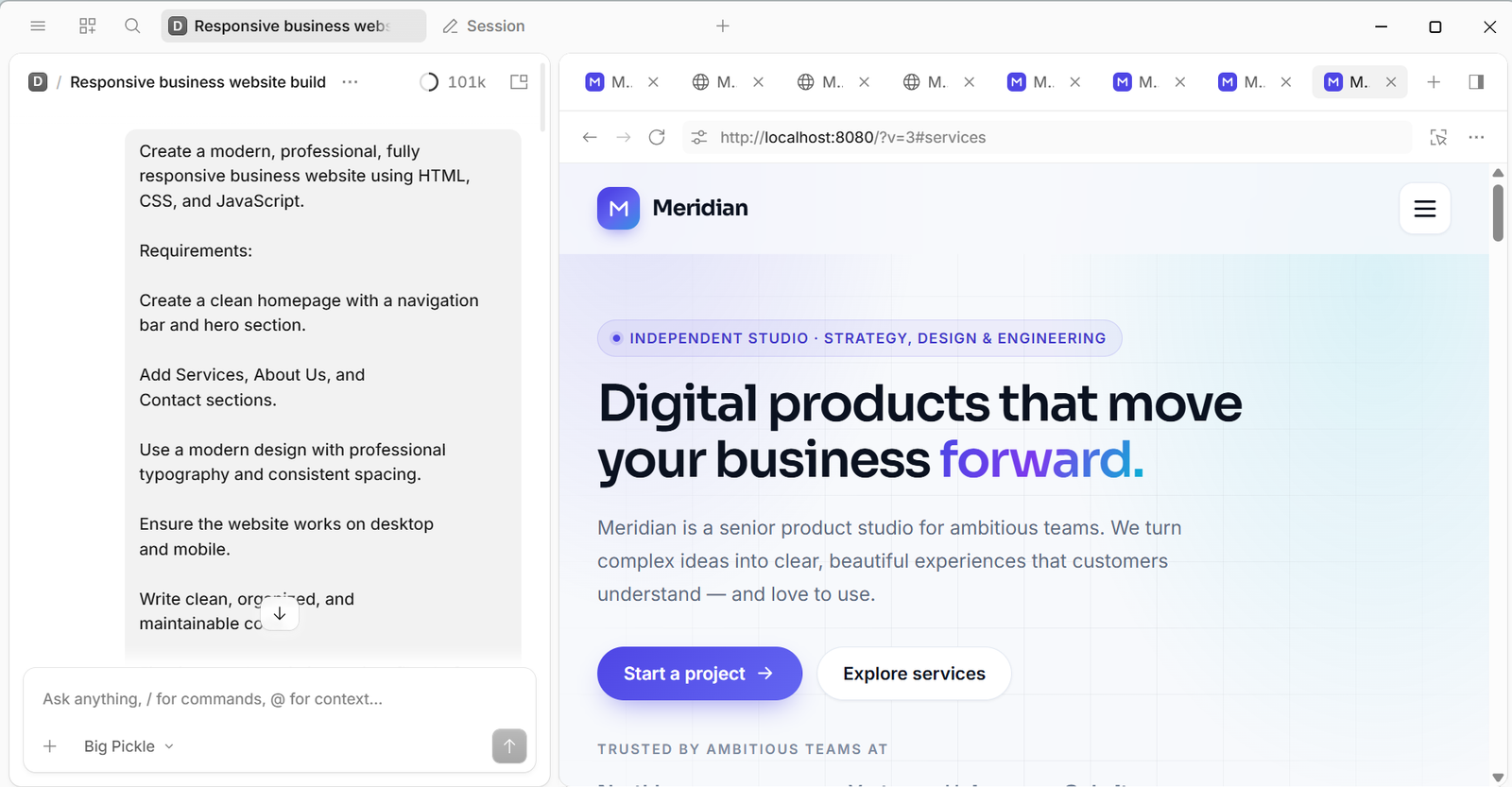
The agent at work.
The left pane holds the prompt and the token counter. The right pane runs the built-in browser, which already shows a studio site called “Meridian” at localhost:8080. The narrow pane triggers the mobile layout, hamburger menu included, which gives a quick first check of the responsive design.
The same site in Google Chrome.
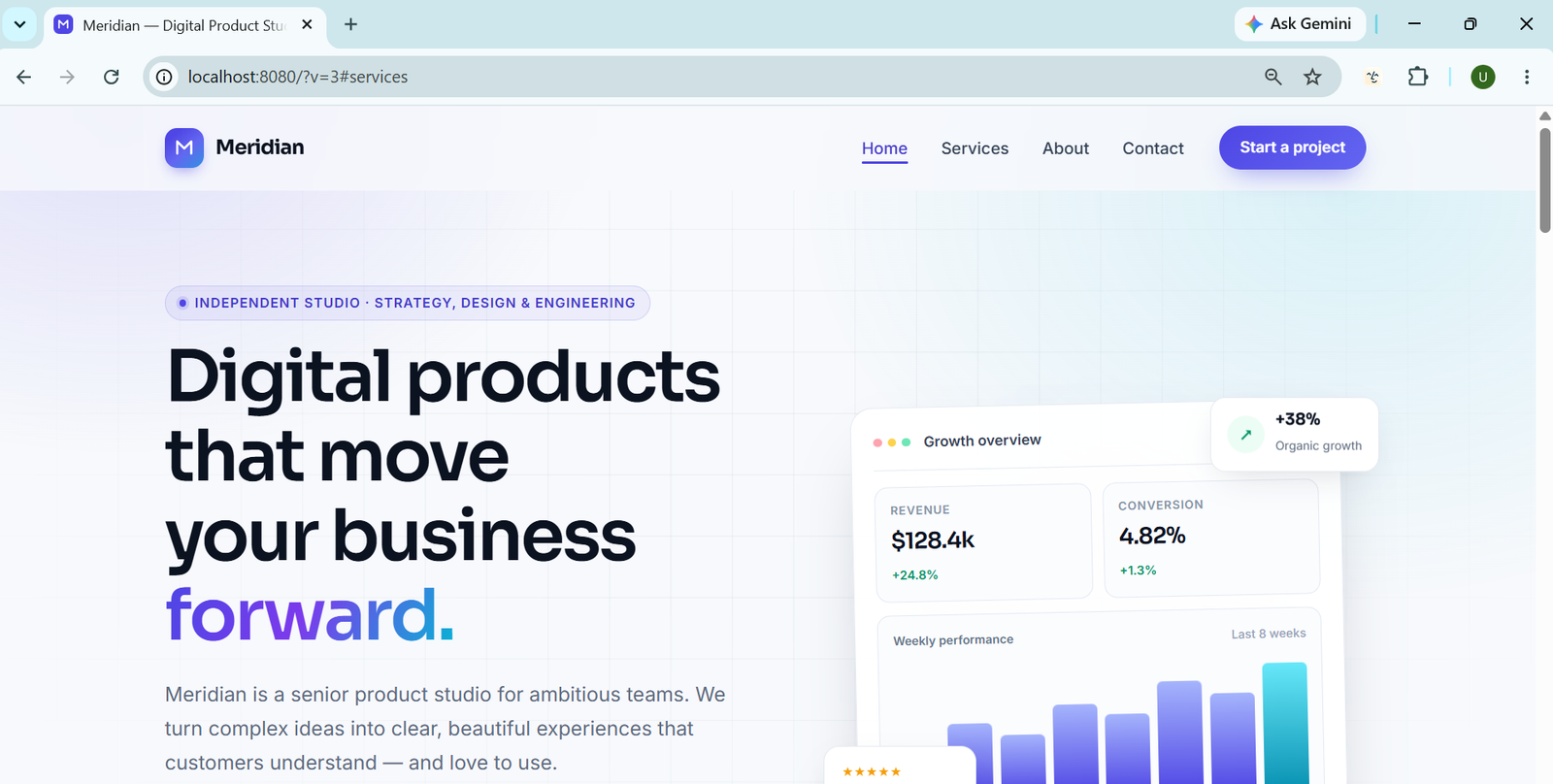
At full desktop width, the site shows its complete navigation, a large hero headline (“Digital products that move your business forward.”), and a dashboard-style card with revenue and conversion figures.
| Note on localhost: The address localhost:8080 points to a small web server on your own computer, which the session started. It works in any browser on that same machine, from the built-in preview to Chrome, Edge, or Firefox, while that server keeps running. It is not a public link. Nobody else can open it, and it stops working when the server or session closes. To share the site, deploy the files to a host first. |
What the result shows
Two lessons stand out. First, the free default model delivers a polished first draft with zero setup. Second, much of the content is filler: the model invented the revenue figures, star ratings, and “Trusted by ambitious teams at” logo row. Replace every number, testimonial, and client name before a page like this goes live.
A good-looking draft is also not a production-ready site. A page like this still needs its own checks for accessibility (contrast, keyboard use, alt text), security (form handling and scripts), working links and forms, and behavior across browsers and devices.
OpenCode Limitations and Security Risks
Most OpenCode risks trace back to two questions: what can the agent touch, and where does your code go? These precautions cover the main gaps:
- Code privacy: match the model’s data terms to the project. Each MCP server also adds tools through MCP tool discovery, and every new tool opens another path for data to leave, even with a local model.
- Access scope: an agent risk score weighs data sensitivity, system access, and reversibility before you widen shell or file access.
- File access: on V2, switch outside-directory access back to “ask.”
- Irreversible commands: commit before each session, and keep approval prompts on for databases, services, and deployments.
- Model quality: a flash model that scaffolds a site well may stall on a large refactor, and every generated change still needs human review.
OpenCode vs. Other AI Coding Agents
No single coding agent wins for everyone. OpenCode competes in a crowded field of autonomous AI coding agents, including OpenAI Codex, GitHub Copilot, and Devin. Its closest rivals split along clear lines:
| Tool | Where it runs | Models | What you pay for | Main strength | Main trade-off |
|---|---|---|---|---|---|
| OpenCode | Desktop app, terminal, mobile, SDK, ACP editors | 200+ providers plus local models | Nothing for the agent; your model provider, Zen or Go | Open source with free choice of model | More configuration decisions; V1/V2 split |
| Claude Code | Terminal, VS Code, JetBrains, desktop app, web | Anthropic’s Claude models | A paid Claude plan (Pro, Max, Team, Enterprise) or Console API usage | Deep integration with one model family across many surfaces | No free tier; built around Anthropic’s ecosystem |
| Cursor | Its own AI code editor, built on VS Code | Several vendors’ models | Free tier, then a paid subscription with usage limits | Polished visual editor with agent features built in | Proprietary platform; you switch editors |
| Cline | VS Code extension | Your own API keys or Cline credits | Free extension; your model usage | Plan and Act modes, with approval before file changes | You manage keys and costs yourself |
| Aider | Terminal | Most LLMs, including local ones | Free tool; your model usage | Commits every edit to git, with instant /undo |
Terminal only; git-centric workflow |
Best fit by workflow:
- OpenCode: one open-source agent across desktop, terminal and editor, with free choice of model.
- Claude Code: the most direct path to Anthropic’s models for existing Claude subscribers.
- Cursor: an editor-first experience, if a proprietary subscription suits you.
- Cline: step-by-step approval inside VS Code.
- Aider: every AI change as a reviewable git commit, straight from the terminal.
Is OpenCode Worth Using in 2026?
For most developers who want to try AI coding without a subscription, yes. OpenCode runs one agent across desktop, terminal, and editor, and lets you change models as prices and quality shift. It fits well as the coding layer of a broader AI agent stack. It suits people less if they want one vendor to manage everything, or if their team cannot send code to outside model hosts and lacks hardware for local models.
The learning curve is moderate. The desktop app lets a beginner build something on day one, but real value takes more: picking a model, reading its data terms, setting permissions, and reviewing every change.
| You are… | OpenCode fit |
|---|---|
| A beginner trying AI coding for free | Strong: free models and a desktop app |
| A developer with a ChatGPT, Copilot, or API plan | Strong: reuse what you already pay for |
| Privacy-sensitive or offline | Good, with local models and the right hardware |
| A team that wants predictable spend | Good with a fixed-price Go plan |
| An organization needing SSO and central control | Possible through OpenCode Enterprise |
| Someone who wants zero configuration and one vendor | Weaker: model choice adds decisions |
Frequently Asked Questions
Q. Does OpenCode need an API key?
No. The built-in free models run without a key. You need a key or a sign-in only for a paid provider such as Anthropic, OpenAI, OpenRouter, GitHub Copilot, Zen, or Go. The /connect command adds it.
Q. What is Big Pickle in OpenCode?
Big Pickle is one of OpenCode’s free models and the desktop app’s default choice. Its data terms differ from the zero-retention free models, so the free-model table above shows where it fits for private code.
Q. What is the difference between opencode-ai and @opencode/cli?
They are the npm packages for the two release lines. opencode-ai installs OpenCode V1, and @opencode/cli installs V2, the version the OpenCode site now promotes.
Q. Can I run two OpenCode agents on the same project?
Yes, if each agent works in its own Git worktree. The desktop app’s Workspaces option sets this up on any Git repository.
Q. Does OpenCode work on Windows?
Yes, through the desktop app (x64 and ARM64), the standalone CLI binary, or WSL. Scoop and Chocolatey do not work.
Q. Is OpenCode better than Claude Code?
Neither wins for everyone. Pick OpenCode for model freedom at no cost, or Claude Code if you already pay for Claude and want deep integration with its models.
Related: AgentMan: Build Smarter Agents Without Coding?
| Disclaimer: This article is based on our hands-on testing of OpenCode’s AI coding capabilities. Features and results may vary depending on the selected model, configuration, and project environment. We are not affiliated with OpenCode. Always review and test AI-generated code before using it in production. |

Maliha
AI is moving steadily from experimental technology into the products and workflows people rely on every day. Maliha Irfan is a technology writer covering artificial intelligence, automation, and emerging software. Her work focuses on the practical side of AI agents, exploring how these systems are being used, what they can realistically accomplish, and the limitations that matter when businesses and individuals adopt them.
More from Maliha →